


TP-Link WiFi Router: Features, Setup Guide & Buying Tips
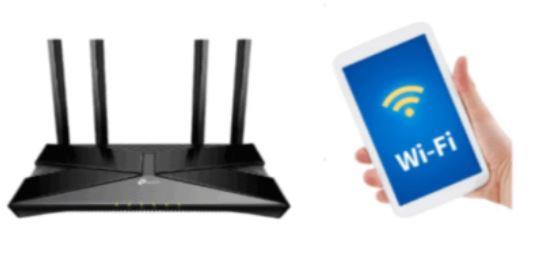
TP-Link WiFi Router: Complete Overview
A TP-Link WiFi router is one of the most popular networking devices used to provide wireless internet at home, office, and small businesses. It connects your internet service to multiple devices like mobiles, laptops, and smart TVs.
TP-Link is known for its stable connection, easy setup, and affordable pricing.
Key Features of TP-Link WiFi Router
1. Strong Wireless Coverage
A TP-Link router provides stable WiFi signals across rooms, depending on model and range.
2. Dual-Band Support
Many modern TP-Link WiFi routers support 2.4GHz and 5GHz bands for better speed and performance.
3. Easy Setup
Installation is simple through web interface or TP-Link mobile app.
4. Security Features
Includes WPA/WPA2 encryption to protect your WiFi network from unauthorized users.
How to Set Up TP-Link WiFi Router
Step 1: Connect Cables
- Plug router into power
- Connect ISP cable to WAN port
Step 2: Access Login Page
Open browser and type:
192.168.0.1 or tplinkwifi.net
Step 3: Login
Enter default username and password (usually admin/admin).
Step 4: Configure Internet
Follow setup wizard to configure your TP-Link WiFi router.
Step 5: Set WiFi Name & Password
Create a strong SSID and password.
Benefits of TP-Link WiFi Router
- Stable internet connection
- Budget-friendly options
- Wide range of models
- Easy mobile app control
- Good for home and office use
Tips for Better Performance
- Place router in central location
- Avoid walls and obstacles
- Restart router occasionally
- Update firmware regularly
Common Problems & Fixes
No Internet Connection
Check ISP cable and reboot router.
Slow Speed
Reduce connected devices or switch to 5GHz band.
Login Page Not Opening
Use correct IP like 192.168.0.1.
Final Thoughts
A TP-Link WiFi router is a reliable and affordable solution for stable internet. With proper setup and placement, it can deliver strong performance for everyday use.

 Arabic
 French
 Spanish
 Portuguese
 Deutsch
 Turkish
 Dutch
Dutch
 Italiano
 Russian
 Romaian
 Portuguese (Brazil)
 Greek
Greek