


Ledger Live App: A Complete Guide to Managing Your Cryptocurrency
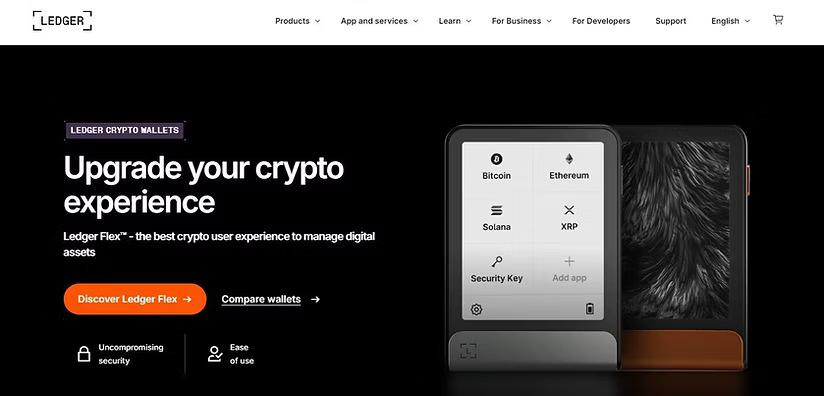
The Ledger Live App is a popular cryptocurrency management application designed to help users manage their digital assets through compatible Ledger hardware wallets. It provides a convenient interface for checking cryptocurrency balances, receiving and sending digital currencies, tracking portfolio performance, and exploring supported blockchain services. Whether you are new to cryptocurrency or an experienced investor, understanding how the Ledger Live App works can help you manage your digital assets more confidently.
What Is the Ledger Live App?
The Ledger Live App is a digital asset management application developed by Ledger. It works with compatible Ledger hardware wallets, allowing users to manage supported cryptocurrencies while keeping their private keys protected by the hardware wallet.
The application is available for desktop and mobile devices, depending on device and operating system compatibility. Users can access portfolio information, view transaction histories, and manage supported cryptocurrencies from a centralized interface.
Unlike a traditional online cryptocurrency wallet, Ledger's hardware wallet approach is designed to keep private keys offline. Transactions generally require approval using the connected hardware wallet, providing an additional layer of security.
Key Features of Ledger Live App
1. Cryptocurrency Portfolio Management
One of the main benefits of the Ledger Live App is its portfolio management functionality. Users can review supported cryptocurrency balances and monitor the approximate value of their holdings.
The portfolio interface makes it easier to understand how digital assets are distributed across supported accounts. Users can also review transaction histories to keep track of deposits, withdrawals, and other account activity.
2. Send and Receive Cryptocurrency
The Ledger Live App allows users to send and receive supported cryptocurrencies. To receive funds, users can generate a receiving address and share it with the sender.
Before transferring funds, always verify the receiving address and select the correct blockchain network. When sending cryptocurrency, carefully review the destination address, transaction amount, and network fee before confirming the transaction on the hardware wallet.
Cryptocurrency transactions are generally irreversible, so checking these details is essential.
3. Hardware Wallet Security
Security is a major reason many cryptocurrency users choose Ledger products. Compatible hardware wallets are designed to protect private keys within the device rather than exposing them directly to an internet-connected computer or smartphone.
The Ledger Live App serves as the management interface, while the hardware wallet provides transaction authorization. Users should still follow recommended security practices, including keeping recovery phrases offline and protecting their devices.
Never share your recovery phrase with anyone, including someone claiming to represent Ledger customer support.
4. Support for Multiple Cryptocurrencies
The Ledger ecosystem supports numerous cryptocurrencies and blockchain networks. However, availability depends on the hardware wallet, the installed blockchain application, the specific asset, and the current Ledger Live features.
Users can manage supported assets through the application and, where necessary, use compatible third-party wallet interfaces. Before transferring any cryptocurrency, confirm that the asset and network are supported by the intended destination.
5. Additional Blockchain Services
Depending on the asset and region, Ledger Live may provide access to additional services, such as buying, swapping, staking, or other blockchain-related features through integrated service providers.
Availability, fees, eligibility, and transaction conditions can vary. Users should review the terms and costs of each service before proceeding.
How to Download and Set Up Ledger Live App
Getting started with the Ledger Live App involves several straightforward steps.
Step 1: Visit the official website. Open Ledger's official website at https://www.ledger.com/ledger-live and locate the appropriate application download for your device.
Step 2: Install the application. Download Ledger Live from the official source and follow the installation instructions for your operating system. Avoid unofficial download websites and suspicious advertisements.
Step 3: Connect your Ledger device. Follow the on-screen instructions to connect and configure your compatible hardware wallet. If you already own a device, use the appropriate setup or recovery procedure.
Step 4: Add cryptocurrency accounts. Install the required blockchain applications on your Ledger device, where applicable, and add supported accounts within Ledger Live.
Step 5: Review your portfolio. Once setup is complete, you can explore available accounts, review balances, and manage supported transactions.
Never enter your recovery phrase into a website or application just because a pop-up or support representative requests it.
Tips for Using Ledger Live App Safely
Protecting cryptocurrency requires careful attention to security. Always download Ledger Live through official channels and keep the application and device firmware updated using official instructions.
Purchase hardware wallets from trusted sources and check the device setup guidance for signs of tampering. Store your recovery phrase securely offline, and never photograph it or save it in cloud storage.
Be cautious of unsolicited emails, fake support accounts, and messages promising account recovery or investment profits. Ledger support will not need your recovery phrase to help troubleshoot ordinary application issues.
Before confirming a transaction, independently verify the details displayed on your hardware wallet. Consider making a small test transfer before sending a large amount to a new address.
Common Ledger Live App Problems
Users may occasionally encounter connection errors, synchronization delays, missing account balances, or transaction issues. These problems can arise from network congestion, outdated software, connectivity issues, or temporary service disruptions.
To troubleshoot, check your internet connection, update the application through official channels, and follow Ledger's official troubleshooting instructions. Confirm that you have selected the correct blockchain network and account.
If a transaction is pending, check the relevant blockchain explorer using your transaction ID. Do not share private keys or recovery phrases with anyone offering to resolve the problem.
Conclusion
The Ledger Live App provides a convenient way to manage supported cryptocurrencies alongside compatible Ledger hardware wallets. Its portfolio tracking, transaction management, and additional blockchain services make it useful for people who want a structured approach to digital asset management.
By downloading the application from official sources, verifying transaction details, and protecting your recovery phrase, you can reduce common security risks while managing your cryptocurrency. Always research supported assets, transaction fees, and available features before using a particular service.
Ledger Live can be a valuable part of a cryptocurrency security strategy, but safe usage ultimately depends on informed decisions and responsible management of your digital assets.

 English
 Arabic
 French
 Spanish
 Portuguese
 Deutsch
 Turkish
 Dutch
Dutch
 Italiano
 Russian
 Portuguese (Brazil)
 Greek
Greek