


Instagram DM Automation for Shopify: AI Agent Guide (2026)
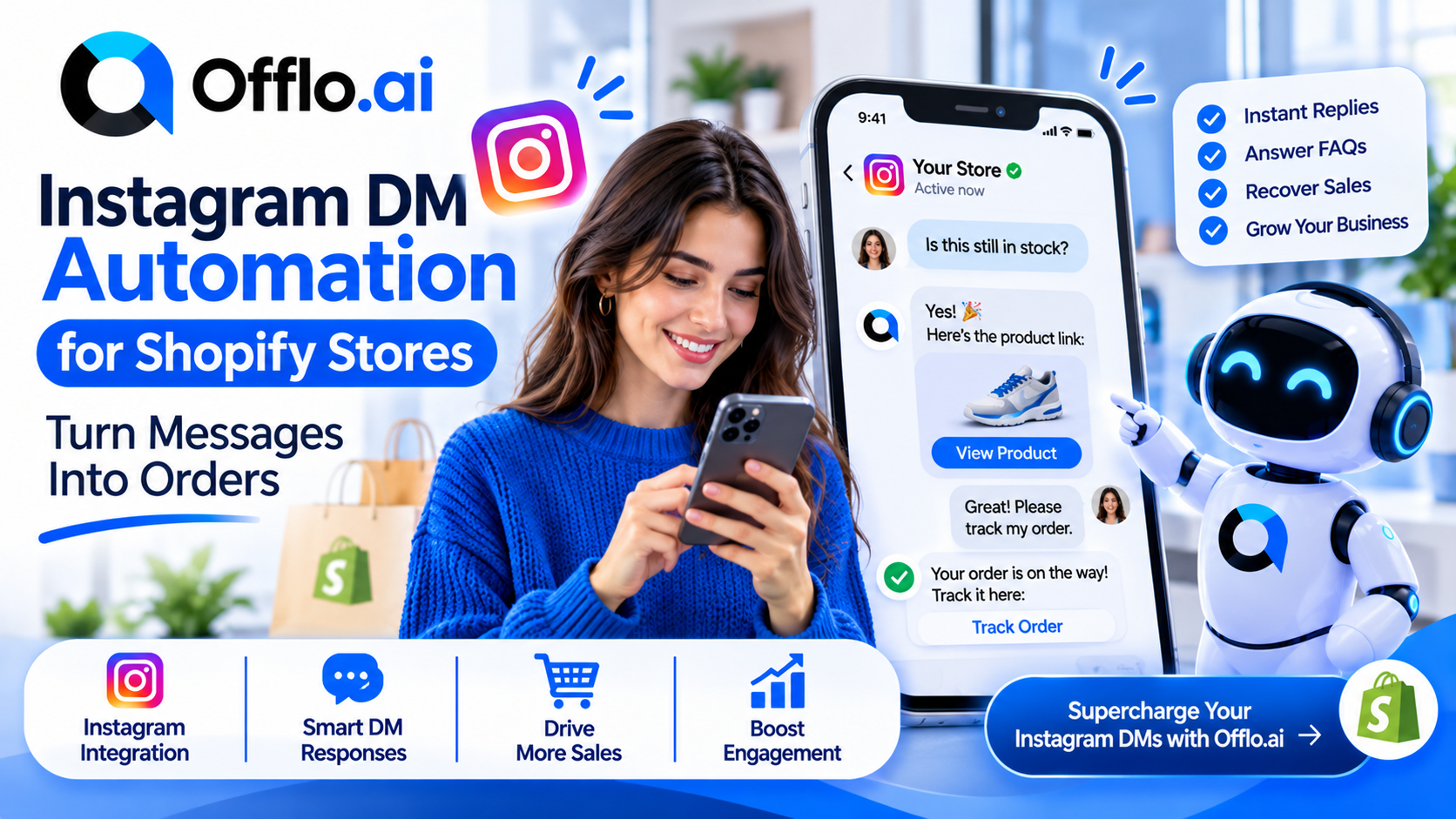
Instagram DM automation is quietly becoming one of the most useful tools for online stores, because Instagram is where many shoppers first find a product and where they ask the questions that decide whether they buy. A story catches their eye, they tap reply, and type something like “Is this still in stock?” If nobody answers for a day, that shopper has usually moved on.
The problem is volume and timing. Stores get questions at all hours, in comments, in story replies and in direct messages, and a small team cannot reply to all of them quickly. Automation fixes the speed. An AI agent fixes something harder: it can hold a real conversation, answer from your store information and pass the difficult cases to a person.
Offlo.ai describes itself as an AI revenue OS for ecommerce, with AI agents that sell, support and re-engage customers across WhatsApp, Messenger, Instagram, web and email. Its AI Instagram Agent is part of a platform that also includes a shared inbox, workflow automations and a Shopify integration.
This guide explains why shoppers message you on Instagram, how an AI DM agent works, which Instagram rules you must respect, what to say and when, how to set it up for a Shopify store, which numbers to track and which mistakes to avoid. It is written for store owners and ecommerce teams who want a practical plan rather than theory.
Why Shoppers Slide Into Your DMs
People rarely message a store just to chat. Each DM carries a specific need, and the best automation is built around those needs rather than around a generic greeting.
|
What the shopper sends |
What they are really asking |
How an agent helps |
|
“Is this still available?” |
Can I actually buy it? |
Checks stock details and shares the product link |
|
“Do you have my size?” |
Will it fit me? |
Answers from your sizing guide and suggests an alternative |
|
“How much is shipping?” |
What is the real total? |
Explains delivery costs and any free-shipping threshold |
|
“Link please” (after a story or reel) |
Where do I buy this? |
Sends the right product page straight away |
|
“Any discount?” |
Is there a better price? |
Shares a code only if your rules allow it |
|
“When will it arrive?” |
Can I trust the delivery date? |
Gives delivery times and, later, tracking details |
|
“Can I return it?” |
What if I do not like it? |
Explains your returns policy in plain words |
|
Collaboration or wholesale request |
Not a shopper at all |
Passes the conversation to a person |
Notice that most of these are small questions with clear answers. A shopper who gets that answer in seconds is far more likely to buy than one who waits until tomorrow.
Also notice the last row. Not every DM is a sale, and a good setup knows when to stop automating and call in a human.
Why Instagram DMs Suit Shopping Conversations
Instagram has three advantages for stores that email and live chat do not.
Discovery and conversation happen in the same app. A shopper sees a product in a post, story or ad and can ask about it with one tap. There is no new tab, no form and no login.
The product is already on screen. Customers message about something they have just seen, so the conversation starts with context. That makes quick, accurate replies much easier to give.
Speed matters more than polish. DMs feel informal, so shoppers expect a fast, friendly answer rather than a long, perfect one.
Know Instagram’s messaging rules before you automate. Meta controls who a business can message on Instagram and when. In summary, based on Meta’s documentation and widely reported guidance:
• When someone messages you, a 24-hour window opens in which you can reply, including with automated replies.
• A comment on your post allows one private reply, and it must be sent within 7 days of the comment.
• After the window closes, you generally cannot message the person until they write to you again.
• Meta’s Human Agent tag lets a real person on your team reply within 7 days for genuine support cases. It is for humans only and is not meant for sales follow-ups or automated messages.
• Businesses cannot send cold DMs to people who have never interacted with them.
• From September 28, 2026, chats that start from a Click to Direct ad can have a window of up to 7 days instead of 24 hours.
These rules change, so read the current Meta Instagram Platform documentation and follow the privacy laws where you sell. Offlo.ai describes itself as an official Meta Tech Provider, which can help with the technical connection, but compliance remains the responsibility of the business sending the messages. This guide is general information, not legal advice.
A simple rule covers most of it: only message people who started the conversation, say who you are, offer something useful and make it easy to reach a person.
How an AI Instagram DM Agent Works
An AI agent turns a one-way auto-reply into a helpful conversation. This is the typical flow.
• A shopper starts the conversation. The trigger can be a direct message, a story reply, a comment or a tap on a Click to Direct ad.
• The agent opens politely. It says hello, says it is an AI assistant for your store and asks what the shopper needs.
• It works out the intent. Is this a stock question, a sizing worry, a delivery question or something else?
• It answers from your information. Product details, sizing guides, delivery times and return rules come from what you have given it, not from guesswork.
• It recommends and links. If the shopper is unsure, it suggests a similar product. If they are ready, it shares the right link so they can check out.
• It hands over when needed. Complaints, custom orders, partnership requests and anything it is unsure about go to a person in your shared inbox, with the whole chat attached.
• It follows up inside the window. If the shopper goes quiet, a gentle message can be sent while the window is still open. After it closes, the agent waits for the shopper to write again.
• It records the result. Whether the shopper bought, asked a question or left, the outcome is saved so you can learn from it.
The difference from a basic auto-reply is the conversation. A fixed message says “Thanks for your message”. An agent answers the question that was actually asked.
The Offlo.ai homepage lists an AI Instagram Agent next to its WhatsApp, Messenger and website agents. You can read more on the AI agent features page and see how automation tools can trigger these flows.
Two cautions apply. First, the agent is only as good as the information behind it, so keep stock, prices and policies accurate. Second, never pretend it is a person. Say clearly that shoppers are chatting with an AI assistant and make a human easy to reach.
Four Triggers Worth Setting Up
Not every conversation begins the same way, and each entry point has its own timing. This table covers the most useful ones. Always confirm the current rules and which triggers your tools support.
|
Trigger |
What happens |
Timing to remember |
|
Direct message |
Shopper writes to you and the agent replies |
Reply inside the 24-hour window |
|
Story reply |
Shopper reacts to a story and the agent continues the chat |
Reply inside the 24-hour window |
|
Comment on a post |
You send one private reply that moves the chat to DMs |
One message, within 7 days of the comment |
|
Click to Direct ad |
Shopper messages after tapping your ad |
Window can last up to 7 days from their first message |
A fifth option is worth knowing about: Instagram’s tappable prompts, sometimes called ice breakers, which appear when someone opens your chat and let them pick a common question such as delivery or returns. They help shoppers get an answer before you have to say a word.
One limit to remember about comments: a private reply is a single message. If the shopper answers, a new conversation window opens and the agent can continue. If they do not, the thread ends there.
What to Say and When: A Simple Conversation Flow
Pace the conversation around what the shopper does, not around a fixed schedule. This table shows a sensible set of moments to start with. Adjust it to your products and test it.
|
Moment |
Goal |
What to include |
|
First reply (within minutes) |
Acknowledge and help |
A greeting, who you are, a direct answer or a clarifying question |
|
Shopper asks about a product |
Remove the doubt |
Specific details, a product link, one useful extra |
|
Shopper is unsure |
Guide the choice |
One or two alternatives, not a long list |
|
Shopper is ready |
Make it easy |
A direct link to the product or cart |
|
Shopper goes quiet (same day) |
Gentle nudge |
A short check-in inside the open window |
|
Complex or upset request |
Bring in a person |
A handover message and a clear expectation of reply time |
|
After purchase |
Thank and inform |
Order confirmation and a way to ask about delivery |
Three habits keep the flow useful.
Answer first, sell second. A shopper who gets a clear answer will often ask for the link themselves.
Keep messages short. Instagram is read on a phone, usually on the move.
Stop when the job is done. Once the shopper buys or says no, end the sequence.
Message Examples and Tone Guide
Good DM replies are brief, warm and specific. Keep each one to a few lines with one clear next step. The examples below use a fictional store called Juniper Lane, so replace the details with your own.
Replying to a story
Hi Noor, thanks for replying! I’m the AI assistant for Juniper Lane. That’s our canvas tote in sage, and it’s in stock. Want me to send you the link?
Answering a sizing question
Good question. The Everyday Jacket runs true to size, and if you’re between sizes we suggest going up. Here’s our size guide: [link]. Would you like help choosing?
Private reply to a comment
Hi Noor, thanks for your comment on our new arrivals post! Here’s the link to the jacket you asked about: [link]. Reply here if you have any questions.
Suggesting an alternative
That colour is sold out right now, but the same style is available in olive and it looks great with the outfit you liked. Would you like to see it?
Handing over to a person
Thanks for sharing that. I’d like our team to look at this properly, so I’m passing you to a colleague now. They’ll reply here within a few hours.
Gentle follow-up (inside the open window)
Hi Noor, just checking in on the Everyday Jacket. If you have any questions about fit or delivery, I’m happy to help.
Tone guide
• Friendly and brief, never pushy
• Say who you are in the first message, including that you are an AI assistant
• Use the shopper’s name where you have it
• One idea per message, with one clear next step
• Match your brand voice, whether playful, calm or polished
• Never invent stock, prices or delivery dates
• Keep a path to a real person open at all times
Offlo.ai mentions an AI Creative Agent that writes messages and content in a brand’s voice. If you use a tool like that, still read the wording before it goes live, so every reply sounds like your store and follows your policies.
Beyond the First Reply: Recommendations, Coupons and Handoffs
The same conversation that answers a question can do much more for the sale and for the customer relationship.
Product recommendation. Many shoppers do not know exactly what they want. An agent can ask a couple of questions and suggest a better match, which feels like advice from a helpful shop assistant rather than a sales pitch.
Discount coupon codes. Used sparingly, a code can tip a hesitant buyer. Set clear rules about who qualifies and when, and offer one after answering the shopper’s questions, not before.
Order questions. Once a shopper has bought, the next question is usually about delivery. A connected agent can share order status so your team is not answering it by hand.
Cross-channel continuity. Not every customer sticks to one app. Offlo.ai lists WhatsApp, Messenger, Instagram, website chat and email, so a conversation can continue where the customer is most comfortable. You can read about the omnichannel inbox to see how messages from different channels sit together.
Reviews and loyalty. After delivery, a thank-you and a review request can feed your reputation. The Offlo.ai integrations list includes apps such as Judge Me, Yotpo, Klaviyo and Smile, among others, so check whether the tools you already use are supported.
CRM and attribution. Every chat should be saved against the customer. A CRM records what they asked and bought, so you can see which conversations led to revenue. If you run an online store, see the ecommerce industry page.
The wider point is that Instagram DMs are not a separate chore. They are one stage in a continuous customer conversation, and an agent that sees the whole journey can help at every step.
Setup Checklist for a Shopify Store
Work through these phases in order.
Phase 1: Prepare your store information
• ☐ Product details, sizes, materials and care notes in plain language
• ☐ Delivery areas, costs and timeframes
• ☐ Returns and refund rules with the exact window
• ☐ Rules for discount codes and who can use them
• ☐ A list of topics that must always go to a person
Phase 2: Check eligibility and rules
• ☐ Make sure your Instagram account is a professional account, because personal accounts generally cannot use the messaging features
• ☐ Read Meta’s current Instagram messaging rules, including the messaging windows
• ☐ Decide which triggers you will use: DMs, story replies, comments and ads
• ☐ Review the privacy rules that apply in your region
Phase 3: Connect your tools
• ☐ Connect your Shopify store so products and orders are visible
• ☐ Connect your Instagram account and any other channels you plan to use
• ☐ Link your shared inbox so handoffs reach your team
• ☐ Check the apps you already use against the integrations list
Phase 4: Build the conversation
• ☐ Write the opening message and say clearly that it is an AI assistant
• ☐ Add tappable prompts for your most common questions
• ☐ Set handoff triggers: complaints, refunds, custom orders and any request for a person
• ☐ Decide when, if ever, a discount code is offered
Phase 5: Test
• ☐ Message your own account from a test profile and read every reply
• ☐ Ask the agent 30 real shopper questions and score the answers
• ☐ Check that a handoff reaches a person with the full chat
• ☐ Confirm nothing is sent once the messaging window has closed
Phase 6: Launch and learn
• ☐ Launch with a small set of posts and stories first
• ☐ Read real conversations every day in week one
• ☐ Review results weekly and refine wording and rules
If you would like help setting this up, you can book a demo, review pricing or read the FAQ.
Metrics to Track
Track a small set of numbers and compare them week by week, instead of chasing a single figure.
|
Metric |
What it tells you |
How to use it |
|
First response time |
How fast shoppers get an answer |
Keep it low, especially after posts and ads |
|
DM-to-link-click rate |
Share of chats that lead to a product page |
Shows whether replies move shoppers forward |
|
DM-to-order rate |
Share of chats that end in a purchase |
The clearest sign the program is working |
|
Revenue per conversation |
Value of orders linked to chats |
Judge whether the effort and any discounts pay off |
|
Handoff rate |
Share of chats passed to a person |
Reveals gaps in your store information |
|
Resolution without a person |
Share of chats the agent closed alone |
Shows how much work it absorbs |
|
Block or complaint rate |
Share of shoppers who push back |
A rising number means replies feel pushy |
|
Customer satisfaction |
How shoppers rate the chat |
Protects trust while you scale |
Two habits make these numbers useful. First, record a baseline before you launch so you have something to compare against. Second, read actual conversations, not only dashboards. A single chat can show you a missing answer that a graph never will.
Offlo.ai lists AI support analytics among its support tools. Whatever tool you use, look for reporting that shows conversations, handoffs and outcomes in one place.
Be realistic about what the numbers mean. Results vary by store, product, price, audience and season, so treat any figure you read elsewhere as a rough guide and measure your own.
Common Mistakes to Avoid
These errors turn a helpful assistant into an annoyance.
• Messaging people who never contacted you. Cold DMs break Meta’s rules and your customers’ trust.
• Sending offers after the window has closed. Meta can refuse these messages, and the shopper may never see them.
• Using the Human Agent tag for automation or promotions. It is meant for genuine support replies written by a person.
• Hiding that it is an AI. Be open about it and make it easy to reach a human.
• Giving the agent weak information. Wrong stock or delivery details create new problems.
• Writing long replies. Short messages read better on a phone.
• Leading with a discount. Answer the question first. Codes cut margin and can teach shoppers to wait.
• Ignoring comments. Public questions are visible to everyone, so a quick reply shows other shoppers you are responsive.
• Having no handoff. A shopper stuck with a bot that cannot help will leave.
• Skipping the test. Run test chats before launch to catch broken links and wrong answers.
• Measuring only followers. Track conversations, orders and satisfaction, not just audience size.
• Treating it as set and forget. Review real conversations weekly and refine.
Avoiding these mistakes costs little and protects your brand. An Instagram program that feels helpful will keep working for you long after the first post.
Frequently Asked Questions
What is Instagram DM automation? It is using software to reply to shoppers who message you on Instagram, so common questions get answered quickly. An AI agent goes further by holding a conversation and handing over to a person when needed.
Is Instagram DM automation allowed? Yes, within Meta’s rules. You can reply to people who have messaged you or interacted with you in the ways Meta allows, but you cannot send cold DMs. Check the current rules before you build your flows.
How long do I have to reply to a DM? In general you have a 24-hour window after the shopper’s message. Chats that start from a Click to Direct ad can have a longer window, up to 7 days.
Can I message someone who commented on my post? You can send one private reply to a comment, within 7 days of the comment. After that, you can only message the person again if they reply.
What is the Human Agent tag? It lets a real person on your team reply to a support question within 7 days of the shopper’s message. It is for humans only and not for automated or promotional messages.
Can an AI agent handle Instagram DMs? AI agent platforms such as Offlo.ai list an AI Instagram Agent among their channel agents. Check current capabilities and Meta’s rules before you plan your setup.
Does it work with Shopify? Offlo.ai lists Shopify among its integrations and offers a Shopify install. Confirm the details for your store before you start.
Do I need a special Instagram account? In general you need a professional account, not a personal one. Check Meta’s current eligibility requirements.
What happens when the AI cannot answer? It should hand the chat to a person in your shared inbox with the full conversation attached.
How do I know it is working? Track first response time, DM-to-order rate, handoff rate and complaints against a baseline you set before launch.
Where can I learn more? Visit the Offlo.ai FAQ, see pricing or contact the team.
Final Thoughts
A shopper who messages you on Instagram has already shown interest. What happens in the next few minutes often decides whether that interest turns into an order. A fast, friendly answer, backed by accurate store information and a clear route to a real person, can turn a casual question into a customer.
Start small. Prepare your store details, respect Meta’s messaging rules, write a handful of useful replies and test them on real conversations. Then read what shoppers actually say, watch your numbers and improve each week. Keep the tone honest, the replies short and a human always within reach.
&l
 English
 Arabic
 French
 Spanish
 Portuguese
 Deutsch
 Turkish
 Italiano
 Russian
 Romaian
 Portuguese (Brazil)
 Greek