


What Equipment Is Needed for a Professional Video Conferencing Room?
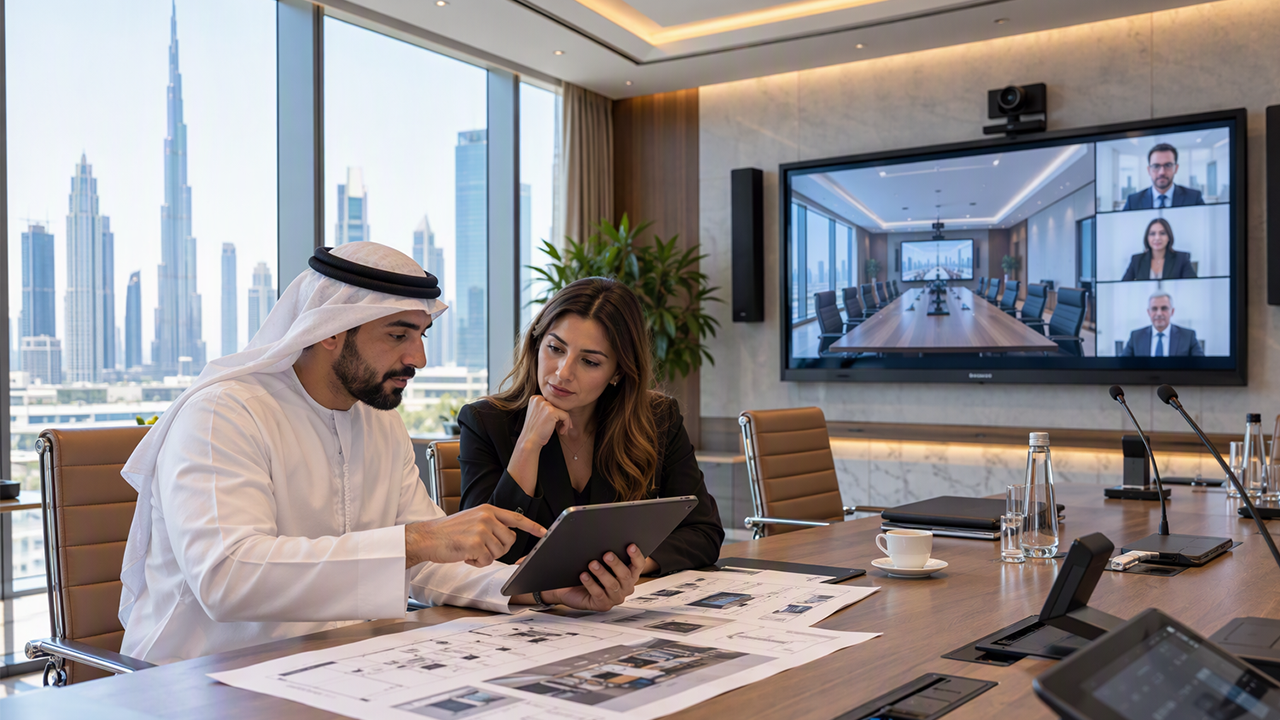
Video meetings are now a common part of business communication. Companies use them to speak with clients, manage remote teams, conduct interviews, and hold internal meetings. A good meeting room needs more than a computer and an internet connection. It needs the right equipment to make conversations clear and comfortable. When planning a meeting space, understanding the equipment used by the best av integration companies in dubai can help businesses learn what is needed for a reliable video conferencing setup.
1. Professional Video Conferencing Camera
A camera is one of the most important parts of a video conferencing room. It allows people in other locations to see everyone in the meeting clearly. A poor camera can make faces look unclear and affect communication.
For small meeting rooms, a standard HD camera may be enough. Larger meeting rooms may need a 4K camera with a wider viewing angle. Some cameras also include automatic framing, which adjusts the view when people enter or leave the room.
Before selecting a camera, consider the room size, seating arrangement, and number of people who will attend meetings. A camera should cover the full meeting area without making the picture look too distant.
2. Microphones for Clear Voice Quality
Clear sound is just as important as clear video. If people cannot hear each other properly, meetings can become difficult and take more time.
A professional meeting room can use different types of microphones depending on its size and layout.
-
Table microphones: These are placed on meeting tables to capture voices from nearby participants.
-
Ceiling microphones: These are installed above the meeting area and help keep tables free from extra equipment.
-
Wireless microphones: These allow people to speak while moving around the room.
-
Conference microphones: These are designed to capture voices from several people during group discussions.
Microphone placement is important. Devices should be positioned so that voices are captured clearly without picking up too much background noise.
3. Speakers for Better Sound
Speakers help meeting participants hear remote team members, clients, and presentations. Built-in laptop speakers may work for small calls, but they are often not suitable for larger meeting rooms.
Room speakers provide better sound coverage and help everyone hear the conversation. Ceiling speakers and wall-mounted speakers are common choices for professional meeting spaces.
The number and position of speakers depend on the room size. Installing too many speakers or placing them incorrectly can create sound problems. A balanced audio setup helps people hear clearly from different seating positions.
4. Display Screens for Meetings and Presentations
A display screen allows participants to view remote team members, documents, presentations, and shared computer screens.
The screen size should match the room dimensions and viewing distance. A small display may be difficult to see from the back of a large conference room.
Common display options include:
-
Large LED screens for business meetings.
-
Professional displays for presentations.
-
Interactive screens for group discussions.
-
Multiple displays for showing participants and shared content together.
Businesses should also check whether their screens support the required connections, video quality, and conferencing software.
5. Proper Lighting for Video Meetings
Lighting affects how participants appear on camera. Poor lighting can make faces look dark, create shadows, and reduce video quality.
A meeting room should have balanced lighting across the seating area. Natural light can be useful, but direct sunlight may create glare on screens and make camera images uneven.
LED panel lights and adjustable lighting systems can help provide consistent brightness. It is also useful to avoid placing strong lights directly behind participants because this can make their faces appear darker.
Good lighting makes the room more comfortable and helps remote participants see people clearly.
6. Video Conferencing Software and Control Systems
Hardware alone cannot complete a video conferencing setup. Businesses also need suitable software to connect with remote participants.
Common video conferencing platforms include Microsoft Teams, Zoom, and Google Meet. The selected platform should support the company's meeting requirements and work properly with the room equipment.
A room control system can make daily use easier. It allows users to manage displays, microphones, speakers, cameras, and other connected devices from one control panel.
For example, a meeting organiser may be able to start a meeting, adjust the room volume, and select a display input without operating each device separately.
7. Reliable Internet and Network Connections
A stable internet connection is necessary for smooth video meetings. Slow or unstable networks can cause frozen video, delayed sound, and dropped calls.
Wired network connections are often preferred for fixed meeting room equipment because they can provide a more stable connection. Wi-Fi can also be useful, especially for laptops and mobile devices.
Businesses should consider the following network requirements:
-
Sufficient internet speed for video calls.
-
Reliable network equipment.
-
Proper router and switch placement.
-
Secure network access.
-
Enough bandwidth for multiple users.
A network check before installing the system can help identify possible problems.
8. Acoustic Treatment for Better Meeting Quality
Room acoustics are often overlooked when planning a video conferencing space. However, they have a direct effect on sound quality.
Hard surfaces such as glass, concrete, and large empty walls can cause sound to bounce around the room. This creates echoes that make conversations difficult to understand.
Acoustic panels, carpets, curtains, and suitable ceiling materials can help reduce unwanted sound reflections. Their placement should match the room layout and the main meeting area.
A room with good acoustic treatment allows microphones to capture voices more clearly and makes meetings more comfortable.
9. Proper Cables and Connection Equipment
Cables and connection devices help different parts of a conferencing system work together. Even high-quality cameras and displays may not work correctly if the connections are not suitable.
Common connection equipment includes HDMI cables, USB cables, network cables, video switchers, and wireless presentation devices.
Cable management is also important. Loose cables can create an untidy appearance and make equipment harder to maintain. Planning cable routes during installation helps keep the room organised.
Businesses should also check that all devices support the required connection types and video resolutions.
10. How to Choose the Right Equipment for Your Meeting Room
The right equipment depends on how a business uses its meeting space. A small room for four people does not need the same setup as a large conference room used for presentations and client meetings.
Start by identifying the number of regular users, room dimensions, seating arrangement, and meeting requirements. Then select cameras, microphones, displays, speakers, and network equipment that work well together.
It is also useful to consider future needs. A flexible setup makes it easier to add new devices or update existing equipment when business requirements change.
Businesses comparing different AV solutions should understand how each device connects with the others. Learning about the work of the best av integration companies in dubai can also help when evaluating equipment compatibility, room design, installation planning, and long-term system maintenance.

 English
 Arabic
 French
 Spanish
 Portuguese
 Deutsch
 Turkish
 Dutch
 Italiano
 Russian
 Romaian
 Portuguese (Brazil)