


Omnichannel Inbox for Ecommerce: Complete 2026 Guide
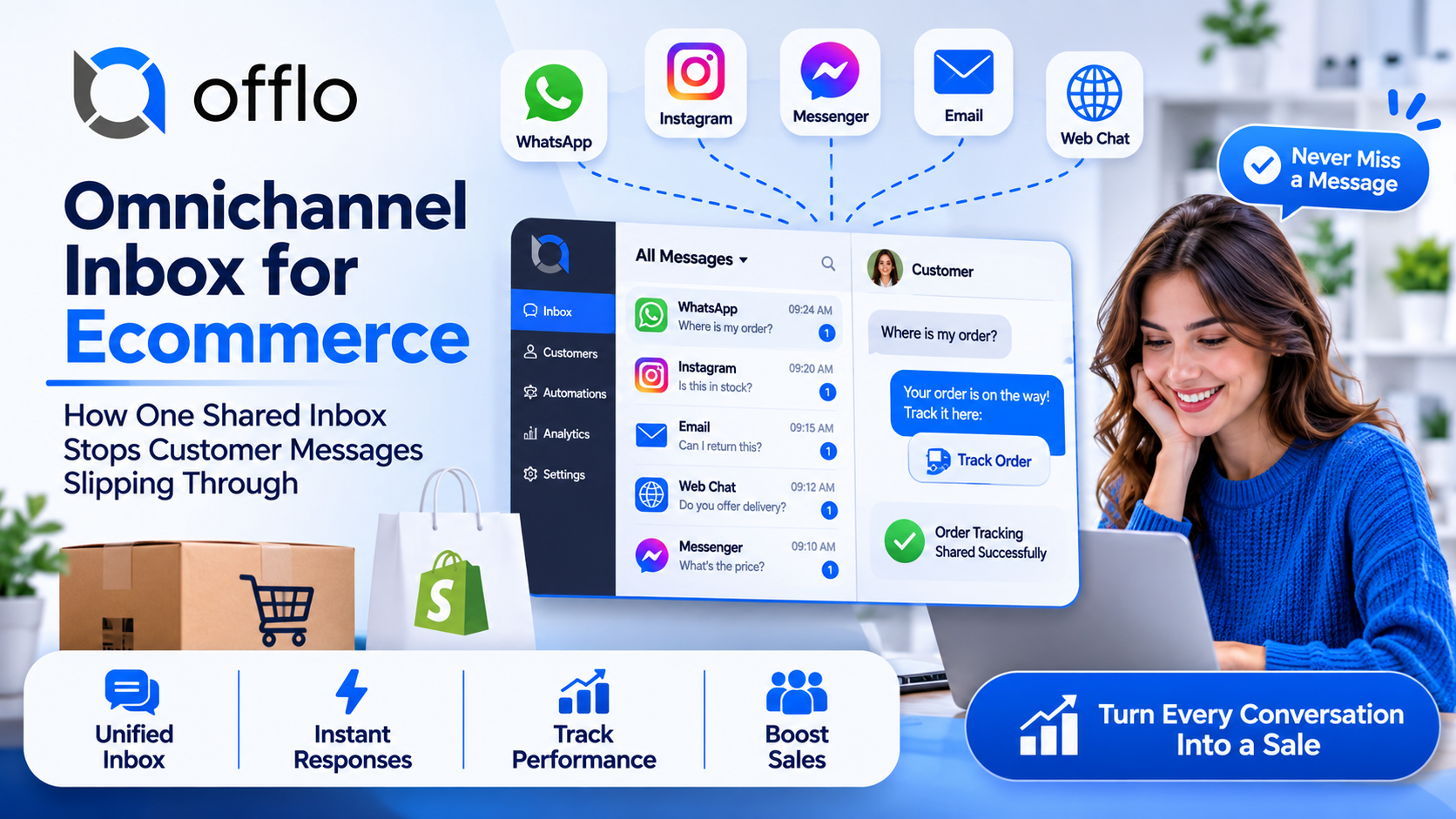
An omnichannel inbox for ecommerce solves a problem that most growing stores recognise instantly: customers write to you everywhere, and your team is expected to catch every message. A question arrives on WhatsApp, a reply sits in Instagram, an email waits in a shared mailbox and a website chat goes unanswered while someone is at lunch. None of these shoppers know about the others. They only know that nobody replied.
The cost is real. Pre-sale questions that go unanswered are lost orders, and delivery questions that go unanswered become complaints. Yet the fix is not hiring someone to watch five apps. It is bringing every conversation into one place, so the whole team sees the same thing and nothing is missed.
Offlo.ai describes itself as an AI revenue OS for ecommerce, with AI agents that sell, support and re-engage customers across WhatsApp, Messenger, Instagram, web and email. Its all-in-one inbox shows messages from WhatsApp, Instagram, email and web in a single shared inbox, so nothing gets missed.
This guide explains where customer messages get lost, what an omnichannel inbox actually does, which features matter, how AI fits inside it, how to set one up for a Shopify store, which numbers to track and which mistakes to avoid. It is written for store owners and support teams who want a practical plan rather than a feature list.
Where Customer Messages Get Lost
Messages rarely vanish because someone is careless. They vanish because they arrive in too many places with no shared view. This table shows the usual gaps.
|
Channel |
What customers send |
What goes wrong without a shared inbox |
|
|
Order questions, quick product questions |
Lives on one phone or one login, so only one person sees it |
|
|
Story replies, product questions, comment follow-ups |
Easy to miss between posts, and nobody owns it |
|
|
Detailed issues, returns, attachments |
Buried among promotions and supplier mail |
|
Website chat |
Live pre-sale questions |
Unanswered when the one person who watches it is away |
|
Messenger |
Ad replies and general questions |
Checked rarely and answered late |
Three patterns repeat in almost every store.
Nobody owns the message. When everyone can see it, everyone assumes someone else is replying.
Context is lost between channels. A customer writes on Instagram, then follows up by email. Without a shared view, your team starts from zero.
Speed depends on who is online. Replies get faster or slower depending on who happens to be watching which app.
An omnichannel inbox attacks all three at once.
What an Omnichannel Inbox Actually Does
The word omnichannel is often confused with multichannel. A multichannel setup simply means you are present on several channels. Omnichannel means those channels are connected, so a conversation and a customer are treated as one thing wherever they appear.
|
|
Multichannel |
Omnichannel |
|
Where messages live |
In each app separately |
In one shared inbox |
|
Customer history |
Split across channels |
One record per customer |
|
Who is replying |
Unclear |
Assigned and visible |
|
Switching channels |
Customer repeats themselves |
The conversation continues |
|
Reporting |
Separate numbers per app |
One view of all conversations |
In practice, a good omnichannel inbox does five things.
• Brings every conversation into one list. WhatsApp, Instagram, email and website chat appear together.
• Connects messages to the customer. Orders, past chats and notes sit next to the conversation, so your team does not have to ask the same questions twice.
• Assigns ownership. Every conversation has a clear owner, and teammates can see who is handling what.
• Supports collaboration. Internal notes, tags and handovers let people work together without the customer seeing the back-and-forth.
• Measures the work. You can see how fast replies are, which topics come up most and where conversations stall.
The Offlo.ai homepage lists an all-in-one inbox, AI support analytics and workflow automations together under its customer support tools. You can read more on the omnichannel inbox page.
Why an Omnichannel Inbox Matters More for Ecommerce
Any business benefits from a shared inbox. Ecommerce stores need one for reasons that are specific to how they sell.
Pre-sale questions are revenue. A shopper asking about sizing or delivery is close to buying. A slow reply here costs an order, not just goodwill.
Spikes are normal. Launches, sales and holidays bring bursts of messages. A shared view lets you add people or automation exactly when volume jumps.
Questions repeat. Delivery times, returns and stock come up again and again, which makes them ideal for automated first replies.
Customers move between channels. A shopper may discover you on Instagram, ask a question on WhatsApp and complain by email. One conversation history makes that feel seamless.
Every channel has its own rules. This is where an inbox earns its keep. WhatsApp limits free-form replies to a 24-hour window after the customer writes, and outside that window only approved templates are allowed. Instagram also uses a messaging window, generally 24 hours after the shopper messages you, with different rules for comments and ads. Email has no such clock. A good inbox shows your team which rules apply to each conversation, so nobody sends a message that gets refused. Read the current Meta documentation and the privacy laws where you sell, and remember that this guide is general information, not legal advice. Offlo.ai describes itself as an official Meta Tech Provider, which can help with the technical connection, but compliance with channel rules remains the responsibility of the business sending the messages.
Key Features to Look For
Not every inbox is equal. Use this table as a checklist when you compare tools or review the one you already have.
|
Feature |
Why it matters |
A question to ask |
|
Channels you actually use |
A missing channel recreates the problem |
Does it cover WhatsApp, Instagram, email and web chat? |
|
One record per customer |
Prevents repeated questions |
Are chats from different channels linked to the same person? |
|
Store connection |
Lets agents see orders in context |
Does it connect to Shopify and show order details? |
|
Assignment and ownership |
Stops messages being ignored |
Can every conversation have a clear owner? |
|
Internal notes and tags |
Keeps teamwork off the customer’s screen |
Can teammates leave private notes? |
|
AI first reply |
Answers common questions at any hour |
Can the AI reply and then hand over with context? |
|
Handoff rules |
Sends sensitive cases to people |
Can you set what the AI must never handle? |
|
Channel-rule awareness |
Avoids refused messages |
Does it show messaging windows or template needs? |
|
Analytics |
Shows what to fix |
Can you see response times, topics and outcomes? |
|
Integrations |
Keeps tools in sync |
Does it work with the review, email and shipping apps you use? |
Offlo.ai lists integrations with channels and tools such as WhatsApp, Instagram, Messenger, Gmail, Outlook and Shopify, plus a long list of ecommerce apps. Always check the integrations list against the tools you use today.
How AI Fits Inside the Inbox
An inbox keeps conversations organised. AI keeps them moving. The two work best together.
First replies at any hour. An AI agent can greet the shopper, answer common questions from your store information and point them to the right product or policy. Offlo.ai lists AI agents for WhatsApp, Messenger, Instagram and your website.
Context for your team. When a person steps in, the whole conversation is already in the inbox, so they can continue instead of starting over.
Faster handling of routine work. AI can help tag topics, suggest replies and surface the conversations that need attention first.
Humans for the hard cases. Complaints, refunds, custom orders and upset customers belong with a person. The goal is not to replace your team but to make sure they spend their time where it matters.
Two cautions apply. First, the AI is only as accurate as the information you give it, so keep delivery, returns and product details current. Second, never pretend it is a person. Say clearly that shoppers are talking to an AI assistant and make it easy to reach a human. You can read more on the AI agent features page and see how automation tools can route conversations.
A Day in the Life: Before and After
A fictional store called Cedar & Moss shows the difference. Replace the details with your own.
|
Moment |
Before: separate apps |
After: one omnichannel inbox |
|
9:00 am |
Owner checks WhatsApp on a phone, then Instagram, then email |
Team opens one inbox and sees everything waiting |
|
Midday |
A website chat goes unanswered during lunch |
The AI replies, and a person sees the conversation when they return |
|
2:00 pm |
A customer writes on Instagram, then emails the same question |
Both appear on one customer record, so the answer is consistent |
|
Evening |
Two teammates reply to the same customer |
Assignment shows who owns it |
|
End of week |
Nobody knows how fast replies were |
Reports show response times and top questions |
Nothing about the customers changed. Only the visibility did, and that alone removes most of the dropped messages.
Routing, Assignment and Handoff Rules
A shared inbox works when everyone knows who handles what. Write these rules down before you launch.
|
Conversation type |
Who handles it first |
When it moves to a person |
|
Delivery and tracking questions |
AI agent |
If a parcel is lost or very late |
|
Sizing and product questions |
AI agent |
If the shopper asks for something unusual |
|
Returns and refunds |
Person |
Immediately, with order details attached |
|
Complaints |
Person |
Immediately, flagged as high priority |
|
Wholesale or collaboration requests |
Person |
Immediately |
|
Pre-sale questions from ads |
AI agent, then sales follow-up |
If the shopper is ready to buy but needs help |
Three habits keep routing healthy.
Give every conversation an owner. An owner means someone is responsible, not just watching.
Write handoffs for people, not machines. A handover message should say what the customer needs and what has already been done.
Review the rules monthly. The topics that need a person change as your products and customers change.
Message Examples and Tone Guide
Good messages from an inbox are short, warm and specific. The examples below use the fictional store Cedar & Moss.
First reply from the AI
Hi Ana, thanks for getting in touch with Cedar & Moss. I’m the store’s AI assistant. I can help with sizing, delivery and returns. What would you like to know?
Holding message while a person checks
Thanks, Ana. I’m checking this with the team now and we’ll reply here today. You won’t need to repeat anything.
Handoff message
This one needs a closer look, so I’m passing you to my colleague Sam. He has the full conversation and will reply here shortly.
Continuing across channels
Hi Ana, I can see your earlier message on Instagram about the linen cushion covers. They’re in stock and we can ship tomorrow. Would you like the link?
Internal note (not visible to the customer)
Customer asked about a return outside the usual window. Order was a gift. Please check with the owner before replying.
Tone guide
• Friendly and calm, never defensive
• Use the customer’s name where you have it
• Never make them repeat information you already have
• Be honest about timing, and say “estimated” unless a date is guaranteed
• Say clearly when they are talking to an AI, and keep a path to a person open
• Match your brand voice across every channel
Offlo.ai mentions an AI Creative Agent that writes messages and content in a brand’s voice. If you use a tool like that, still read the wording before it goes live, so every message sounds like your store and follows your policies.
Setup Checklist for a Shopify Store
Work through these phases in order.
Phase 1: List your channels and owners
• ☐ Every place customers can reach you today
• ☐ Who currently watches each one
• ☐ Your busiest times and peak seasons
• ☐ Topics that must always go to a person
Phase 2: Prepare your store information
• ☐ Delivery areas, costs and timeframes
• ☐ Returns and refund rules with the exact window
• ☐ Product details, sizes and care notes
• ☐ Rules for discount codes and who can use them
Phase 3: Check consent and rules
• ☐ Collect and record opt-in where it is required
• ☐ Read the current WhatsApp and Instagram messaging rules
• ☐ Review the privacy rules that apply in your region
Phase 4: Connect your tools
• ☐ Connect your Shopify store so orders are visible in conversations
• ☐ Connect WhatsApp, Instagram, email and website chat
• ☐ Check the apps you already use against the integrations list
Phase 5: Set up routing and AI
• ☐ Define who owns each type of conversation
• ☐ Write the AI’s opening message and say it is an AI assistant
• ☐ Set handoff triggers: complaints, refunds, custom orders and any request for a person
• ☐ Add internal tags for your most common topics
Phase 6: Test
• ☐ Send test messages on every channel and watch them arrive
• ☐ Ask the AI 30 real shopper questions and score the answers
• ☐ Confirm a handoff reaches a person with the full chat
• ☐ Check that channel rules such as messaging windows are respected
Phase 7: Launch and learn
• ☐ Start with one or two channels, then add the rest
• ☐ Read real conversations every day in week one
• ☐ Review results weekly and adjust the rules
If you would like help setting this up, you can book a demo, review pricing or read the FAQ.
Metrics to Track
Track a small set of numbers and compare them week by week rather than chasing a single figure.
|
Metric |
What it tells you |
How to use it |
|
First response time |
How fast customers get an answer |
Keep it low, especially in peak periods |
|
Time to resolution |
How long a problem takes to close |
Spot slow topics and fix the cause |
|
Unanswered conversations |
Messages nobody has replied to |
The most direct sign the inbox is working |
|
Resolution without a person |
Share the AI closed alone |
Shows how much routine work it absorbs |
|
Handoff rate |
Share passed to your team |
Reveals gaps in your store information |
|
Conversations per channel |
Where customers prefer to talk |
Decide where to invest |
|
Top topics |
What customers ask most |
Fix the cause, such as unclear delivery times |
|
Customer satisfaction |
How customers rate the chat |
Protects trust while you scale |
Two habits make these numbers useful. First, record a baseline before you launch so you have something to compare with. Second, read real conversations, not just dashboards. One chat can show you a missing answer that a graph never will.
Offlo.ai lists AI support analytics among its support tools. Whatever tool you use, look for reporting that shows conversations, handoffs and outcomes in one place.
Be realistic about what the numbers mean. Results vary by store, product, audience and season, so treat any figure you read elsewhere as a rough guide and measure your own.
Common Mistakes to Avoid
These errors turn a helpful inbox into a messier version of what you had.
• Connecting every channel on day one. Start with the busiest ones, get them right, then add more.
• Leaving conversations unowned. A shared inbox without ownership just makes the ignored messages more visible.
• Giving the AI weak information. Wrong delivery or return details create ne

 English
 Arabic
 Spanish
 Portuguese
 Deutsch
 Turkish
 Dutch
 Italiano
 Russian
 Romaian
 Portuguese (Brazil)
 Greek