


Outscraper Google Maps Scraper Tutorial: From Search Query to CSV Export
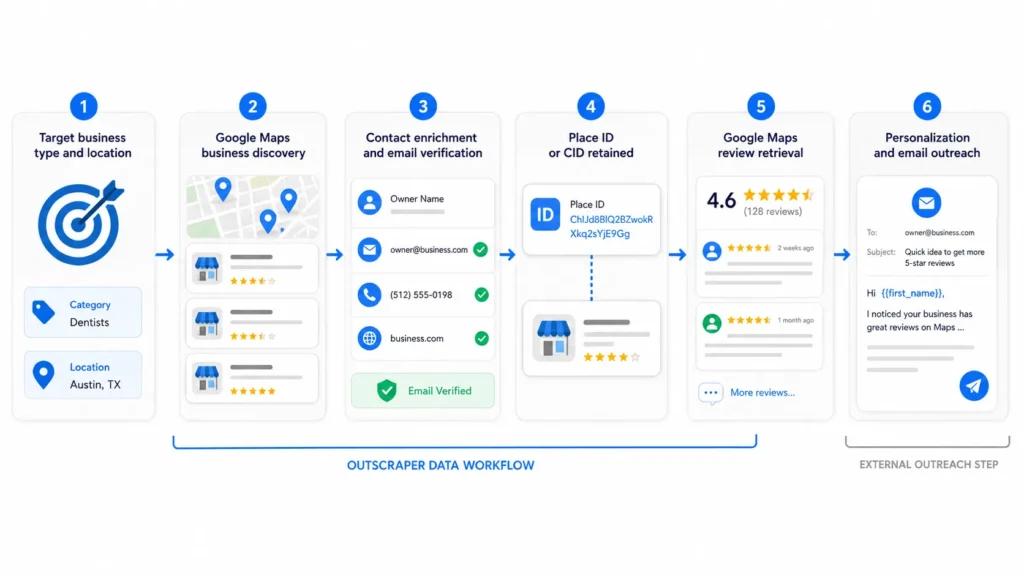
Sales and marketing teams have long known that Google Maps is one of the richest sources of local business data available, but manually copying listings one by one simply doesn't scale. That gap is exactly where Outscraper Google Maps Scraper fits in, automating the extraction process so teams can focus on outreach and strategy instead of data entry. Below, we break down the setup process, the data fields available, and practical ways different teams are putting this kind of extraction to work.
Why Targeted Searches Work Better
Rather than pulling every business in a broad category, more targeted searches, combining specific keywords, locations, and filters, tend to produce lists that convert better in outreach. A campaign aimed at boutique fitness studios in a handful of cities will perform differently than one built from a generic 'gyms near me' search covering an entire state. Segmenting searches by neighborhood, business size indicators like review count, or even by whether a business has a website at all can help teams prioritize which leads to contact first. This kind of targeting turns a large, generic dataset into a prioritized list that's far more actionable.
Who Uses This Data
Local SEO agencies use this kind of data to identify prospects who could benefit from better online visibility, sales teams use it to build cold outreach lists segmented by city and category, and market researchers use it to map competitive density across regions. Recruiters have even started using similar searches to identify local businesses that might be hiring, while event planners use it to compile vendor and venue shortlists. Franchise development teams often rely on this type of data to evaluate potential markets, comparing the number and density of similar businesses across different cities before deciding where to expand. Nonprofits, similarly, use it to identify local businesses that might be open to sponsorship or partnership conversations.
Tips for Cleaner Data
Running narrower, more specific searches generally produces cleaner data than broad, vague queries. Including the business type and a specific city or neighborhood, rather than a wide region, tends to reduce irrelevant results and keeps the exported dataset focused on exactly what's needed. It also helps to review a sample of results early on, checking for duplicate listings, closed businesses that may still appear, or categories that don't quite match what was intended. Catching these issues early saves time compared to discovering them after a list has already been uploaded into an outreach tool.
Data Freshness and Accuracy
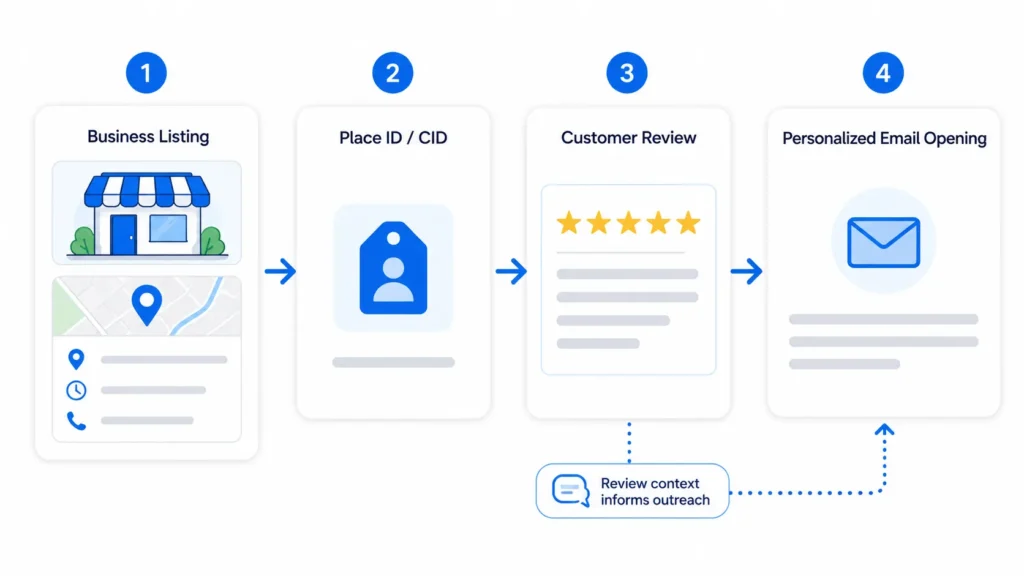
Since the underlying data comes directly from live Google Maps listings, it reflects information that business owners themselves have kept updated, including hours, contact details, and categories. That said, no data source is perfect, and it's good practice to spot-check a sample of results before launching a large outreach campaign, particularly for older or less actively managed listings. Data freshness matters a lot for outreach campaigns, since a phone number or address that was accurate a year ago might not be today. Because searches pull current listings at the time they're run, the results tend to reflect the most recent information available, which is a meaningful advantage over older, static business directories. It's a capability that Outscraper Google Maps Scraper handles particularly well.
Running Your First Search
Getting started typically involves entering a search term, such as a business category combined with a city or zip code, and letting the tool pull every matching listing within that scope. Once the search runs, results can be filtered, sorted, and exported directly to CSV or Excel, making it easy to hand the file off to a sales team or import it into another platform. New users often start with a small test search to get a feel for the output format before running larger extractions across multiple cities or categories. This approach helps confirm that the data fields returned match what's actually needed for the project, whether that's just names and phone numbers or a fuller dataset including websites and review counts. As more industries find new applications for local business data, from recruitment to event planning to franchise development, tools built specifically for this kind of extraction are likely to keep playing a bigger role in day-to-day workflows.

 English
 Arabic
 French
 Spanish
 Portuguese
 Deutsch
 Turkish
 Dutch
Dutch
 Italiano
 Russian
 Portuguese (Brazil)
 Greek
Greek