


Do You Need Both a Form Builder and a CRM?
Businesses collect information from people every day. A website visitor may fill out a contact form, a customer may request a quote, or a person may register for an event. Once this information is collected, the business needs a way to manage it and follow up.
This is where form builders and customer relationship management systems, also called CRMs, come into the picture.
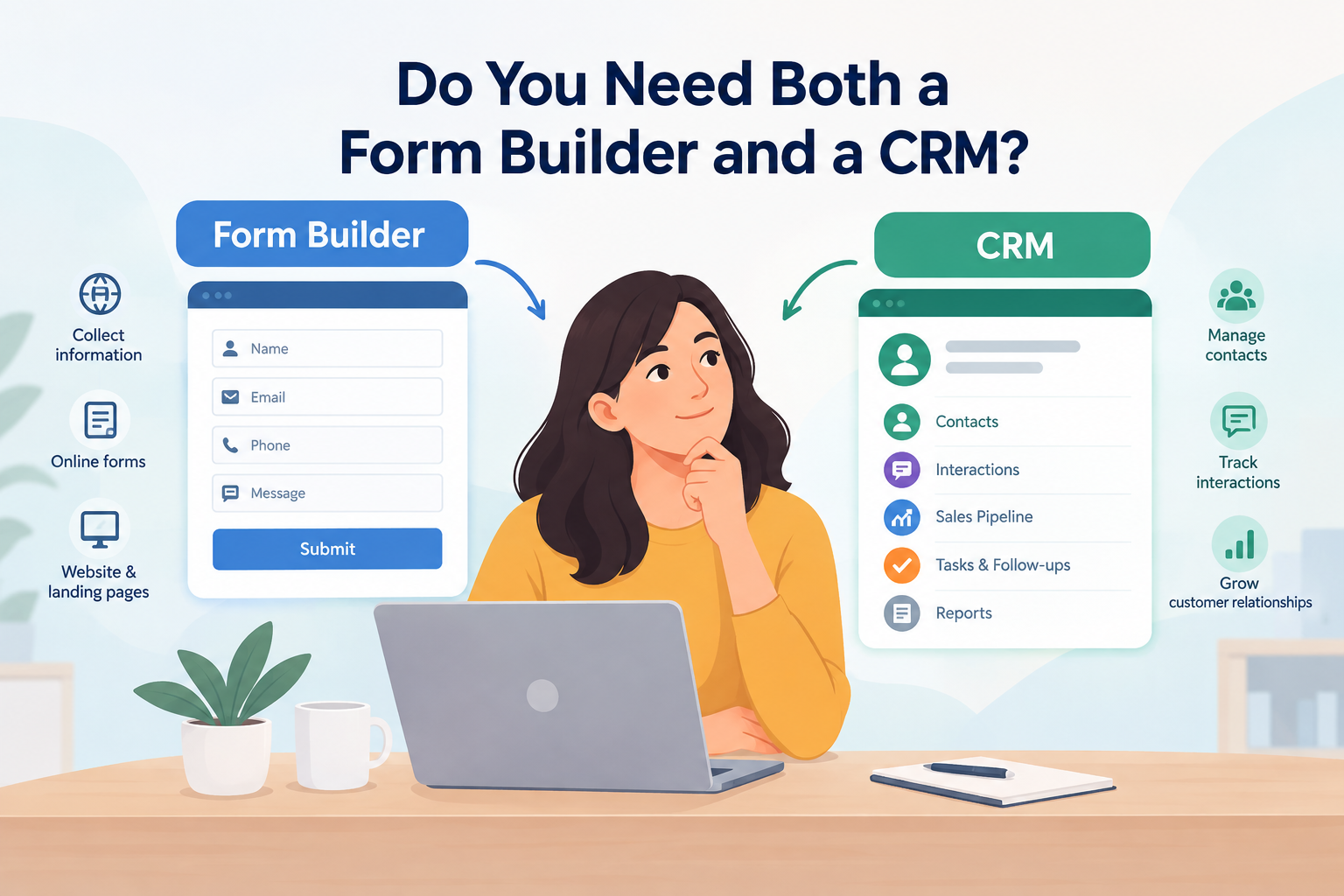
A form builder and a CRM do different jobs. A form builder is mainly used to collect information from people through online forms. A CRM is used to store, organise, track, and manage information about contacts and customer interactions.
Some businesses only need a form builder. Others may need a CRM. Many growing businesses use both because the two tools can work together.
The right choice depends on how a business collects information, how many contacts it handles, and what happens after someone submits a form.
What Is a Form Builder?
A form builder is a tool that lets a business create online forms without building every form from code.
A form can collect details such as a name, email address, phone number, company name, service requirements, product choices, appointment details, feedback, or enquiry details.
Forms can be placed on websites, landing pages, registration pages, contact pages, and other online locations.
For example, a car removal business may use a form to ask for a customer name, phone number, vehicle model, vehicle condition, and location. The business can then use the submitted details to contact the person.
A form builder mainly deals with the collection stage.
What Is a CRM?
CRM stands for Customer Relationship Management.
A CRM is software used to manage contact and customer information. It can keep records of people and their interactions with a business.
Depending on the CRM, a business may use it to store contact details, record customer conversations, track enquiries, manage sales stages, assign leads to staff, set follow-up tasks, record notes, track deals, and view communication history.
A CRM mainly deals with what happens after information enters the business system.
For example, if someone submits a quote request, the CRM can store that person's details and help the sales team track the enquiry from the first contact through later stages.
Form Builder vs CRM: What Is the Difference?
The main difference is their purpose.
A form builder collects information.
A CRM manages information and the relationship that follows.
Think about a website enquiry. A visitor opens a website and fills out a form. The form collects their name, email address, phone number, and message. That is the role of the form builder.
Once the information reaches the business, the CRM can store the contact, record the enquiry, assign it to a staff member, and track what happens next.
The two tools can therefore be part of the same process.
A form builder is mainly used for website forms, enquiry forms, registration forms, surveys, and quote forms. A CRM is mainly used for lead tracking, customer records, sales activity, follow-ups, and communication history.
Do You Need Both a Form Builder and a CRM?
Using both tools can make sense when a business has a regular flow of online enquiries and needs to manage those enquiries after submission.
The process may look like this:
Website visitor → Online form → Submitted information → CRM → Staff follow-up → Customer communication
Each stage has a different purpose. The form collects the information, while the CRM stores and manages it. Staff can then follow up with the person and continue the customer process.
A business with only a few enquiries may not need both. If submissions can be managed through email, a form builder may be enough.
As the number of enquiries grows, the situation can change. Staff may lose track of old messages, follow-ups may be missed, and customer information may become spread across emails, spreadsheets, and notes.
A CRM can provide a central place for this information.
How Do They Work Together?
When a form builder and CRM are connected, information can move from one system to another.
For example, a visitor fills out a form with their name, email address, phone number, enquiry, and requested service.
The submitted information can then move into the CRM. The CRM may create a new contact record and place the enquiry into a sales or follow-up process.
This means staff do not have to copy every detail from one system to another.
The exact process depends on the tools being used. Some systems have direct integrations, while others connect through third-party automation services or APIs.
This connection can be useful for businesses that receive regular enquiries through their websites, landing pages, advertising campaigns, or other online sources.
When Is a Form Builder Enough?
A form builder may be enough when a business mainly needs to collect website enquiries and has a small number of submissions.
For example, a local business may receive a few enquiries each week. Each submission can arrive by email, and a staff member can contact the person directly.
There may be no need for a separate customer management system if the existing process handles the workload.
The important point is what happens after the form is submitted. If there is no need to track multiple conversations, sales stages, staff activity, or follow-up tasks, a CRM may not be necessary.
When Does a CRM Become Useful?
A CRM becomes more useful when the business has more customer records and more activity to manage.
Staff may need to track which enquiries are new, which people have already been contacted, and which enquiries are still waiting for a response.
A CRM can also help when several staff members work with the same leads. Instead of keeping information in separate emails or personal notes, the team can work from customer records within the CRM.
This can become important as a business grows because managing customer information manually can become harder over time.
Choosing Between a Form Builder, CRM, or Both
The decision should be based on the business process rather than the number of software tools being used.
A business that only needs to collect information may need a form builder.
A business that already has a large contact database and needs to manage customer communication may need a CRM.
A business that receives website enquiries and needs to track those enquiries after submission may need both.
For businesses comparing form builder vs CRM, LeadXForm provides a service that can help businesses look at the two tools as connected parts of lead management rather than unrelated systems. This is useful when deciding how website enquiries should be collected and how that information should be handled after submission.
Businesses looking for a form builder to collect and manage website enquiries can explore https://www.leadxforms.com/ to learn more about the available features.
The main question is what happens after someone completes the form. If the information only needs to reach one person, a form builder may be enough. If the information needs to enter a wider customer management process, a CRM may be needed as well.
Final Thoughts
A form builder and a CRM have different roles.
A form builder collects information from website visitors and other users. A CRM stores and manages contact information, communication, sales activity, and follow-up work.
A business with only a few enquiries may only need a form builder. A business with many contacts and ongoing customer communication may need a CRM. A business that receives regular website leads and needs to manage those leads after submission may use both.
Using both does not mean that one tool replaces the other. The form handles the collection stage, while the CRM can handle the customer management stage that follows.
The right choice depends on the business workflow, the number of enquiries, the number of people handling them, and what needs to happen after a form is submitted.

 English
 Arabic
 French
 Spanish
 Portuguese
 Turkish
 Dutch
Dutch
 Italiano
 Russian
 Romaian
 Portuguese (Brazil)
 Greek
Greek