


Web Design in 2026: AI Can Generate Interfaces, Design Systems Create Consistency
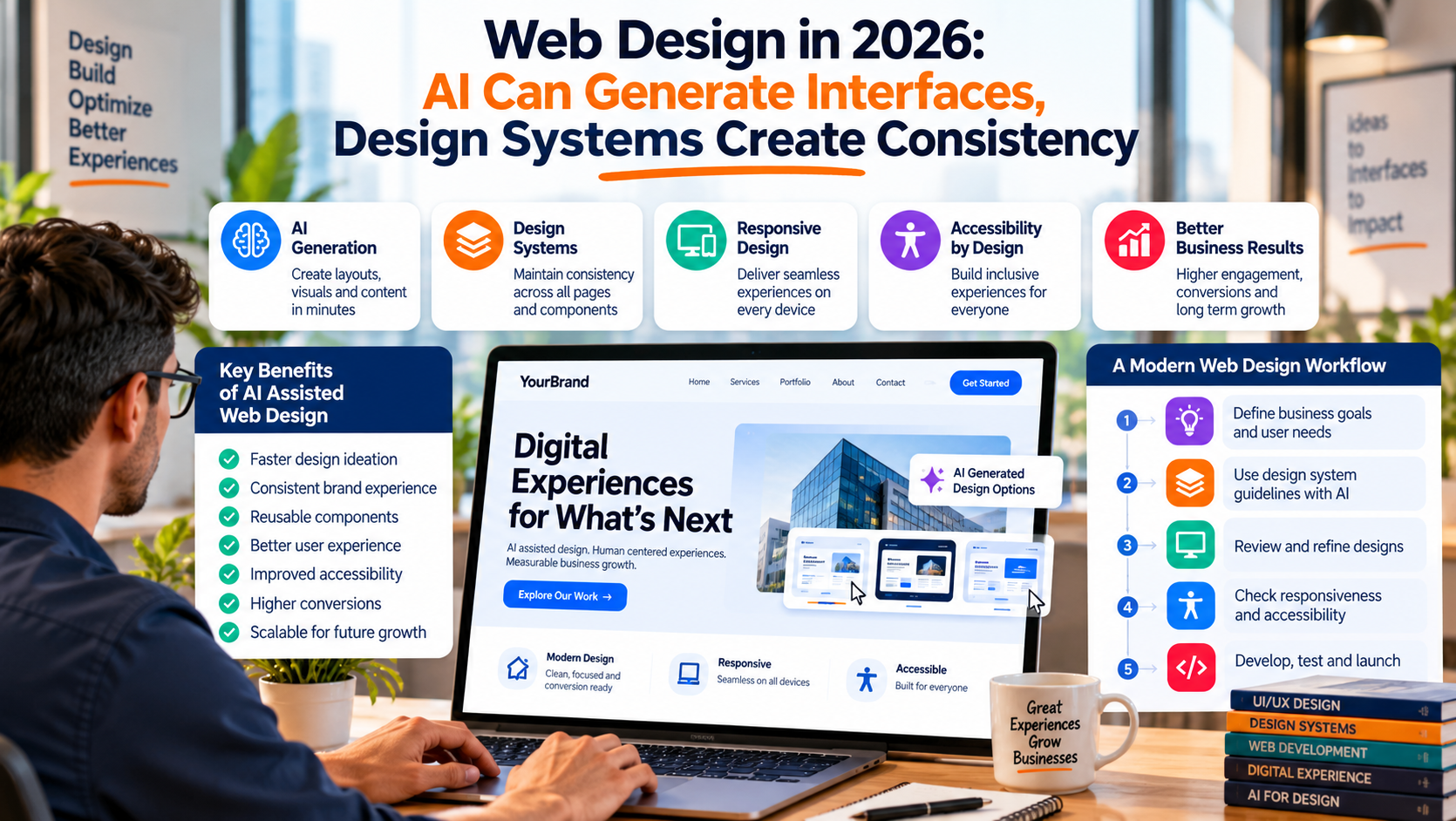
AI has made website creation dramatically faster.
A team can describe a page, generate several layouts, create visual assets, draft interface copy, suggest navigation, and produce responsive variations within hours.
That speed is changing the role of AI Assisted Digital Experience Design. Businesses increasingly need design systems, accessibility standards, content structure, reusable components, responsive rules, and human review to turn generated interfaces into digital experiences that can support real customers.
The challenge in 2026 is increasingly about controlling quality across everything AI can produce.
AI Has Reduced the Cost of the First Draft
Creating the first version of a website once required considerable design and development time.
Today, AI tools can help generate:
- Landing page concepts
- Navigation structures
- Interface components
- Hero sections
- Calls to action
- Product cards
- Forms
- Responsive layouts
- Illustrations
- Content suggestions
This gives design teams more directions to evaluate earlier.
A company can compare several possible approaches before significant development begins.
That is useful.
The next stage is deciding which direction actually supports the business goal.
More Interfaces Create a Consistency Problem
AI can generate many visually attractive screens.
Those screens may still feel unrelated.
One page may use different spacing.
Another may introduce a new button style.
Typography may change between sections.
Card components may behave differently.
Colors may gradually drift.
These small differences become more visible as the website grows.
A design system provides a shared set of rules for how the digital experience should look and behave.
Design Systems Are Becoming Instructions for AI
A modern design system usually includes:
- Colors
- Typography
- Spacing rules
- Buttons
- Form fields
- Cards
- Navigation
- Icons
- Responsive behavior
- Interaction states
- Accessibility requirements
These rules were traditionally created to help human designers and developers work consistently.
They now serve another purpose.
They can give AI clearer instructions.
Instead of asking AI to simply create a pricing page, a team can specify:
Use the approved button component.
Follow the existing spacing scale.
Use the primary heading style.
Keep cards consistent with the product pages.
Follow approved responsive rules.
Use accessible contrast levels.
The result is much easier to align with the rest of the website.
Components Need Clear Names
AI works better when design components have meaningful names.
Consider these two naming systems:
Rectangle 41
Frame 27
Group 18
compared with:
Primary Button
Pricing Card
Feature Comparison Row
The second group communicates purpose.
Clear naming helps designers, developers, and AI systems understand how components should be used.
This becomes particularly important when hundreds of reusable elements exist across a product.
Design Tokens Create Reliable Rules
Design tokens describe reusable visual values.
Examples include:
Primary color: Navy
Accent color: Orange
Heading size: 48px
Card radius: 12px
Section spacing: 80px
Instead of manually entering values throughout a website, teams can reference these shared definitions.
When the brand changes a primary color, the team updates the token.
Every component using that token can inherit the new value.
This reduces inconsistency and makes AI generated interfaces easier to control.
Responsive Design Still Requires Judgment
AI can create desktop and mobile versions quickly.
Responsive design requires more than shrinking the same screen.
A wide desktop page may contain:
- Large illustrations
- Several navigation items
- Multiple columns
- Detailed comparison tables
A mobile user has limited screen space.
The design team needs to decide what deserves priority.
Content may need to move.
Some information may need to collapse.
Navigation may need a different structure.
Buttons may need to become easier to tap.
AI can prepare possible responsive states.
Designers still need to confirm that the experience works naturally at each screen size.
Accessibility Should Be Built Into the System
Accessibility becomes harder to manage when design production accelerates.
A generated interface might look attractive while creating problems with:
- Low contrast text
- Small typography
- Missing form labels
- Poor keyboard navigation
- Color dependent information
- Weak focus states
- Unclear heading structure
Accessibility standards should become part of the design rules given to AI.
For example:
Minimum text contrast must meet WCAG requirements.
All interactive components need visible keyboard focus.
Forms require persistent labels.
Color cannot be the only way to communicate status.
Clear constraints reduce the number of accessibility problems reaching final review.
Content Structure Is Part of Web Design
A strong digital experience depends on information architecture.
Visitors need to understand:
Where am I?
What does this company offer?
Is this relevant to me?
Where can I find more information?
What should I do next?
AI can help organize content.
The business still needs to define customer priorities.
Navigation should reflect what users are trying to accomplish rather than how the internal organization is structured.
Conversion Design Needs Business Context
AI can generate a polished call to action.
That does not automatically mean the call to action fits the customer journey.
A new visitor researching a complex enterprise service may not be ready for:
Buy Now
A more appropriate next step could be:
View Case Studies
See How the Process Works
Request an Assessment
Design decisions need to reflect visitor intent.
This is where customer research and business understanding become important.
Performance Should Influence Design Decisions
Visual richness has a technical cost.
Large images, animation, third party scripts, excessive fonts, and complex interface effects can slow a website.
Page performance affects user experience, especially on mobile connections.
Design teams should consider:
- Image size
- Font loading
- Animation requirements
- Video usage
- Third party scripts
- Component complexity
AI can generate a visually detailed experience very quickly.
Teams still need to decide whether every visual element earns its performance cost.
Design and Development Need Shared Components
A common website problem appears when design files and production code slowly move apart.
The design system says one thing.
The live website does something slightly different.
Over time, inconsistencies multiply.
A better workflow keeps reusable design components aligned with reusable development components.
For example:
Design component: Primary Button
Development component: Primary Button
Both should share the same behavior and visual rules.
This makes future AI assisted production easier because the system has clear reusable building blocks.
Human Review Becomes the Quality Gate
AI can generate many options.
Someone still needs to decide what should reach customers.
Human review should evaluate:
- Brand consistency
- Usability
- Accessibility
- Content accuracy
- Responsive behavior
- Conversion intent
- Technical feasibility
- Visual hierarchy
The reviewer should understand the business purpose behind the interface.
A beautiful page that confuses visitors is still a weak digital experience.
A Strong AI Web Design Workflow
A practical 2026 workflow can look like:
Business objective → User requirements → Content structure → Design system → AI concepts → Designer review → Responsive review → Accessibility review → Development → QA → Production
AI can contribute at several stages.
The system around AI keeps the final experience consistent.
Web Design Is Becoming More System Driven
The value of AI in web design is clear.
Teams can create concepts faster.
They can test more ideas.
They can generate variations quickly.
They can adapt content across formats with less manual work.
The strongest results come when that speed operates within a well defined design system.
Clear components.
Consistent tokens.
Responsive rules.
Accessibility standards.
Content structure.
Human review.
These elements help turn AI generated interfaces into digital experiences that customers can understand and businesses can maintain

 English
 Arabic
 French
 Spanish
 Portuguese
 Deutsch
 Turkish
 Dutch
Dutch
 Russian
 Romaian
 Portuguese (Brazil)
 Greek
Greek