


How Long Do IPTV Boxes Last, and When Should I Replace Mine?
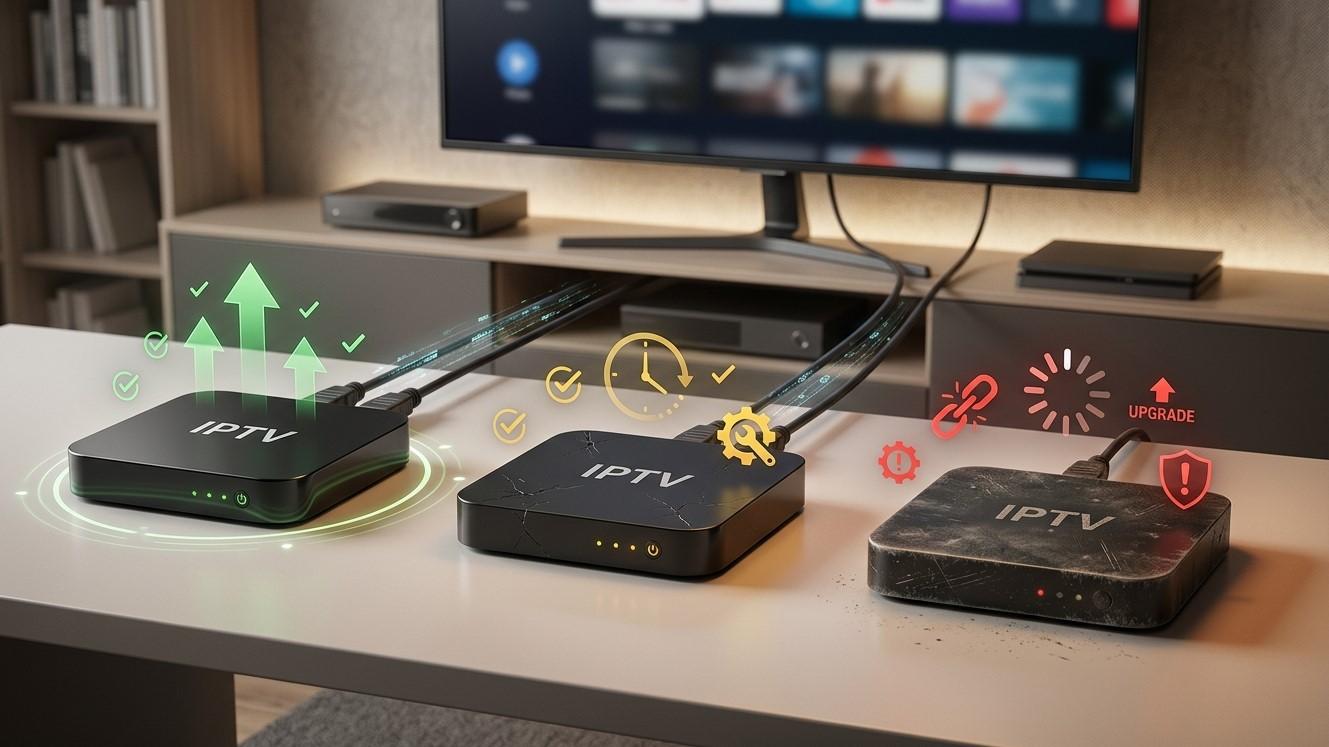
An IPTV box has no moving parts in the way a hard drive or a car does, so it can keep running for years. But “still turns on” and “still does the job well” aren’t the same thing. Streaming boxes usually age out because software and video standards move on, not because the hardware dies. In this guide, we’ll cover how long boxes typically last, the warning signs that it’s time to replace yours, and how to extend its life. This applies to your Indian IPTV Box and your IPTV India viewing.
Table of Contents
- How Long Does an IPTV Box Usually Last?
- Why Boxes Age Out: Hardware vs Software
- Signs It’s Time to Replace Your Box
- Problems That Look Like Aging but Aren’t
- Factors That Affect Lifespan
- How to Extend Your Box’s Life
- Repair, Reset, or Replace?
- Choosing a Replacement
- Switching Over Without Losing Your Setup
- Disposing of the Old Box Responsibly
- FAQs
How Long Does an IPTV Box Usually Last?
There’s no single number, and manufacturers rarely publish an official lifespan. As a rough guide, many people get about three to five years of comfortable use from a streaming box, and well-made devices in good conditions can last longer. Cheap or poorly cooled units may start to fail sooner.
Think of it in two stages:
- Physical lifespan: How long the hardware keeps working. With good ventilation and stable power, many boxes keep powering on for years
- Useful lifespan: How long it stays fast, supported, and compatible with the apps and video formats you use. This is usually shorter than the physical lifespan
The most helpful question isn’t “how old is it?” but “is it still doing what I need, reliably?”
Why Boxes Age Out: Hardware vs Software
Hardware issues are less common but real:
- Heat damage from poor ventilation or constant high temperatures
- Failing power supply or capacitors, which can cause random reboots
- Flash storage wear, since internal storage has a limited number of write cycles
- Wi-Fi or Ethernet failures, such as a port that stops working
- Loose or damaged ports from repeated plugging in
Software and standards issues are the more usual reason boxes become frustrating:
- Updates stop. Manufacturers eventually stop releasing firmware updates, leaving the device without security fixes or compatibility improvements
- Apps outgrow the hardware. Newer app versions need more memory and processing power, and an older box may become sluggish or unable to install them
- Video formats move on. If your channels start using codecs your box can’t decode in hardware, you may see stuttering or black screens
- Security standards change. Older software may eventually be unable to connect securely to some services
- Storage fills up. Limited internal storage can leave little room for app updates
An aging box can often still play basic streams while struggling with newer ones.
Signs It’s Time to Replace Your Box
One symptom alone doesn’t prove a box is finished. A pattern of several usually does.
- Frequent freezing, stuttering, or crashing, even on a good connection and after a restart
- Slow menus and long app load times that don’t improve after clearing the cache
- The app no longer updates or installs, or your provider’s app no longer supports your device
- No more firmware updates for a long time, combined with other issues
- Black screen or no audio on newer channels that other devices play fine, which can point to codec limitations
- Cannot handle your current video needs, such as HD streams that stutter, or 4K content your TV supports
- Overheating, with the box too hot to touch comfortably even with good ventilation
- Random reboots or shutdowns, which can signal power or hardware problems
- Wi-Fi problems that persist even when other devices connect fine nearby
- A failing port or remote connection, such as a broken HDMI or Ethernet port
- Low storage that you can’t free up, preventing updates
- Poor security support, such as an old operating system version that no longer gets patches
If a restart, a cache clear, and an update fix the problem, the box likely has more life in it.
Problems That Look Like Aging but Aren’t
Before you spend money, rule out cheaper culprits:
- Slow or unstable internet. Test your connection with another device
- Wi-Fi interference or a weak signal. Try Ethernet, or move the box closer to the router
- A faulty HDMI cable or port. Swap the cable and try another port
- An overloaded router or modem. Restart both, as covered in our troubleshooting guides
- Provider-side issues. Test your subscription on another device
- A dusty, cramped location causing overheating that a cleaning could fix
- A failing remote or a weak battery
- A bad power adapter. Using the original adapter can fix random reboots
- A cluttered app cache or too many installed apps
- Software glitches that a restart or a factory reset resolves
One quick test: try your IPTV subscription on a phone, tablet, or another streaming device. If it plays smoothly there, the old box is the likely bottleneck. If it struggles everywhere, look at your internet connection or your provider.
Factors That Affect Lifespan
- Build quality. Reputable hardware with proper cooling and decent components tends to last longer than very cheap units
- Heat. Enclosed cabinets, stacking devices on top, dust, and sunlight all raise temperatures
- Power quality. Surges, outages, and flaky adapters shorten life
- Usage pattern. Boxes left running continuously produce more heat over time than ones that sleep when idle, though most are built for long operation
- Software support. A box with regular updates stays useful longer
- Storage and memory. More headroom lets a device keep up with app growth
- Environment. Humidity, dust, smoke, and pets can all take a toll
- Handling. Frequent unplugging and moving can wear ports and cables
- Your usage needs. If your channels and apps stay simple, an older box may suit you longer than someone who wants 4K and the latest features
How to Extend Your Box’s Life
- Give it airflow. Leave space around it, don’t enclose it in a sealed cabinet, and don’t stack devices on top
- Clean it gently every month or two with compressed air, with the device unplugged
- Use the original power adapter and a surge protector
- Keep software updated, but avoid updating right before an important live event
- Restart it every week or two to clear temporary glitches
- Free up storage by uninstalling unused apps and clearing caches
- Avoid unnecessary add-ons and unofficial apps, which can slow the device and create security risks
- Use Ethernet if possible, which reduces Wi-Fi-related load and issues
- Handle ports gently, and avoid yanking cables
- Keep a log of problems, so you can notice patterns early
- Check for a warranty on newer devices, and keep your receipt
- Back up your login details and settings so replacing the box isn’t painful
Repair, Reset, or Replace?
Work through these in order:
- Restart the box and your network equipment
- Update the app and firmware
- Clear the cache and free up storage
- Check cables, ports, and the power adapter
- Improve ventilation and let it cool down
- Factory reset the box, after noting your login details and settings. A reset can fix software clutter and odd behavior
- Test your subscription on another device to confirm the box is the problem
- Check the warranty or return period, if the box is fairly new
- Consider a repair only if the device is expensive and the fault is specific, such as a cracked port. For most inexpensive boxes, replacement costs less than repair
- Replace if the problem persists, updates have ended, and it can’t keep up with the apps and formats you need
Choosing a Replacement
When you shop for a new box, consider:
- Software support. Look for a device from a seller or manufacturer that provides regular updates and clear support information
- Processing power and memory. More headroom means the box stays useful longer
- Video codec and resolution support. If you want HD today and might want 4K later, check which formats the hardware decodes
- Storage. Enough free space for apps and updates
- Connectivity. A good Wi-Fi chip, plus an Ethernet port if you want a wired connection
- HDMI and HDR support, if your TV supports them
- Remote and features, such as voice control or a backlit remote, if you value them
- Compatibility with your provider. Ask your IPTV provider which devices and apps they support
- Return policy and warranty, from a seller you trust
- Reviews from long-term users, not just first-week impressions
- Price versus longevity. A slightly higher-quality device that lasts longer may cost less over time than replacing a cheap one frequently
Be careful with very cheap, unbranded boxes and extravagant claims such as “free TV for life.” Our guide on spotting IPTV scams explains why.
Switching Over Without Losing Your Setup
- Save your login details or playlist link before you do anything
- Note your app settings, favorites, and parental controls
- Set up the new box and connect it to your TV and network
- Install your IPTV app from an official source and log in
- Recreate your favorites and settings
- Check your plan’s device limit, so both boxes don’t conflict while you transition
- Test thoroughly, including live sports and a busy evening
- Keep the old box for a few days as a backup until you’re confident
- Then retire it, after logging out of apps and resetting it
Disposing of the Old Box Responsibly
- Log out of your accounts and perform a factory reset to remove your personal data
- Remove any storage cards
- Recycle it as electronic waste through a local program or a retailer’s take-back scheme, rather than throwing it in the trash
- Consider reusing it as a secondary device for a bedroom or guest room, or as a backup, if it still works well enough for light use
- Pass it on only after wiping it, and make sure no accounts remain signed in
FAQs
1. How many years does an IPTV box last?
There’s no fixed number, but many boxes give roughly three to five years of comfortable use, sometimes longer with good care. Software support and changing video standards usually matter more than hardware failure.
2. How do I know if my box is the problem or my internet?
Test your subscription on another device. If it works smoothly there, the box is likely the issue. If it struggles everywhere, check your internet connection or provider.
3. Can a factory reset make an old box run better?
Sometimes. A reset clears accumulated software clutter and can fix odd behavior. Save your login details first, and expect to reinstall your apps.
4. Should I replace my Indian IPTV Box if it just freezes occasionally?
Not necessarily. Try restarting it, clearing the cache, updating software, and improving ventilation first. Replace it if freezing becomes frequent and persists after those steps.
5. Is it worth repairing a box?
For most inexpensive boxes, replacement usually costs less than repair. A repair may make sense only for an expensive device with a specific, fixable fault.
Know When It’s Time for a Fresh Start
A well-cared-for box can serve you for years, and when it finally slows down, replacing it is straightforward. Pair a dependable IPTV India subscription with an up-to-date Indian IPTV Box, and keep your favorite channels running smoothly. Explore our IPTV plans today and keep your setup in top shape.

 English
 Arabic
 French
 Spanish
 Portuguese
 Deutsch
 Turkish
 Dutch
Dutch
 Italiano
 Russian
 Romaian
 Portuguese (Brazil)