


IPTV Player vs IPTV Service: What Danish Viewers Should Know Before Getting Started
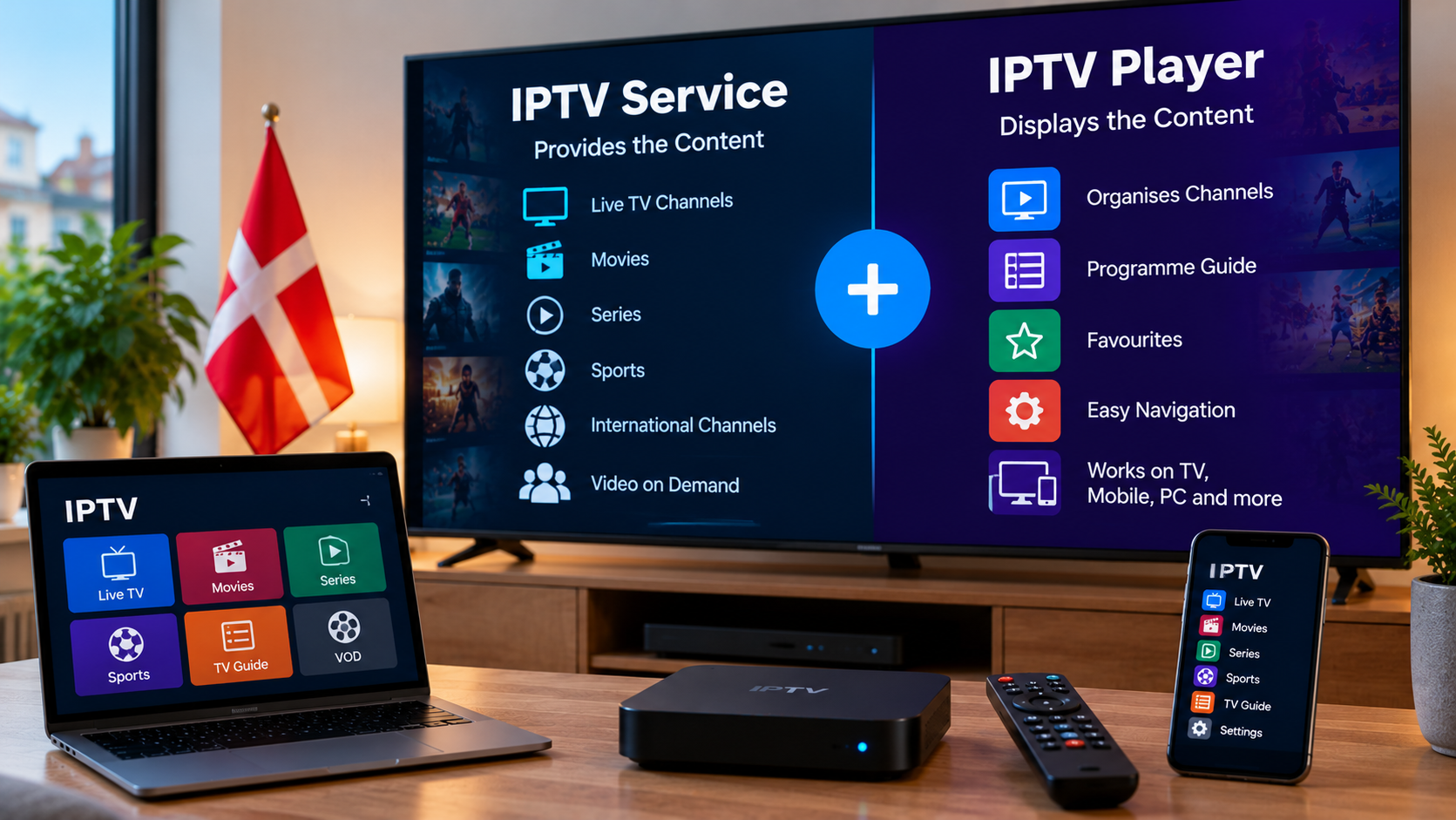
IPTV can be confusing for first-time users because the terms IPTV player, IPTV app, IPTV service and IPTV subscription are often used as though they mean the same thing. In reality, they describe different parts of the streaming setup.
Understanding the difference can help viewers in Denmark choose compatible devices, avoid installation problems and make better decisions when setting up television over an internet connection.
What Is an IPTV Service?
An IPTV service provides access to television content through an internet connection rather than through traditional terrestrial, cable or satellite broadcasting.
Depending on the provider and subscription, the available content may include live television, films, series, sports or video-on-demand libraries.
The service normally provides the information required to access the content. This could include a username and password, playlist URL or another supported connection method.
The important point is that the IPTV service supplies the content access, while another application is often required to display and organise it.
What Is an IPTV Player?
An IPTV player is an application designed to receive and display compatible IPTV streams.
Installing a player does not normally give the user a television subscription automatically. Instead, the application needs valid access information from an IPTV service.
The player acts as the interface between the service and the viewer.
A typical IPTV player may provide features such as:
- Live TV categories
- Programme guides
- Film and series libraries
- Search functions
- Favourite channels
- Recently watched content
- Parental controls
- Playlist management
Available features vary between applications and devices.
Why the Difference Matters
Confusing the player with the service can lead to unnecessary problems.
For example, someone may download an IPTV application and expect television channels to appear immediately. When nothing is available, they may assume that the app is broken.
In reality, the application may simply require subscription credentials.
Understanding this separation makes the setup process much clearer:
- Choose a suitable IPTV service.
- Confirm which login method it supports.
- Find a compatible IPTV player.
- Install the player on the preferred device.
- Add the required access information.
- Test the connection and playback.
Common IPTV Login Methods
Different IPTV services can provide different types of access information.
Before choosing a player, check which format is required.
M3U Playlists
An M3U playlist is a common way of providing streaming information.
A compatible player reads the playlist and organises the available streams into a usable interface.
Not every application handles playlists in exactly the same way, so compatibility should be checked first.
Username and Password Login
Some players allow users to enter a username, password and server information.
This can be easier than manually managing a long playlist URL.
The details should always be entered exactly as provided because even a small typing error can prevent the application from connecting.
Portal-Based Access
Some IPTV devices and applications use a portal address.
This method may be common on certain set-top boxes and dedicated IPTV hardware.
Again, the device and service must support the same connection method.
Choosing an IPTV Player for a Smart TV
Smart TVs are a popular option because the player can sometimes be installed directly on the television.
However, app availability depends on the television's operating system.
Samsung Smart TVs
Samsung televisions commonly use their own Smart TV platform. Available applications can vary according to the model, year and region.
Before selecting an IPTV player, check the official app store on the television.
LG Smart TVs
LG televisions also have their own application platform.
Users should confirm whether their preferred player is available for their specific model rather than assuming every IPTV app supports every Smart TV.
Android TV and Google TV
Android TV and Google TV devices often provide access to a wider range of streaming applications.
This can make them flexible choices for users who want more control over which IPTV player they use.
Compatibility with the IPTV service still needs to be checked.
IPTV Players on Streaming Devices
A Smart TV is not the only way to use IPTV.
External streaming devices can be useful when the television is older or does not support the preferred application.
Common options include Android-based boxes, compatible streaming sticks and dedicated media players.
An external device may also offer:
- Faster navigation
- More available applications
- Easier software updates
- Additional storage
- Better support for newer video formats
The best choice depends on the existing television and the user's viewing habits.
Using IPTV on Computers and Mobile Devices
Many IPTV players are also available for computers, smartphones and tablets.
This can be useful for households that want to access television content on more than one type of screen.
A computer may support desktop media players, while smartphones and tablets usually rely on apps downloaded from their official application stores.
Before installing anything, users should verify that the application supports the connection method supplied by their IPTV service.
What Should You Look for in an IPTV Player?
The most popular application is not automatically the best choice for every user.
Instead, consider practical features.
Device Compatibility
The player must work with the operating system of the device.
Check this before purchasing or activating an application.
Login Compatibility
Make sure the player supports the format supplied by the IPTV provider.
An application designed around one login method may not work with another.
Programme Guide Support
An electronic programme guide can make live television easier to navigate by displaying current and upcoming programmes.
Users who regularly watch scheduled television may find this particularly useful.
Simple Navigation
A clear interface can make a significant difference, especially on a television where everything is controlled with a remote.
Menus should be easy to browse without excessive steps.
Favourites and Search
Users with access to many channels may benefit from the ability to create favourites and search for specific content.
These features reduce the amount of time spent browsing long channel lists.
Why Device Compatibility Should Come First
Choosing an IPTV subscription before checking device compatibility can create unnecessary complications.
For example, a user may prefer to watch directly on a Smart TV but later discover that the required application is not available for that model.
It is usually better to start with the device.
Identify:
- Which television or streaming device will be used
- Which applications are available
- Which login methods those applications support
- Whether the IPTV service provides a compatible format
Viewers researching options for the Danish market can include DANMARK IPTV when comparing IPTV services, device support and setup information.
This approach helps ensure that the different parts of the system are compatible before a longer subscription is selected.
Internet Stability Still Matters
Even the best IPTV player cannot compensate for an unstable internet connection.
The player, IPTV service and home network all work together.
If playback regularly pauses or buffers, test the connection before immediately changing applications.
Useful troubleshooting steps include:
- Restarting the router
- Restarting the streaming device
- Testing the internet connection
- Trying Ethernet instead of Wi-Fi
- Pausing large downloads
- Closing unused applications
- Checking for software updates
Changing one thing at a time makes it easier to identify the actual cause.
Wi-Fi or Ethernet?
Both can work for IPTV, but Ethernet generally provides a more consistent connection when a cable is practical.
Wi-Fi performance can be affected by distance, walls, neighbouring networks and router placement.
If a Smart TV is permanently located near the router, a wired connection may be worth testing.
For mobile devices and televisions located farther away, good Wi-Fi coverage becomes more important.
Avoid Installing Unnecessary Apps
Trying many IPTV players at once can make troubleshooting more difficult.
Instead, identify one or two applications that are compatible with the device and login method.
Test them carefully before changing settings or installing additional software.
Downloading applications only from trusted or official sources can also reduce unnecessary security risks.
IPTV and Content Rights
IPTV describes a technology for delivering television content through the internet. It does not determine whether a particular service or stream is authorised.
Licensing and distribution rights remain important.
Users should research a provider before subscribing and consult current Danish rules or reliable legal information when uncertain about a particular service.
When Should You Change IPTV Players?
Changing the player may be useful if the current application:
- Frequently crashes
- Does not support the required login format
- Performs poorly on the device
- Cannot display programme guide information correctly
- Has difficult navigation
- Is no longer supported by the developer
However, changing the player will not necessarily fix problems caused by weak Wi-Fi, an unstable broadband connection or issues with the original stream.
Diagnosing the problem first usually saves time.
Final Thoughts
An IPTV service and an IPTV player perform two different jobs.
The service provides access to content, while the player organises and displays that content on a compatible device. Understanding this distinction makes IPTV much easier to set up and troubleshoot.
For viewers in Denmark, the best approach is to begin with the device, check available applications, confirm the required login method and then evaluate suitable services.
Internet stability, app compatibility and straightforward navigation should all be considered alongside content selection. When these elements work well together, managing an IPTV setup becomes simpler and more convenient across Smart TVs, streaming devices, computers and mobile screens.

 English
 Arabic
 French
 Spanish
 Portuguese
 Turkish
 Dutch
Dutch
 Italiano
 Russian
 Romaian
 Portuguese (Brazil)
 Greek
Greek