


M3U, Xtream Codes, and Portal Login: Understanding IPTV Access Methods
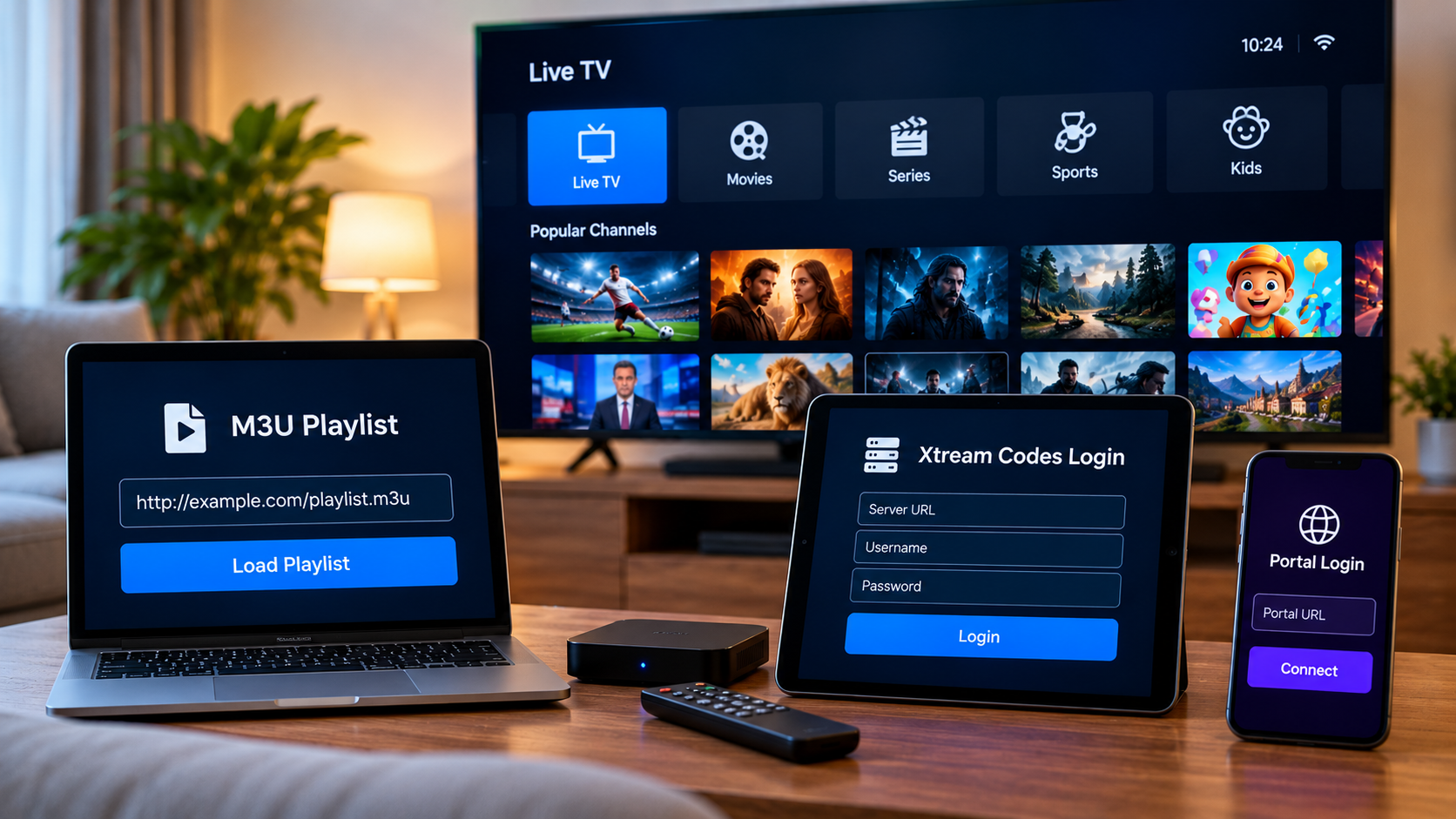
Setting up IPTV usually involves more than downloading an application and pressing play. The IPTV player also needs a way to connect to the television service. Depending on the provider and device, users may receive an M3U playlist, Xtream Codes login details, a portal URL, or another supported access method.
These options can look confusing to beginners because each one handles account information differently. Understanding how the main IPTV login methods work can make choosing an application and configuring a device much easier.
Why IPTV Login Methods Matter
An IPTV player is usually the software interface used to organize and play television content. The actual access information normally comes from the IPTV service.
Different applications support different login methods. For example, one player may work well with M3U playlists while another provides a better interface when using Xtream Codes credentials.
Before installing an IPTV application, users should check two things:
-
Which login format their IPTV service provides
-
Whether their chosen player supports that format
Compatibility between the service, player, and device is important for a straightforward setup.
What Is an M3U Playlist?
M3U is one of the most familiar playlist formats used with IPTV.
An M3U playlist contains information that allows a compatible media player to locate available streams. Users may receive the playlist as a URL that can be entered into an IPTV application.
Instead of manually adding individual channels, the application reads the playlist and organizes the available entries.
What an M3U URL May Look Like
A provider may send a long web address that contains account information and playlist parameters.
Users generally copy this URL into the appropriate playlist field inside their IPTV player.
Because an M3U URL may contain account credentials, it should be treated as private information.
Posting it publicly or sharing it unnecessarily may expose access details.
Advantages of M3U Playlists
M3U has remained popular partly because it is widely supported.
Many IPTV players, media applications, Smart TV apps, and computer programs can read M3U playlists.
Other potential advantages include:
-
Broad application compatibility
-
Relatively simple setup
-
Easy playlist importing
-
Support across different operating systems
-
Compatibility with many media players
However, the exact experience depends heavily on the application being used.
A basic media player may display a simple channel list, while a dedicated IPTV application can provide categories, favorites, EPG integration, and improved navigation.
What Are Xtream Codes Login Details?
Another common setup method uses a username, password, and server address.
This is often referred to as an Xtream Codes or Xtream API login inside IPTV applications.
The user typically enters three pieces of information:
-
Server or portal URL
-
Username
-
Password
Once these details are accepted, a compatible player can organize the account information into its interface.
Why Some Users Prefer Xtream Codes Login
Entering three separate fields can be easier than copying a very long playlist URL, particularly when setting up IPTV with a television remote.
Many dedicated IPTV applications also use account-based login information to organize:
-
Live television
-
Movies
-
Series
-
Channel categories
-
Program information
The actual categories available depend on the service rather than the login method itself.
Another benefit is that users can often identify mistakes more easily. If a login fails, they can separately verify the username, password, and server address.
M3U vs Xtream Codes
Both methods can provide access to the same IPTV account when supported by the provider.
The main difference is how the information is entered and interpreted by the player.
M3U
M3U generally uses a playlist URL.
It can be convenient for applications designed around playlist management and is compatible with many general-purpose media players.
Xtream Codes
Xtream Codes login usually separates the server address, username, and password.
Dedicated IPTV players often provide a structured interface around this login method.
Neither method is automatically better for every user. The best choice depends on the application, device, and information supplied by the IPTV provider.
What Is a Portal Login?
Some IPTV setups use a portal-based connection rather than a traditional playlist.
This approach is often associated with certain set-top boxes and IPTV devices.
Users may be given a portal URL that the device uses to communicate with the service.
Depending on the setup, the provider may also need information associated with the device before access becomes available.
Portal systems can provide an interface designed specifically for television use, but compatibility is more device-dependent than a basic M3U playlist.
Why Device Compatibility Comes First
Choosing an access method without considering the device can create unnecessary setup problems.
Smart TVs
Smart TVs may support IPTV applications directly through their application stores.
However, app availability varies between television manufacturers and operating systems.
An application available on one Samsung, LG, Android TV, or Google TV device may not necessarily be available on another platform.
Android TV and Streaming Boxes
Android-based devices usually provide a wider selection of IPTV players.
This makes it easier to choose between applications supporting M3U, Xtream-style logins, or other connection methods.
Smartphones and Tablets
Mobile IPTV applications are useful for portable viewing.
Because entering long URLs on a touchscreen is easier than using a television remote, both playlist and account-based login methods can be practical.
Computers
Windows and other desktop systems can support dedicated IPTV players as well as general media applications.
Computers can also make playlist management easier because URLs and account details can be copied and pasted with a keyboard and mouse.
Choosing the Right IPTV Player
The login method is only one factor when selecting an IPTV player.
Users should also consider how they want to navigate their content.
Useful IPTV player features may include:
-
Favorites
-
EPG support
-
Search
-
Channel categories
-
Recently watched sections
-
Parental controls
-
Multiple playlist support
-
Subtitle options
-
External player integration
A visually attractive application is not necessarily the best choice if it does not support the access format supplied by the provider.
Check Setup Instructions Before Subscribing
One way to avoid compatibility problems is to review installation information before purchasing an IPTV subscription.
Users should identify their main device and determine which applications are available for it.
When comparing IPTV services, resources such as ZYRA IPTV can be reviewed alongside other providers for device guidance, subscription information, installation instructions, and supported setup options.
Doing this research before subscribing is easier than purchasing first and discovering later that a preferred application does not support the supplied login method.
Understanding EPG Information
An Electronic Program Guide, or EPG, displays television scheduling information.
It can show details such as:
-
Current programs
-
Upcoming programs
-
Start and end times
-
Program titles
-
Channel schedules
Depending on the IPTV player and service, EPG information may load automatically or require separate configuration.
It is important to remember that an M3U playlist and EPG are not necessarily the same thing.
The playlist provides stream information, while the EPG provides scheduling information.
Keep IPTV Credentials Private
IPTV account details should be treated like other login credentials.
Avoid posting usernames, passwords, M3U URLs, or portal information publicly.
Users should also be cautious about entering their credentials into unknown websites or unofficial applications.
When installing IPTV software, use trusted application sources whenever possible and keep the operating system and applications updated.
Common IPTV Login Problems
Even when the correct application is installed, login issues can occur.
Incorrect Server Address
A missing character in the server URL can prevent the application from connecting.
Copy the address carefully and avoid adding unnecessary spaces.
Wrong Username or Password
Passwords can be case-sensitive.
Check every character before troubleshooting more complicated possibilities.
Expired Account
An account that previously worked but suddenly stops may have reached the end of its subscription period.
Check the subscription status before reinstalling applications.
Unsupported Login Format
Some applications do not support every type of IPTV connection.
If the credentials work in one player but not another, compatibility may be the issue.
Internet Connection Problems
A player cannot authenticate properly if the device has lost internet access.
Test another application or website before changing IPTV account settings.
Should You Change IPTV Players?
There is usually no reason to change applications if the existing player works reliably and provides the features you need.
However, trying another compatible player may be worthwhile if the current application:
-
Frequently crashes
-
Does not support EPG properly
-
Has difficult navigation
-
Cannot organize favorites effectively
-
Does not support the required login method
-
Is no longer receiving updates
Before switching, confirm that the replacement supports both the device and account format.
Keep the Setup Simple
Beginners sometimes install several IPTV players at once while trying to find the perfect configuration.
This can make troubleshooting more difficult.
A simpler approach is to choose one compatible application, enter the credentials carefully, confirm that the connection works, and then customize categories and favorites.
Once the basic setup is stable, additional features can be explored gradually.
Use IPTV Services Responsibly
IPTV is a technology for delivering television over internet networks. The technology itself does not determine whether particular content is properly licensed.
Users should consider the legitimacy of the service they choose, review applicable local laws, and make sure they are authorized to access the content provided.
They should also read subscription terms carefully, particularly when using an account across multiple devices.
Final Thoughts
M3U playlists, Xtream Codes credentials, and portal connections are simply different ways for an IPTV player or device to communicate with a television service.
M3U offers broad compatibility, Xtream-style login details can provide convenient account-based setup, and portal connections are commonly associated with certain dedicated IPTV devices.
The most important step is matching the login format to a compatible application and device. Before setting anything up, check what information the provider supplies, choose a suitable player, keep account credentials private, and follow the installation instructions carefully.
Understanding these basics makes IPTV configuration easier and reduces many of the common problems users experience when moving between Smart TVs, streaming boxes, mobile devices, and computers.

 English
 Arabic
 French
 Spanish
 Portuguese
 Deutsch
 Dutch
Dutch
 Italiano
 Russian
 Romaian
 Portuguese (Brazil)
 Greek
Greek