


How to Keep Your IPTV Setup Secure and Private at Home
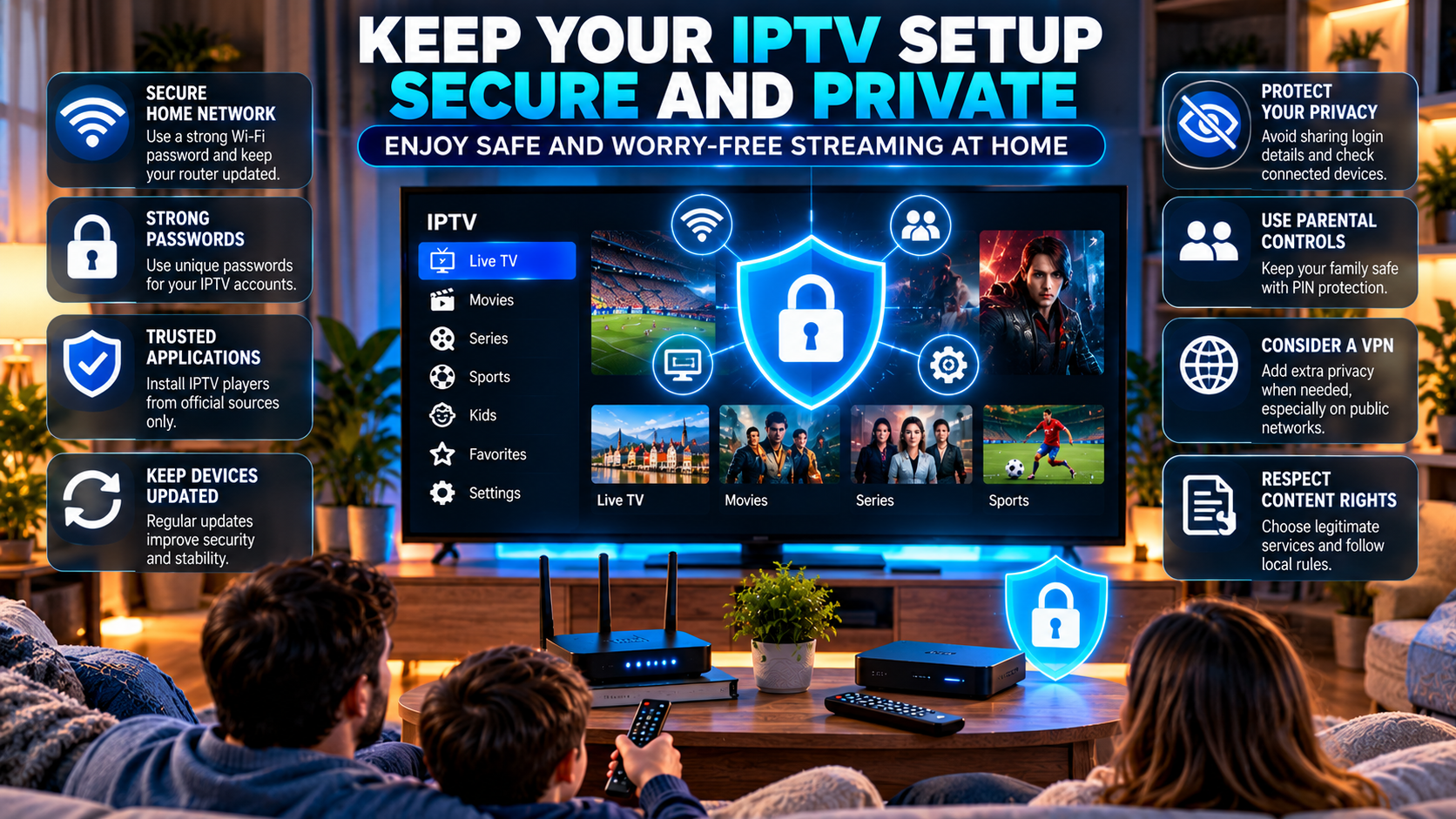
IPTV has become a practical way to watch live television, sports, movies, and series through internet-connected devices. As more households use Smart TVs, Android boxes, Apple TV, tablets, and other streaming hardware, security and privacy have become just as important as picture quality and convenience.
A secure IPTV setup does not need to be complicated. In many cases, simple steps such as using strong passwords, keeping devices updated, avoiding unknown applications, and reviewing network settings can reduce unnecessary risks.
For viewers in Sweden and across the Nordic region, these practices can help create a safer and more reliable home streaming environment.
Start With a Secure Home Network
Every IPTV device depends on the home network.
If the router is poorly protected, other security measures become less effective.
Basic router security should include:
-
A strong Wi-Fi password
-
Updated router firmware
-
Modern Wi-Fi encryption
-
A changed administrator password
-
Disabled features that are not required
Avoid leaving the router with its original administrator password if the manufacturer recommends changing it.
Use a Strong Wi-Fi Password
A weak Wi-Fi password can make it easier for unauthorized users to connect to your network.
Choose a password that is difficult to guess and different from passwords used for other accounts.
Avoid obvious combinations such as:
-
Family names
-
Telephone numbers
-
Simple number sequences
-
Common words
-
Default router passwords
A password manager can help create and store stronger credentials.
Update Router Firmware
Routers receive security updates just like phones and computers.
Outdated firmware can leave known problems unresolved.
Check the manufacturer's administration interface or mobile application periodically to see whether updates are available.
Some modern routers can install updates automatically.
Keep IPTV Devices Updated
Streaming devices should also receive regular updates.
This includes:
-
Smart TVs
-
Android TV devices
-
Google TV devices
-
Apple TV
-
Streaming sticks
-
IPTV boxes
-
Smartphones
-
Tablets
-
Computers
Software updates may improve security, stability, compatibility, and video playback.
Using current software also makes troubleshooting easier.
Install IPTV Players From Trusted Sources
One of the most important security decisions is where applications come from.
Whenever possible, download IPTV players through:
-
Official app stores
-
Manufacturer app stores
-
Trusted developer websites
Be cautious with modified applications downloaded from unknown file-sharing websites.
An application that promises premium features for free may contain unwanted software or request permissions that are unrelated to streaming.
Review Application Permissions
IPTV players generally need network access and may need storage access depending on their features.
However, users should question applications that request unnecessary access to:
-
Contacts
-
Messages
-
Microphone
-
Camera
-
Location
-
Call history
The exact permissions required depend on the application, but they should make sense for the features being used.
If a request seems unrelated, check the developer documentation before approving it.
Use Unique Account Passwords
Reusing the same password across several services creates unnecessary risk.
If one account becomes compromised, the same credentials may be tested elsewhere.
Use separate passwords for:
-
IPTV accounts
-
Email
-
Streaming platforms
-
Router administration
-
App store accounts
A password manager can make unique credentials easier to manage.
Protect the Email Linked to Your IPTV Account
Many streaming services use email for:
-
Password resets
-
Login verification
-
Subscription information
-
Device notifications
This makes email security particularly important.
Enable multi-factor authentication on your email account when available.
A secure email account helps protect other services connected to it.
Do Not Share Login Details Publicly
IPTV account information should be treated like other private credentials.
Avoid sharing usernames, passwords, playlist URLs, or account screenshots on public forums and social media.
These details may provide access to the account or reveal information that should remain private.
If credentials are accidentally exposed, change them where possible.
Understand M3U Playlist Privacy
Some IPTV setups use M3U playlist URLs.
These links can sometimes contain account-related information inside the URL.
For that reason, avoid posting playlist links publicly or sending them through unsecured public channels.
Treat them as account credentials rather than ordinary website links.
Check Connected Devices
Some IPTV services and streaming platforms show devices currently connected to an account.
Review this list periodically if the feature is available.
Look for:
-
Unknown televisions
-
Old smartphones
-
Previous streaming boxes
-
Devices you no longer own
Remove devices that are no longer used.
This can also help keep the account organized.
Sign Out Before Selling a Device
Streaming devices often remain logged into applications for long periods.
Before selling, giving away, or recycling a device:
-
Sign out of IPTV applications.
-
Remove saved passwords.
-
Disconnect app store accounts.
-
Delete personal profiles.
-
Perform a factory reset where appropriate.
A simple reset can prevent the next owner from accessing old account information.
Be Careful With Shared or Hotel TVs
Logging into IPTV on a hotel or holiday apartment television may be convenient, but it creates additional privacy risks.
Shared devices can retain:
-
Login details
-
Viewing history
-
Profiles
-
Device authorization
Whenever possible, use your own streaming device or remember to sign out completely before leaving.
Avoid Unknown Browser Extensions
Some users watch internet television through computers.
Be cautious with browser extensions that claim to improve streaming quality, unlock channels, or bypass restrictions.
Extensions can potentially read browser activity or alter web pages.
Install only extensions from trusted developers and remove those you no longer use.
Keep the IPTV Player Updated
An IPTV player can receive updates independently from the operating system.
Updates may fix:
-
Security issues
-
Playback bugs
-
Login problems
-
Subtitle errors
-
EPG compatibility
-
Playlist loading problems
Use the latest supported version whenever possible.
Use a Separate Guest Wi-Fi Network
Some routers allow users to create a guest network.
This can be useful when visitors need internet access but do not need access to other household devices.
A guest network can help separate:
-
Visitor phones
-
Guest tablets
-
Temporary devices
from computers, network storage, and other equipment on the primary network.
Consider a Separate Network for Smart Devices
Advanced users sometimes place Smart TVs, streaming boxes, and other connected devices on a separate network or VLAN.
This is not necessary for everyone, but it can provide additional separation between entertainment devices and personal computers.
For most households, a secure router, strong passwords, and regular updates are already valuable improvements.
Avoid Unnecessary Sideloading
Sideloading means installing applications outside the official app store.
It can be useful in certain legitimate situations, but it also removes some of the checks provided by app-store distribution.
If sideloading is necessary:
-
Use the developer's official source
-
Verify the application name
-
Avoid modified versions
-
Review requested permissions
-
Keep the application updated
Do not install random files simply because they promise additional channels or features.
Watch for Phishing Messages
Streaming-related scams may arrive through email, social media, or messaging applications.
They may claim:
-
Your subscription has expired
-
Your account will be suspended
-
Payment failed
-
You need to verify your password
-
A new application must be installed immediately
Instead of clicking unexpected links, open the official service website or application manually.
Check account information there.
Be Careful With Payment Information
When purchasing a legitimate IPTV or streaming subscription, use the official payment process provided by the service.
Be cautious if a seller unexpectedly requests payment through an unrelated website or asks you to send financial information through chat.
Before entering payment details, check:
-
Website address
-
Connection security
-
Company information
-
Payment provider
Never send card details through unsecured messages.
Understand What a VPN Does
A VPN creates an encrypted connection between your device and a VPN server.
It can be useful for legitimate privacy reasons, especially on networks you do not control.
However, a VPN is not a replacement for:
-
Strong passwords
-
Updated devices
-
Secure applications
-
Router security
-
Legitimate content access
It can also reduce streaming speed depending on server location and network conditions.
Do Not Assume a VPN Makes Everything Safe
Installing a VPN does not make an unsafe application trustworthy.
If an application contains malware or collects unnecessary information, a VPN cannot fix those problems.
Security should begin with trusted software and properly configured devices.
Check Privacy Settings on Smart TVs
Modern Smart TVs can include features such as:
-
Voice assistants
-
Viewing recommendations
-
Usage analytics
-
Personalized advertising
Review the television's privacy settings and disable features you do not want to use.
The available controls depend on the manufacturer and television model.
Secure Voice Assistants
Some streaming devices include microphones for voice control.
If you do not use voice features, check whether they can be disabled.
If you do use them, review:
-
Voice history
-
Privacy settings
-
Connected accounts
-
Microphone permissions
Understanding how these features work can help you make informed choices.
Create Separate Profiles Where Available
Profiles can improve privacy inside shared households.
Different profiles can keep:
-
Favorites
-
Recommendations
-
Viewing history
more organized.
This is particularly useful when several family members share one streaming device.
Protect Children From Unwanted Content
Security also includes controlling access to inappropriate content.
Use parental controls where available.
Possible features include:
-
PIN protection
-
Locked categories
-
Restricted profiles
-
Hidden channels
-
Purchase controls
Parents should periodically review these settings because application updates can sometimes change menus or options.
Keep the Main IPTV Setup Simple
Complicated setups with many unknown applications, plugins, and external files can create more opportunities for problems.
A simpler setup may include:
-
One trusted IPTV player
-
One primary streaming device
-
Updated operating system
-
Secure network
-
Organized favorites
-
Protected account credentials
Simplicity can improve both security and usability.
Research Services Before Signing Up
Before entering personal information or making a payment, research the IPTV service.
Look for clear information about:
-
Device compatibility
-
Customer support
-
Account terms
-
Privacy practices
-
Subscription options
Nordic viewers researching regional IPTV services, compatible devices, and streaming information may encounter Nordic IPTV King while comparing options aimed at Sweden and the wider Nordic market.
Regardless of the provider chosen, users should evaluate security, legitimacy, and account protection before subscribing.
Respect Content Rights
IPTV is a technology for delivering television over internet networks.
It does not automatically indicate whether specific content is legally licensed.
Users should select services that have the appropriate rights to distribute the content offered and should follow applicable copyright rules and service terms.
Security and legality should both be part of the decision-making process.
What to Do If You Suspect an Account Problem
If you notice unfamiliar activity, take action quickly.
Change the Password
Create a new, unique password.
Review Devices
Remove unfamiliar devices where the service allows it.
Secure the Email Account
Make sure the connected email account has not been compromised.
Check Payment Activity
Review recent transactions for unexpected charges.
Contact the Service
Use official support channels if the account provides them.
Acting early can prevent a small problem from becoming more serious.
What to Do If an IPTV Device Behaves Strangely
Unexpected pop-ups, unfamiliar applications, unusual network activity, or unexplained performance problems can indicate a software issue.
Start by:
-
Removing unknown applications.
-
Updating the operating system.
-
Restarting the device.
-
Reviewing app permissions.
-
Changing important passwords if necessary.
-
Performing a factory reset when appropriate.
If the problem continues, contact the device manufacturer or a qualified technician.
Final Thoughts
A secure IPTV setup depends on more than the application used to watch television.
Strong passwords, trusted software, updated devices, secure Wi-Fi, protected account information, and sensible privacy settings all contribute to a safer streaming environment.
For Nordic households using IPTV across Smart TVs, streaming boxes, tablets, computers, and smartphones, regular security checks can help keep the setup reliable without making it complicated.
The most effective approach is simple: use trusted services and applications, protect your credentials, keep software current, review connected devices, and avoid unnecessary risks.

 English
 Arabic
 French
 Spanish
 Portuguese
 Deutsch
 Turkish
 Dutch
Dutch
 Italiano
 Russian
 Romaian
 Greek
Greek