


Best WhatsApp Online Ordering for Restaurants: How to Start and When to Automate
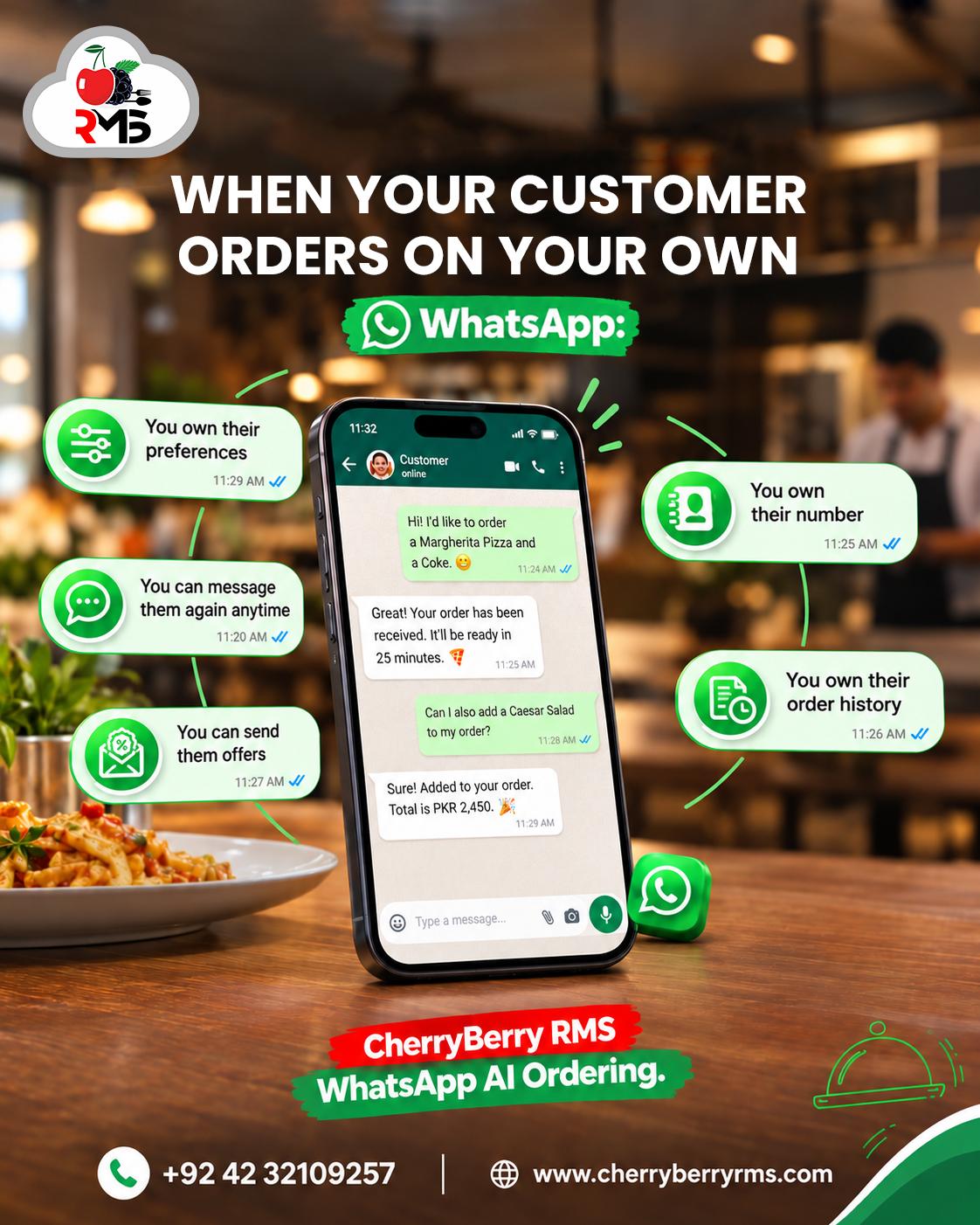
WhatsApp online ordering for restaurants means customers browse your menu, build an order and send it to you inside WhatsApp, with no app to download and no website to load. For many restaurants in Pakistan it already happens by accident: customers message the number on your Instagram page, and someone on staff types back.
The difference between those accidental chats and a proper ordering channel is a little structure: a catalog, a clear order message, and a way to get each order to the kitchen without retyping it. You can set up the basics in an afternoon with the free WhatsApp Business app.
This guide shows how WhatsApp ordering works from the customer's side, walks through the setup step by step, explains where manual ordering starts to break, and tells you when it is time to automate. If you are already comparing automated systems, our WhatsApp AI ordering app guide covers features, cost and API setup in depth.
What Is WhatsApp Online Ordering for Restaurants?
WhatsApp online ordering for restaurants is a way for customers to view a menu, choose items and place a takeaway or delivery order through a WhatsApp chat with the restaurant. The restaurant confirms the order in the same chat, then sends it to the kitchen for pickup or rider delivery.
It sits between two extremes. At one end is a casual chat where staff reply by hand. At the other is an automated system, where an AI agent takes the order and sends it into your POS. This guide starts at the first and shows you when to move to the second.
How WhatsApp ordering compares with other ways to order
· Phone ordering: the customer speaks and your staff type. WhatsApp leaves a written record, which cuts down on mishearing.
· Your website or app: the customer has to open it and wait for it to load. WhatsApp is already installed and already open.
· Marketplace apps such as Foodpanda: the platform owns the customer relationship. With WhatsApp the order comes straight to you, along with the customer's number.
How WhatsApp Ordering Works From the Customer's Side
A good ordering experience should take a customer under two minutes. This is the path most restaurants aim for.
1. The customer finds your link. They tap a WhatsApp button or QR code on your Instagram, Facebook page, Google Business Profile, menu card or packaging, and a chat with your restaurant opens.
2. They see your greeting and menu. With the catalog feature, items show up inside the chat with photos, prices and descriptions.
3. They add items to a cart. WhatsApp's own announcement of shopping carts describes customers browsing a catalog, tapping add to cart and sending the whole cart as one message, and it names restaurants as a good fit.
4. They send the order and their details. Name, address, a nearby landmark, a location pin and a preferred payment method.
5. You confirm. You reply with the total, the delivery fee and an estimated time, and the customer follows the order in the same thread.
Why Restaurants Use WhatsApp for Online Orders
· Customers are already there. No download, no account and no password. For most customers, ordering is one tap away.
· Orders come straight to you. You hold the customer's number and the chat history, which makes repeat orders and follow-ups simple.
· There is a written record. If a customer says they asked for no onions, you can scroll back and check.
· Photos help sell. A catalog with clear pictures makes it easier to order a second dish or a drink.
· It works at any size. A home kitchen can run it from one phone, and a chain can connect it to its POS.
How to Set Up WhatsApp Ordering Today With the WhatsApp Business App
You do not need a developer or a budget to start. These eight steps use only the free WhatsApp Business app.
1. Use a dedicated business number. Install the WhatsApp Business app on a number that belongs to the restaurant, not to a staff member's personal phone. When staff change, the number stays.
2. Complete your business profile. Add your restaurant name, address, opening hours, delivery area and a map link, so customers can see you are real and open.
3. Build your catalog. Add each dish with a clear photo, a price and a short description, grouped by category. Remove or hide items the moment they sell out.
4. Set a greeting, an away message and quick replies. The greeting welcomes new customers. The away message covers closing time. Quick replies save you typing the same lines all day, such as your delivery charges or an order template.
5. Create an order template. A quick reply that asks for name, address, landmark, location pin, payment method and any special requests means customers send everything you need in one message.
6. Share your ordering link and QR code. Put them on your Instagram bio, Facebook page, Google Business Profile, menu cards, boxes and bags.
7. Confirm every order in writing. Repeat the items, the total, the delivery fee and the time. Use labels such as New, Confirmed, Preparing, Out for delivery and Done, so you can see every chat's status at a glance.
8. Get the order to the kitchen. Enter it into your POS or print a ticket, then hand it to the pickup counter or to a rider. A restaurant rider app keeps delivery trackable once volume grows.
WhatsApp changes its features from time to time, so check the app and WhatsApp's Help Center for current catalog and cart options before you build your menu.
Where Manual WhatsApp Ordering Breaks Down
Manual ordering is a good start, but it has limits. Most restaurants hit them in the same order.
· Peak-hour pile-ups. Ten customers message at once, and the tenth waits twenty minutes. Some of them will order elsewhere.
· Double entry. Someone reads the chat, types the order into the POS, and gets a second chance to make a mistake.
· Free-text mistakes. Customers write in English, Urdu, Roman Urdu and voice notes, sometimes in the same message, and details get lost.
· Stock mismatch. The catalog says a dish is available. The kitchen says it ran out an hour ago.
· One phone, one person. Only a few people can run the account at the same time, and the person who knows how it works is always the one on break.
· No data. You cannot easily see how many orders came from WhatsApp, what sells best, or who your repeat customers are.
· After-hours silence. Late messages sit unanswered until morning, by which time the customer has eaten.
When to Move From Manual Orders to Automated WhatsApp Ordering
These are the signs the manual setup has stopped being enough:
· You retype WhatsApp orders into your POS every day.
· More than one person needs to answer chats at the same time.
· Messages go unanswered during lunch, dinner or Friday night rushes.
· You are opening a second branch and need one number and one menu across outlets.
· Customers ask where their order is, and your staff have to check with the kitchen.
· You want to send repeat customers offers, but have no clean customer list.
What automation adds
Automated WhatsApp ordering connects your number to WhatsApp's business platform, known as the WhatsApp Business API, so software can handle the conversation. In practice, an AI agent greets customers, shares the menu, takes the order and answers questions at any hour. Orders flow into your POS and kitchen display, customers get status updates automatically, and your staff step in only for exceptions.
CherryBerry RMS offers this as a WhatsApp AI ordering system connected to the CherryBerry POS, with support for English, Urdu and Roman Urdu. If you want to understand how the AI side works, read our article on the AI WhatsApp chatbot for food ordering.
What to check before choosing a provider
· Does it use WhatsApp's official business platform, not an unofficial workaround that could get your number blocked?
· Does it connect to your POS and kitchen display, so nobody retypes orders?
· Does it understand Urdu and Roman Urdu as well as English?
· Can a human take over a chat when the customer needs one?
· Is the price clear, including Meta's own message charges?
Our WhatsApp AI ordering app guide goes deeper on features, cost and how to compare providers.
WhatsApp Ordering Works Alongside Phone and Online Ordering
WhatsApp is one door into your kitchen, not the only one. Customers who like to talk will keep calling, so a restaurant call center still has a job. Customers who want to browse and pay on their own will use online ordering apps. WhatsApp catches the customers in between, the ones who live in chat. Wherever the order starts, it should end in one POS and one kitchen queue, which is what connecting online ordering with your POS is about.
Tips for WhatsApp Ordering in Pakistan
· Expect Roman Urdu. Write your quick replies in simple English and Roman Urdu so customers feel comfortable replying in either.
· Handle voice notes with a rule. Listen, then confirm the order back in text so there is a written version to check.
· Ask for a location pin and a landmark. Addresses in many Lahore neighbourhoods are easier to find from a landmark than from a house number.
· Spell out payment options. Cash on delivery is common. Food ordering platforms in Pakistan have also long offered wallets such as Easypaisa and JazzCash alongside it, as this ProPakistani report on Eat Mubarak noted. Offer what you can reconcile.
· Keep invoicing consistent. Orders that arrive on WhatsApp should go through the same POS as counter sales, so every order is invoiced the same way. See how the FBR POS invoicing system fits with your POS.
Frequently Asked Questions About WhatsApp Online Ordering for Restaurants
What is WhatsApp online ordering for restaurants?
WhatsApp online ordering for restaurants lets customers view a menu, choose items and place a takeaway or delivery order through a WhatsApp chat with the restaurant. The restaurant confirms the order in the same chat and sends it to the kitchen for pickup or rider delivery.
How do I take food orders on WhatsApp?
Set up the free WhatsApp Business app, add your menu as a catalog, share your chat link or QR code, and confirm each order by message with the total and delivery time. Then enter it into your POS so the kitchen receives it. When volume grows, an automated system can do these steps for you.
Is WhatsApp Business free for restaurants?
The WhatsApp Business app is free to download and use. Automated ordering through the WhatsApp Business API works differently: it needs a provider, and Meta charges for some message types. Ask any provider for a full price that includes Meta's fees before you commit.
Do customers need to download anything to order on WhatsApp?
No. Customers use the WhatsApp they already have. They tap your link or QR code, view your menu in the chat, and send the order.
Can customers pay on WhatsApp?
Most restaurants collect payment as cash on delivery, bank transfer or a wallet payment after confirming the order in chat. In-chat payment support depends on the country and on how WhatsApp is connected, so confirm what is available for your setup.
Can WhatsApp orders go straight into my POS?
Not with the standard WhatsApp Business app, where staff copy each order into the POS by hand. With an integrated automated system, orders flow into the POS and kitchen display on their own, which is the main reason many restaurants upgrade.
How many orders can one WhatsApp number handle?
In the Business app a person answers every message, so volume is limited by how fast your team can read, reply and confirm. When messages start piling up at peak hours, that is the sign to automate.
Should I use WhatsApp ordering instead of phone ordering or delivery apps?
Not instead of. Each reaches different customers. Phone suits people who prefer to talk, apps suit people who like to browse, and WhatsApp suits customers who already live in chat. The aim is to bring every channel into one POS and one kitchen queue.
Conclusion
WhatsApp online ordering for restaurants works best when you treat it like a real sales channel: a clear catalog, a standard order message, written confirmations, and a route from chat to kitchen. Start free with the WhatsApp Business app. When retyping orders and missed messages start costing you sales, automate the repetitive parts and keep your team for the exceptions.
If you want to see what that looks like for your restaurant, talk to the CherryBerry RMS team or take a look at our WhatsApp AI ordering system and the cloud-based POS it connects to.

 English
 Arabic
 French
 Portuguese
 Deutsch
 Turkish
 Dutch
Dutch
 Italiano
 Russian
 Romaian
 Portuguese (Brazil)
 Greek
Greek