


How Live Product Availability Can Reduce Unnecessary Store Questions
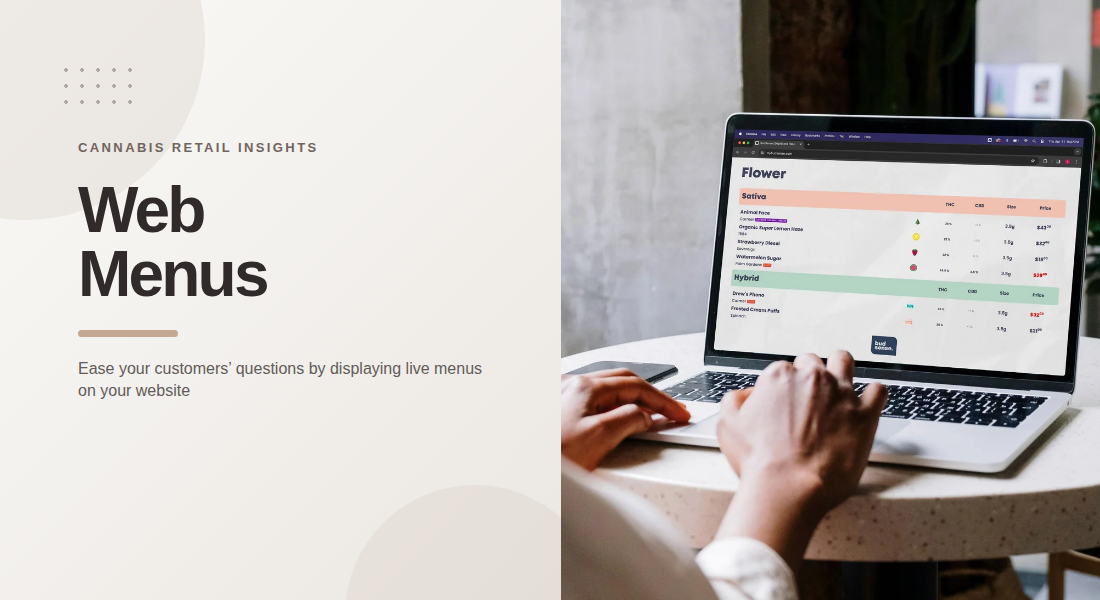
Customers often check a dispensary’s website before deciding which store to visit or what products they want to ask about. When online listings do not reflect current inventory, customers may call the store to confirm availability or arrive expecting a product that is no longer in stock. Live product availability helps reduce this uncertainty by giving customers a clearer view of what the store currently offers.
For cannabis retailers, maintaining accurate web menus can improve communication before customers arrive. When product listings, prices, and relevant details are connected to inventory records, customers can make better-informed decisions and staff can spend less time answering avoidable questions.
1. Help Customers Check Availability Before Visiting
One common reason customers contact a dispensary is to ask whether a particular product is available. If the website only displays a general product catalog, customers may not know whether an item is currently in stock.
A live web menu can make this information easier to check before a visit. Customers can review listed products and narrow their options without having to call or message the store for every item.
This is especially useful when customers are interested in a specific brand, product type, or variation. Clear availability information sets more realistic expectations and helps customers prepare for their visit.
2. Reduce Confusion Caused by Outdated Listings
An outdated online menu can create unnecessary work for both customers and staff. Someone may ask about a product that sold out earlier in the day, while another customer may assume an item is unavailable because a recently added product has not appeared online.
Connecting web menus with a compatible point-of-sale system can help keep online listings aligned with store inventory. BudSense describes its web menus as directly linked to inventory management systems so customers can see products that are available in-store.Retailers should still maintain accurate source records and investigate synchronization problems. Automation is most useful when the underlying inventory data is reliable.
3. Make Product Information Easier to Understand
Availability is only one part of the information customers need. They may also want to compare prices, product sizes, brands, or relevant product attributes before choosing what to ask about.
A well-organized web menu presents these details in a consistent format. Clear product names and readable descriptions help customers distinguish similar items without contacting staff for basic clarification.
Retailers should prioritize useful, verified details rather than displaying every possible field. For cannabis products, relevant information may include THC and CBD values, package size, product type, and other attributes supported by the store's records. Clear presentation helps customers understand the options available to them.
4. Use Filters to Narrow Product Choices
Large product catalogs can be difficult to navigate when customers have to scroll through every listing. Filters help narrow the selection according to relevant characteristics, making it easier to focus on products that match individual preferences.
For example, a customer may want to browse a particular product category, brand, or cannabinoid range. When filters are configured correctly, they can reduce the effort required to locate relevant items and limit follow-up questions about where particular products appear.
BudSense Web Menus supports Smart Filters, customizable menus, labels, badges, and expanded cannabinoid information.Retailers should review their filter settings periodically to ensure products are categorized correctly and expected listings appear.
5. Keep Prices and Promotions Clear
Questions about pricing and promotions can also create extra work for dispensary staff. Customers may want to confirm whether an advertised deal is active, whether a displayed price applies to a particular size, or whether an offer is available at their preferred location.
Web menus should present prices clearly and keep promotional information current. If a discount has ended, the associated message should be removed or updated. If prices differ between locations, the website should make the relevant store context clear.
Retailers can reduce confusion by coordinating menu updates with price changes and campaign schedules. Clear terms and accurate information help customers understand what they are seeing before contacting the store.
6. Design Menus for Mobile Browsing
Customers frequently check store websites on their phones, sometimes while planning a visit or comparing options on the go. A menu that is difficult to read on a small screen can lead to unnecessary questions even when its information is accurate.
Mobile-friendly menus should use readable text, straightforward navigation, accessible filters, and product details that fit the screen without excessive horizontal scrolling. Important information, such as product availability and price, should be easy to locate.
BudSense provides mobile-optimized web menus that can be embedded into a retailer's website.
A smooth mobile experience allows customers to check listings conveniently without needing to contact staff for basic navigation help.
7. Establish a Process for Handling Inventory Changes
Even a well-connected system needs a clear process for handling errors. New stock may not appear immediately if product records are incomplete, while a synchronization issue can prevent a listing from updating as expected.
Retail teams should know how to check missing products, correct product information, and escalate technical issues. Reviewing inventory discrepancies and confirming that important changes appear online can help prevent recurring problems.
BudSense's support resources identify synchronization problems, missing products, inaccurate details, and filter configuration as possible reasons a menu may not display expected items.A defined troubleshooting process helps teams respond efficiently when the online menu does not match store records.
Improving Online Menu Management
Using BudSense menu software, dispensaries can publish web menus connected to inventory systems, organize product listings, and offer customers a convenient way to review available products before visiting.
When accurate data is combined with clear design and regular checks, online menus can help answer common questions before customers need to ask them.
Final Thoughts
Live product availability helps bridge the gap between what customers see online and what a dispensary can offer in-store. Accurate listings, clear prices, useful filters, and mobile-friendly navigation make it easier for customers to prepare for their visits.
The best results come from combining inventory integration with reliable store procedures. By checking product data regularly and resolving discrepancies promptly, dispensaries can reduce avoidable questions and provide a more dependable online browsing experience.
FAQs
1. What is live product availability on a web menu?
It means an online menu reflects current product availability using inventory data from the store's system, subject to synchronization and data accuracy.
2. How can live web menus reduce customer questions?
Customers can check whether products are listed as available and review prices and product details before visiting, reducing the need to contact staff for basic information.
3. Can a web menu update automatically when inventory changes?
Yes. A web menu connected to a compatible point-of-sale system can update inventory information automatically, although retailers should monitor synchronization and data issues.
4. Why is mobile optimization important for dispensary menus?
Many customers browse websites on smartphones. Mobile-friendly layouts make products, prices, filters, and availability information easier to access.
5. What should dispensaries do when a product is missing from their web menu?
They should check the source inventory record, confirm that the product is correctly categorized, review synchronization status, and contact technical support if the problem persists.

 English
 French
 Spanish
 Portuguese
 Deutsch
 Turkish
 Dutch
Dutch
 Italiano
 Russian
 Romaian
 Portuguese (Brazil)
 Greek
Greek