


How to Identify the Best Gaming Computer Builders for Your Dream Rig
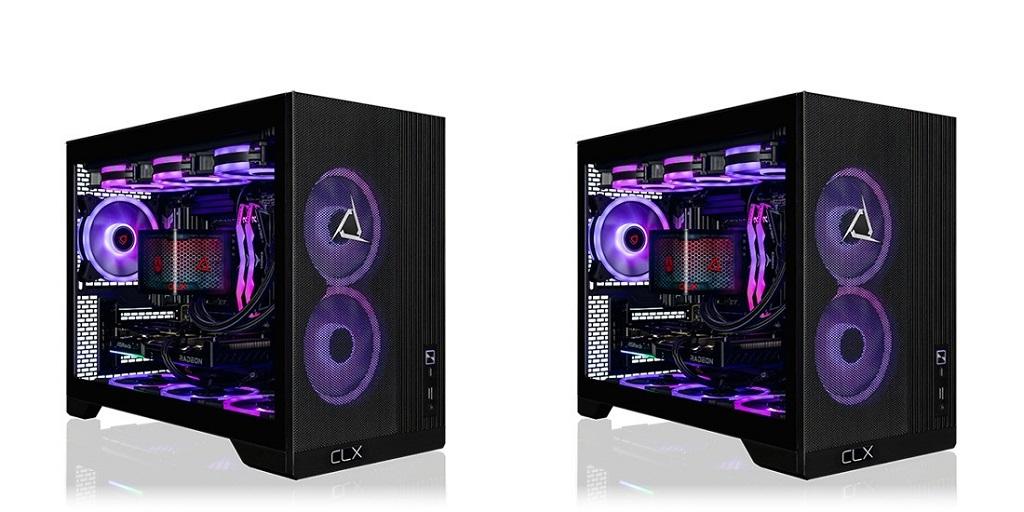
Building a gaming PC requires more than picking powerful components. Compatibility, cooling, performance, and future upgrades all affect the final system. The best gaming computer builders bring these details together to create a rig that fits specific gaming needs. Knowing what to evaluate can make the selection process clearer and lead to better results.
Look Beyond Individual Components
A gaming computer works as a complete system. A high-end graphics card paired with an unsuitable processor can limit performance. The same applies to insufficient RAM, slow storage, or inadequate cooling.
Look at how each component works with the others. The processor and graphics card should match the games you play and your desired resolution. Memory capacity matters for modern games, while fast storage reduces loading times.
Power supply capacity also deserves attention. A reliable PSU with enough wattage gives the system the power headroom it needs. Checking the specific hardware configuration gives a clearer picture than judging a computer by one impressive spec.
Check the Builder’s Customization Options
Your gaming preferences should influence the configuration. Someone focused on competitive shooters may prioritize high frame rates and a fast refresh-rate monitor. A player who enjoys visually demanding single-player games may prioritize GPU performance and graphical settings.
Customization also applies to storage, memory, cooling, case design, and other components. The best gaming computer builders offer configurations that reflect different performance targets instead of forcing every gamer into the same setup.
Consider how the computer might fit into future upgrades, too. A case with enough internal space, an appropriate motherboard, and sufficient power capacity can accommodate future hardware changes.
Evaluate Cooling and Thermal Management
Gaming systems generate significant heat under heavy workloads. Effective cooling keeps temperatures within suitable ranges and supports consistent performance during longer sessions.
Look at the type of CPU cooler, case airflow, fan placement, and available ventilation. Liquid cooling may suit certain high-performance configurations, while a quality air cooler can work well for other systems.
A well-planned cooling setup also affects noise. Fan quality and airflow design influence how hard the cooling system needs to work during demanding games.
Consider Build Quality and Testing
Assembly quality matters as much as the component list. Proper cable management improves airflow and makes future maintenance easier. Secure connections reduce the risk of hardware issues caused by loose cables or poorly installed components.
Testing is another important consideration. A properly tested gaming computer should undergo checks for system stability, temperatures, component recognition, and overall performance.
Look for information about the builder’s testing process before you decide. Clear documentation can show how each system is prepared before it reaches the customer.
Match the PC to Your Gaming Goals
The right gaming computer depends on how you'll use it. Resolution, frame rate, game genres, streaming, content creation, and multitasking all influence hardware requirements.
For 1080p gaming, a balanced mid-range configuration may provide strong performance. Higher resolutions place greater demands on the graphics card. Gaming at 1440p or 4K may require more powerful hardware to maintain your target frame rate.
Competitive gaming also introduces different priorities. High refresh rates and low latency may matter more than maximum graphical settings. Understanding these goals makes it easier to compare different configurations.
Review the Builder’s Reputation
Specifications tell only part of the story. Customer reviews, warranty information, technical support, and the builder’s history can provide additional context.
Pay attention to feedback on build quality, communication, shipping, and post-purchase support. Warranty terms should also be clear, including what components are covered and how service requests are handled.
A strong reputation gives you additional information when comparing builders with similar hardware offerings.
Building a Better Gaming Setup
Choosing among the best gaming computer builders is easier when you weigh performance, compatibility, cooling, customization, and build quality equally. A balanced system configuration offers a solid foundation for gaming today and for future hardware upgrades.
For gamers considering a professionally built system, CLX Gaming offers customizable gaming computers designed for different performance needs and hardware configurations.
For more information about High End Gaming Pcs and Custom Prebuilt Gaming Pc, please visit CLX Gaming.

 English
 Arabic
 French
 Spanish
 Portuguese
 Deutsch
 Turkish
 Dutch
Dutch
 Italiano
 Russian
 Portuguese (Brazil)
 Greek
Greek