


Ways to Reduce Customer Confusion With Clear Web Menu Design
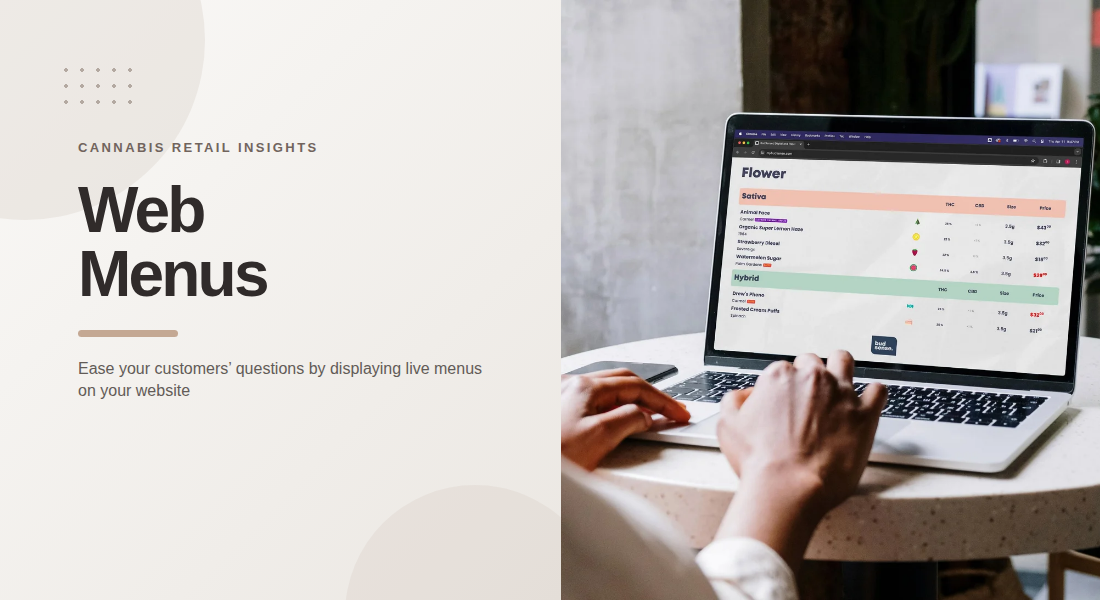
When customers visit a cannabis dispensary website, they often want to compare products, check prices, and understand available options before making a decision. Well-structured Web Menus make this process easier by presenting product information in a clear, predictable format. When listings are difficult to navigate or contain inconsistent details, customers may struggle to understand their choices or determine whether a product is available.
A clear menu design focuses on more than appearance. It combines logical categories, readable product details, useful filters, and accurate information to help customers move through the website with less confusion.
1. Organize Products Into Logical Categories
A long, unstructured product list can make browsing frustrating. Customers may have to scroll through unrelated items to locate a particular product type, brand, or category.
Retailers can simplify navigation by grouping products into recognizable sections. Depending on the store's inventory, these might include flower, pre-rolls, concentrates, edibles, beverages, and vape products.
Category names should be familiar and descriptive. Avoid creating too many overlapping sections, as excessive categorization can make it harder to understand where products belong.
A consistent structure also helps returning visitors. When categories remain in predictable locations, customers can move through the menu without repeatedly learning a new layout.
2. Keep Product Information Consistent
Inconsistent product listings can make similar items difficult to compare. One listing might display its price near the product name, while another places it at the bottom of a lengthy description. Missing attributes can create additional uncertainty.
Retailers should establish a standard format for product information. Depending on the product category, useful details may include the brand, product name, size, price, flavor, and relevant cannabinoid information.
Not every product requires identical attributes, but similar products should follow the same presentation rules. Clear labels help customers understand what each value represents.
Consistent formatting also makes the menu easier for store teams to maintain. Employees can update listings according to an established structure rather than creating a new layout for every product.
3. Make Pricing Easy to Locate
Customers should not have to search through several sections of a listing to understand its price. Position pricing where visitors can see it quickly, and use consistent formatting throughout the menu.
If products are available in different sizes or quantities, display the corresponding price clearly. This helps prevent customers from confusing one variation with another.
Promotional prices should also be presented carefully. Where discounts are displayed, make the applicable conditions clear and ensure that the information remains current.
A transparent pricing layout reduces unnecessary questions and helps customers compare available options. Retailers should also check that prices shown online match the information used by their store systems.
4. Use Filters That Help Customers Narrow Their Choices
Filters can make a large catalog easier to navigate by allowing visitors to narrow products according to relevant attributes.
Depending on the products and available data, useful filters may include:
-
Product category
-
Brand
-
Price range
-
Product size
-
Flavor profile
-
THC or CBD information
The purpose of filtering is to reduce the number of irrelevant listings a customer needs to review. However, too many filters can create another layer of complexity.
Retailers should prioritize the attributes customers are most likely to use. Filter names should be easy to understand, and selecting a filter should produce results that match the stated criteria.
When no products meet a selected combination, the menu should communicate that clearly and make it easy to reset the filters.
5. Design for Mobile Browsing
Many customers access retail websites from smartphones, so a menu that works well on a desktop may not provide the same experience on a smaller screen.
Mobile-friendly design requires readable text, appropriately sized controls, and product cards that fit the available space. Customers should be able to open categories, apply filters, and check prices without excessive zooming or horizontal scrolling.
Keep important information visible without forcing visitors to open multiple panels. Product descriptions can remain concise, with additional information presented through clearly labeled expandable sections when appropriate.
Retailers should test their menus on different screen sizes rather than assuming that a desktop layout will automatically adapt well to mobile devices.
6. Display Product Availability Clearly
A product listing becomes confusing when its availability does not reflect the store's current inventory. Customers may spend time reviewing an item only to learn that it is no longer available.
Where supported, web menus should use current inventory information and communicate unavailable items clearly. Retailers can decide whether to hide out-of-stock products or retain them with an explicit availability label, depending on their operational needs.
If inventory varies between locations, customers should be able to identify which store's availability they are viewing. This distinction is particularly important for businesses with multiple branches.
Accurate availability information helps customers understand their options before visiting a store. It also reduces the likelihood of mismatches between online listings and in-store inventory.
7. Use Labels and Visual Elements Carefully
Visual labels can draw attention to useful product attributes, but excessive badges, colors, and promotional messages may make a menu harder to understand.
Retailers should use labels for specific purposes, such as identifying a product category or communicating a clearly defined attribute. Keep the design consistent so that the same type of label has the same meaning throughout the website.
Color contrast should support readability, and text should remain understandable without relying on color alone. Product images should also be relevant and displayed in a consistent format.
A clean visual hierarchy helps customers distinguish product names, prices, and supporting information without competing elements distracting from the details.
8. Keep Web Menus Updated Across Channels
Customers may encounter the same product information on a website, a digital screen, or a printed menu. When these channels show different prices, product details, or availability, customers may not know which information to trust.
Retailers should establish a reliable process for maintaining product data across their communication channels. Integrations with point-of-sale systems can help synchronize supported information, although the exact fields and update timing depend on the systems being used.
BudSense provides web menu tools alongside digital and print menu solutions, helping cannabis retailers manage product information across different formats. Retailers should verify their integration settings and regularly review published content to ensure that important details remain accurate.
A coordinated workflow makes it easier to maintain consistent information without requiring staff to update every channel independently.
Retailers looking to improve their online menu workflows can review BudSense menu software for tools designed to support cannabis menu management and product presentation.
Final Thoughts
Clear web menu design helps customers understand available products without unnecessary effort. Logical categories, consistent product details, visible pricing, useful filters, and mobile-friendly layouts all contribute to a more straightforward browsing experience.
Retailers should also pay attention to inventory accuracy and consistency across online and in-store channels. By reviewing the menu regularly and keeping its structure predictable, dispensaries can reduce avoidable confusion and make product information easier to use.
Frequently Asked Questions
1. What makes a cannabis web menu easy to navigate?
Clear categories, readable product listings, visible prices, useful filters, and a consistent layout help customers locate relevant information quickly.
2. Why is mobile-friendly web menu design important?
A mobile-friendly menu allows customers to browse products, read details, and check prices comfortably on smaller screens without excessive zooming or scrolling.
3. Which filters should a dispensary web menu include?
Useful options may include product category, brand, price, size, flavor, and relevant cannabinoid information. The best selection depends on the store's inventory and available product data.
4. How can dispensaries reduce confusion about product availability?
They can synchronize supported inventory information, label unavailable products clearly, and identify the location associated with each listing.
5. How often should a dispensary review its web menu?
Retailers should review listings whenever relevant product information changes and conduct routine checks for outdated prices, missing details, and inventory discrepancies.

 English
 Arabic
 French
 Spanish
 Portuguese
 Deutsch
 Turkish
 Italiano
 Russian
 Romaian
 Portuguese (Brazil)
 Greek
Greek