


How to Plan a Gaming PC Around a Mid Tower Case
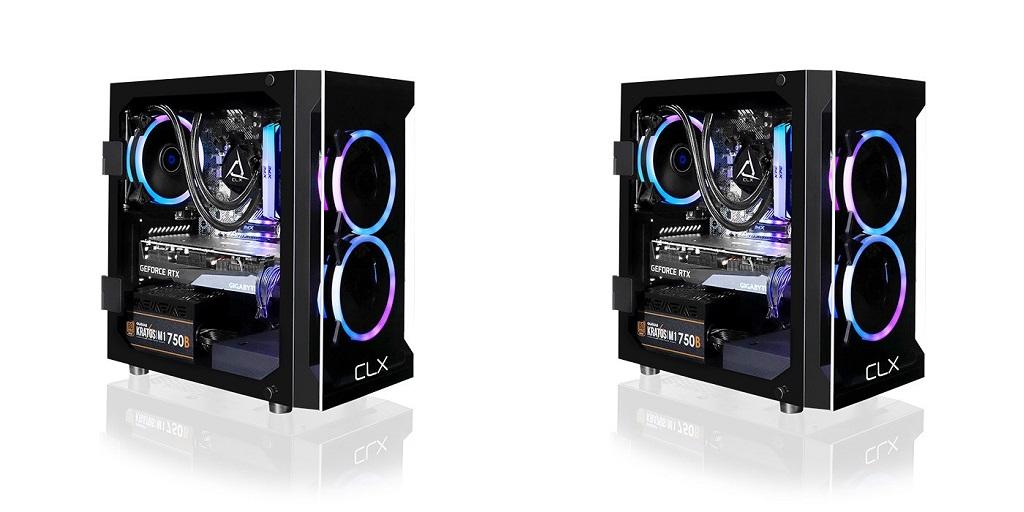
Building a gaming PC means making several decisions before you install the first component. The case is one of them. A mid-tower gives you a solid foundation for choosing hardware, checking compatibility, and building a setup that fits your gaming habits.
Choose Hardware Based on the Games You Play
The games you enjoy can tell you a lot about the hardware you need. Competitive shooters may call for a graphics card and processor that deliver high frame rates. Simulation games and heavily modded titles may demand additional memory or storage. Keep these points in mind when comparing components:
- Graphics card: Consider your preferred resolution, frame rate, and graphics settings.
- Processor: Check the requirements of your favorite games and other software you run.
- Memory: Make sure you have enough capacity for your games and background applications.
- Storage: Account for large game downloads, updates, saved files, and future additions.
Your budget matters, too. Spending more on one component may leave less room for another, so consider how each part contributes to the performance you want.
Check Measurements Before Buying Parts
A component’s specifications tell only part of the story. Physical dimensions matter just as much when you’re fitting everything inside a PC case.
Most mid-tower cases support ATX motherboards, though compatibility varies by model. Graphics cards differ in length and thickness, while CPU coolers need enough vertical clearance. Liquid-cooling radiators also require specific mounting positions.
Check the manufacturer’s specifications for:
- Supported motherboard sizes
- Maximum graphics card length
- CPU cooler height clearance
- Radiator sizes and mounting locations
- Power supply dimensions
Keep Assembly Manageable
Building a PC gets easier when you know where each component belongs. Review the case layout before installing the motherboard, power supply, storage drives, and cooling equipment.
Cable routing deserves attention during assembly. Cables need enough reach to connect properly, but they should stay clear of fan blades. Many cases include channels or space behind the motherboard tray for tidier routing.
Think about storage and fan placement before closing the case, too. Moving components around later can mean disconnecting cables or removing parts you’ve already installed.
Make Room for Your Everyday Setup
The computer needs to fit your room and your hardware. Measure the space beside or underneath your desk, allowing room for cables and access to the rear connections.
Front ports can make daily use more convenient. A USB connection makes it easy to connect controllers, headsets, and external drives. If you want USB-C, make sure the case has the right port and your motherboard supports the required connection.
Placement also affects ventilation. Keep the case’s intake and exhaust areas clear of walls, furniture, and other obstructions. Your computer needs enough room to move air during demanding gaming sessions.
Consider What You Might Upgrade
Your hardware preferences may change after a year or two. A larger game library might call for extra storage, while newer games could prompt a graphics card upgrade.
Check how much room the case provides for additional drives, fans, and larger components. These details matter if you expect to modify the system later.
You don’t need to predict every future purchase. A little flexibility in your initial build gives you more options when your needs change.
Bring Your Gaming Build Together
A good PC build reflects the games you play, your space, and the components that fit your budget. Planning helps you prevent compatibility issues and make the best decisions before you start building.
Ready to upgrade your setup? Explore CLX Gaming for customizable gaming PCs to compare hardware configurations, find a system that fits your gaming needs, and shop for your next desktop.
For more information about High End Gaming Pcs and Custom Built Pc Online Please visit: Cybertron International, Inc.

 English
 Arabic
 French
 Spanish
 Portuguese
 Deutsch
 Turkish
 Dutch
Dutch
 Italiano
 Russian
 Romaian
 Greek
Greek