


WhatsApp Cart Abandonment Recovery with AI: Shopify Guide
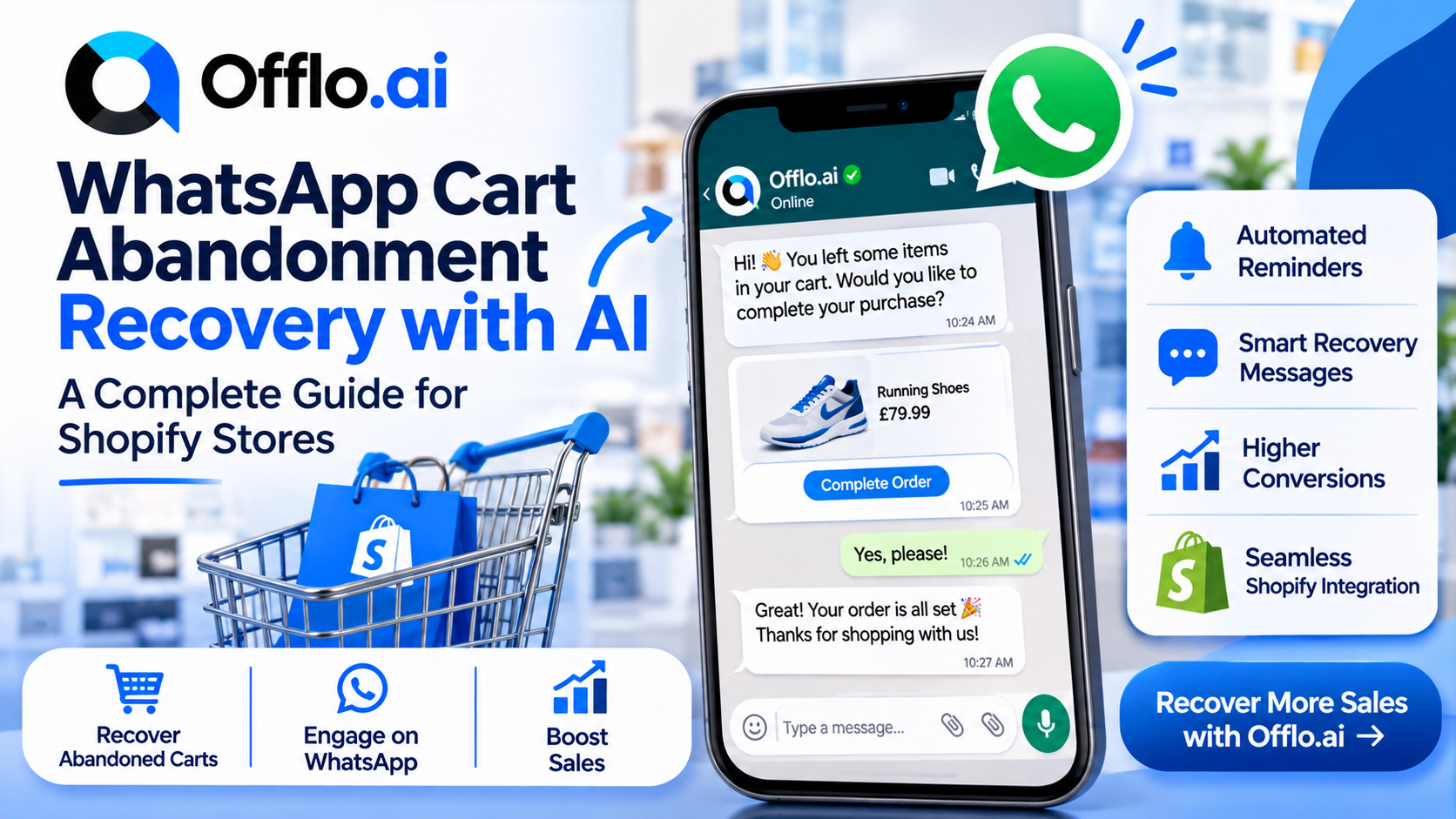
Every online store has the same quiet leak: shoppers who add products to their cart and then disappear. They were interested enough to pick a product, and sometimes interested enough to start checkout, but something stopped them. A question about delivery, a doubt about size, a distraction or a better offer elsewhere is often all it takes.
Cart abandonment recovery is the practice of reaching those shoppers at the right moment and helping them finish. Email has long been the default tool, but many stores now use chat. A short, friendly message on WhatsApp feels closer to a conversation than a marketing email, and it lets the shopper reply with a question and get an answer straight away.
That is where an AI agent helps. Instead of sending one fixed reminder, an AI agent can start the conversation, answer questions, suggest a product, share a discount code if you have set one up and hand over to your team when needed. Offlo.ai describes itself as an AI revenue OS for ecommerce, with AI agents that sell, support and re-engage customers across WhatsApp, Messenger, Instagram, web and email. Its WhatsApp agent covers areas such as cart abandonment, order tracking, product recommendation and discount coupon codes.
This guide explains why shoppers abandon carts, why chat suits recovery, how an AI cart recovery agent works and how to set one up for a Shopify store. You will find message examples, a timing table, a setup checklist, the metrics to track and the mistakes to avoid. It is written for store owners and ecommerce teams who want a practical plan, not theory.
Why Shoppers Abandon Their Carts
To recover a cart, you first need to know why it was left. Most reasons fall into a handful of groups, and many of them are questions a chat can answer on the spot.
|
Reason |
What the shopper is thinking |
How a chat can help |
|
Unexpected costs |
"Shipping is more than I expected" |
Explain delivery options and any free-shipping threshold |
|
Delivery doubts |
"Will it arrive in time?" |
Share delivery times and tracking details |
|
Size or fit worries |
"Will this fit me?" |
Answer sizing questions and suggest an alternative |
|
Trust concerns |
"Is this store reliable?" |
Explain returns, support and contact options |
|
Price comparison |
"Maybe it is cheaper elsewhere" |
Offer a relevant code, if you have set one up |
|
Payment friction |
"Checkout is too long" |
Share the direct checkout link and offer help |
|
Distraction |
"I will come back later" |
Send a gentle, timely reminder |
|
Unanswered question |
"I have a question nobody answered" |
Reply instantly, at any hour |
|
Just browsing |
"I am only looking" |
Suggest related products without pressure |
Notice how many rows are about information, not price. Shoppers often need a small piece of reassurance more than they need a discount. That is good news, because answering a question costs you nothing, while a discount costs margin.
It is also worth separating abandoned carts from abandoned browsing. A shopper who added an item and started checkout is a warm lead and deserves a prompt, helpful message. A shopper who only viewed a product page is cooler and is better served by a lighter touch, such as a product recommendation, rather than a reminder.
Finally, remember that not every abandoned cart should be chased. Some shoppers genuinely changed their mind, and respectful follow-up means knowing when to stop.
Why WhatsApp and Chat Channels Suit Cart Recovery
Chat has three advantages over a standard reminder email.
It feels personal. A short message from a store, in the same app a shopper uses to talk to friends, reads like a conversation. People tend to treat it differently from a promotional email in a crowded inbox.
It is two-way. The shopper can reply with a question and get an answer immediately. A reminder email can only point back to a website, while a chat can resolve the doubt that caused the abandonment.
It is fast. Messages in chat apps are often read quickly, which helps when timing matters, such as a limited stock item or a sale about to end.
The same logic applies to other channels. Offlo.ai lists WhatsApp, Messenger, Instagram, website chat and email as places its agents work, so a store can meet shoppers wherever they prefer to talk. If you want a closer look at the channel side, read about the omnichannel inbox.
Consent and channel rules matter. Before messaging any shopper, make sure they have agreed to hear from you, and keep a record of when and how they agreed. WhatsApp and other Meta channels have their own policies about who can be messaged, when and with what content, and those rules change over time. Read the current rules in the official WhatsApp Business documentation and follow the privacy laws that apply in your region. Offlo.ai describes itself as an official Meta Tech Provider, which can help with the technical connection, but compliance with consent and content rules remains the responsibility of the business sending the messages. This guide is general information, not legal advice.
A good rule of thumb is simple: only message people who expect to hear from you, say who you are, offer something useful and make it easy to stop.
How an AI Cart Abandonment Agent Works
An AI agent turns a one-way reminder into a short, helpful conversation. Here is the typical flow.
1. Detect the abandoned cart. The agent connects to your store, such as a Shopify store, and sees when a shopper leaves items behind.
2. Wait the right amount of time. It does not message instantly. A short delay gives the shopper room to finish on their own.
3. Send a friendly opening message. The message names the product, says who is writing and makes replying easy.
4. Answer questions. If the shopper asks about delivery, sizing, returns or stock, the agent replies from the information you have given it.
5. Help the shopper decide. It can suggest a similar product, share a checkout link or, if you have set a discount code, offer it under your rules.
6. Hand over when needed. Complex, sensitive or upset conversations go to a person in your shared inbox, with the full chat attached.
7. Record the result. Whether the shopper bought, asked a question or went quiet, the outcome is saved so you can learn from it.
The difference from a basic reminder is the conversation. A fixed reminder says "you left something behind". An AI agent can say that and then handle the three follow-up questions that actually decide the sale.
The Offlo.ai homepage lists several agent skills relevant here: cart abandonment, order tracking, product recommendation and discount coupon codes. Together they cover the main moments between a shopper adding an item and receiving it. You can read more on the AI agent features page and see how the automation tools can trigger these flows.
Two cautions apply. First, the agent is only as good as the information behind it, so give it accurate delivery, returns and product details. Second, an agent should never pretend to be human. Make it clear that shoppers are talking to an AI assistant, and make it easy to reach a person.
Cart Recovery Sequence: What to Send and When
Timing matters as much as wording. The table shows a sensible starting pattern. Adjust it to your products, your average order value and what your customers have agreed to receive.
|
When |
Purpose |
What to include |
|
30 to 60 minutes after abandonment |
Gentle nudge |
Product name, who you are, checkout link, offer of help |
|
12 to 24 hours later |
Answer doubts |
Delivery, returns or sizing information, an invitation to ask questions |
|
2 to 3 days later |
Add value |
Related product, a review or a reason to choose it |
|
3 to 5 days later |
Final reminder |
Stock or offer deadline, if it is real, plus a simple opt-out |
|
After purchase |
Thank and inform |
Order confirmation, tracking, and a point of contact |
|
If no response |
Stop |
Pause messages and keep the shopper in your records |
Three messages is usually enough. More than that begins to feel like pressure, and pressure can push people away.
Use discounts carefully. A code can help in some situations, but it trains shoppers to expect one. Try answering the shopper's question first. If you do offer a code, set clear rules about when and for whom, and make sure the code is configured correctly in your store.
Respect quiet hours. Messages that arrive at night can annoy people. Where your tools allow, schedule messages for sensible times in the shopper's time zone.
Stop when the job is done. Once a shopper buys, the recovery sequence should end immediately. Nothing damages trust faster than a reminder for something already purchased.
Test and learn. Run two versions of a message on small groups and compare. Even simple changes, such as a shorter opening line or a different time of day, can shift results.
Message Examples and Tone Guide
Good recovery messages are short, human and useful. Keep each one to a few lines, with one clear action. Replace the sample details with your own.
First nudge (30 to 60 minutes)
Hi Sam, this is the team at Green Leaf Store. We noticed you left the Linen Shirt in your cart. If you have any questions about sizing or delivery, just reply here and we will help. Here is your cart: [link]
Answering a delivery question
Good question. Orders to your area usually arrive in 3 to 5 working days, and you will get a tracking link as soon as it ships. Would you like to finish your order now?
Suggesting an alternative
That size is low in stock. The Relaxed Fit in the same colour is available and runs slightly larger. Would you like to see it?
Follow-up the next day
Hi Sam, just checking in. Your Linen Shirt is still in your cart. We offer free returns within 14 days if it is not quite right. Reply here if you would like any help.
Final reminder
Last note from us about your cart. The Linen Shirt is selling quickly. If you would rather not hear from us again, reply STOP and we will not message you about this.
Tone guide
• Friendly and clear, never pushy
• Use the shopper's first name where you have it
• Say who you are in the first message
• One idea per message, with one clear next step
• No false urgency: only mention low stock or deadlines when they are real
• Always offer a way to stop
• Match your brand voice, whether playful, calm or professional
Offlo.ai mentions an AI Creative Agent that writes ready-to-use messages, offers and content in a brand's voice. If you use a tool like that, still review the wording before it goes live, so every message sounds like your store and follows your policies.
Finally, keep an eye on replies. A shopper who responds is telling you something. Make sure those replies reach a person quickly when the AI cannot answer, using a shared inbox so nothing is missed.
Beyond Reminders: Recommendations, Coupons and Order Tracking
Cart recovery is one part of a wider shopping journey. The same chat that rescues a cart can support the shopper before and after the sale.
Product recommendation. Many shoppers abandon because the product is not quite right. An AI agent can ask what they need and suggest something closer, such as another size, colour or a better-matched item. A good recommendation feels like advice from a helpful shop assistant, not a hard sell.
Discount coupon codes. Used sparingly, a code can tip a hesitant buyer. Set clear rules: who qualifies, when it applies and what it cannot be combined with. Offer it after answering questions, not before.
Order tracking. After checkout, the most common message is "where is my order?". An AI agent that can share tracking details saves your team repeated work and reassures buyers. Reassured buyers tend to come back.
Cross-channel follow-up. Not every shopper prefers the same app. Offlo.ai lists WhatsApp, Messenger, Instagram, website chat and email, so conversations can continue where the customer is most comfortable. You can read more on the marketing features page.
Reviews and loyalty. Once an order arrives, a short thank-you and a request for feedback can feed your review and loyalty tools. The Offlo.ai integrations list includes apps such as Judge Me, Yotpo, Klaviyo and Smile, among others, so you can check whether the tools you already use are supported.
Shared inbox and CRM. Every one of these conversations should be saved. A CRM records what each customer asked and bought, and the shared inbox lets your team step in with full context.
The larger idea is that a store should not treat abandoned carts as a separate problem. They are one point in a continuous conversation, and an AI agent that sees the whole journey can help at every stage, from the first question to the delivery update. For more on how this fits ecommerce teams, visit the ecommerce industry page.
Setup Checklist for a Shopify Store
Work through these phases in order.
Phase 1: Prepare your store information
• ☐ Delivery areas, costs and timeframes in plain language
• ☐ Returns and refund rules with the exact window
• ☐ Sizing guides, care instructions and product FAQs
• ☐ Payment methods and any checkout help
• ☐ Rules for discount codes and who can use them
Phase 2: Set consent and compliance
• ☐ Capture opt-in before messaging, and record when and how it was given
• ☐ Add a clear opt-out in every sequence
• ☐ Read the current WhatsApp and Meta channel rules
• ☐ Review the privacy rules that apply in your region
Phase 3: Connect your tools
• ☐ Connect your Shopify store so carts and orders are visible
• ☐ Connect WhatsApp and any other channels you plan to use
• ☐ Link your shared inbox so handoffs reach your team
• ☐ Check which review, email and loyalty apps you already use against the integrations list
Phase 4: Build the sequence
• ☐ Write three short messages for the timing table above
• ☐ Define when the sequence starts and, just as important, when it stops
• ☐ Set handoff triggers: complaints, refunds, special requests and requests for a person
• ☐ Decide when, if ever, a discount code is offered
Phase 5: Test
• ☐ Run test carts and watch every message arrive
• ☐ Ask the AI 30 real shopper questions and score the answers
• ☐ Check that a completed purchase stops the sequence
• ☐ Have a colleague try to break the flow
Phase 6: Launch and learn
• ☐ Launch to a small group first
• ☐ Read real replies every day in week one
• ☐ Review results weekly and adjust wording and timing
If you would like help setting this up, you can book a demo, review pricing or read the FAQ.
Metrics to Track
You cannot improve what you do not measure. Track a small set of numbers, and compare them week by week rather than chasing a single figure.
|
Metric |
What it tells you |
How to use it |
|
Recovery rate |
Share of abandoned carts that end in a purchase |
Compare sequences and timings |
|
Reply rate |
Share of shoppers who respond |
Shows whether messages feel relevant |
|
Time to first reply |
How quickly questions get answered |
Keep it low, especially at busy times |
|
Handoff rate |
Share of chats passed to a person |
Reveals gaps in your information |
|
Opt-out rate |
Share of shoppers who ask to stop |
A rising number means messages feel pushy |
|
Revenue per recovered cart |
Value of orders won back |
Judge whether discounts are worth it |
|
Discount usage |
How often codes are used |
Check whether you are giving away margin |
|
Customer satisfaction |
How shoppers rate the chat |
Protect trust while you grow |
Two habits make these numbers useful. First, record a baseline before you launch, so you have something to compare against. Second, read actual conversations, not only dashboards. A single chat can show you a missing answer that a graph never will.
Offlo.ai lists AI support analytics among its customer support tools. Whatever tool you use, look for reporting that shows conversations, handoffs and outcomes in one place.
Be honest about what the numbers mean. Results vary by store, product, price, audience and season, so treat any figure you read elsewhere as a rough guide and measure your own.
Common Mistakes to Avoid
These errors turn a helpful reminder into an annoyance.
• Messaging without consent. Only contact shoppers who have agreed to hear from you, and keep a record.
• Sending the first message too soon. Give shoppers a little time to finish on their own.
• Sending too many messages. Two or three is usually enough. Past that, you risk opt-outs and complaints.
• Leading with a discount. Answer the shopper's question first. Discounts cut margin and can teach shoppers to wait.
• Using false urgency. Do not claim low stock or deadlines that are not real.
• Failing to stop after purchase. Make sure a completed order ends the sequence at once.
• Giving the AI weak information. Wrong delivery times or return rules create new problems. Keep your store details accurate and up to date.
• Hiding that it is an AI. Be open about it, and make it easy to reach a person.
• Ignoring replies. A shopper who replies is engaged. Route replies the AI cannot handle to your team quickly.
• Skipping the test. Run test carts before launch to catch broken links, wrong products and bad timing.
• Measuring only recovered revenue. Watch opt-outs, complaints and satisfaction too, so growth does not come at the cost of trust.
• Treating it as set and forget. Review real conversations weekly and refine.
Avoiding these mistakes costs little and protects your brand. A recovery programme that feels helpful will keep working for you season after season.
Frequently Asked Questions
What is cart abandonment recovery? It is reaching shoppers who left items in their cart and helping them complete the purchase, usually with timely and helpful messages.
Why use WhatsApp instead of email? Chat feels more personal and lets shoppers reply with a question and get an answer straight away. Many stores use both, since customers differ.
Can an AI agent send cart recovery messages on WhatsApp? AI agent platforms such as Offlo.ai describe cart abandonment as one of the skills of their WhatsApp agent. Check the current capabilities and channel rules before you plan your setup.
Do I need customer consent? Usually yes. Rules differ by region and channel, so check what applies to you and keep a record of consent. This is general information, not legal advice.
How many messages should I send? Two or three is a common starting point. Test timing and watch your opt-out rate.
Should I always offer a discount? No. Many abandonments are about missing information, and a quick answer can win the sale without cutting your margin.
Does it work with Shopify? Offlo.ai lists Shopify among its integrations and offers a Shopify install. Confirm the details for your store before you start.
What happens when the AI cannot answer? It should hand the chat to a person in your shared inbox with the full conversation attached.
How do I know if it is working? Track recovery rate, reply rate, handoff rate and opt-outs against a baseline you set before launch.
Where can I learn more? Visit the Offlo.ai FAQ, see pricing or contact the team.
Final Thoughts
Abandoned carts are not lost sales. Many are open conversations waiting for a good answer. A short, friendly message on the channel your customer prefers, backed by accurate store information and a clear route to a real person, can turn a quiet exit into a completed order.
Start small. Prepare your store details, set up consent, write three useful messages and test them on real carts. Then read the replies, watch your numbers and improve each week. Keep the tone honest, the timing sensible and the choice to opt out easy.
To see how an AI agent, shared inbox, CRM and automation can work together for your store, explore Offlo.ai, look at the AI agent features or book a demo.

 English
 Arabic
 French
 Spanish
 Portuguese
 Deutsch
 Turkish
 Dutch
 Italiano
 Russian
 Romaian
 Greek