


How to Create a Professional Photo Area for Corporate Events
Corporate events bring together employees, clients, business partners, media representatives, and potential customers. Whether a company is hosting a product launch, annual conference, awards ceremony, or networking event, the experience should reflect its professional identity. One often-overlooked element is the photography area. A well-planned photo space gives attendees a place to capture memories while providing businesses with additional opportunities to showcase their branding.
Creating an effective corporate event photo area involves more than placing a camera in front of a decorated wall. The backdrop, lighting, logo placement, available space, and overall presentation should work together to create an attractive and recognizable setting.
1. Choose a Location That Encourages Participation
The location of your photography area can influence how many guests use it. Placing it near the event entrance, registration area, or networking space can make it easier for attendees to discover.
However, the area should not interfere with registration queues, walkways, or other event activities. Choose a location with enough room for individuals and groups to stand comfortably in front of the Step and Repeat Backdrop.
Consider the direction of natural and artificial lighting as well. A space with fewer harsh shadows can help photographers capture clearer images without requiring extensive adjustments.
2. Create a Consistent Brand Presentation
A corporate photo area should reflect the company's identity. Consistent use of brand colors, logos, and visual elements helps create a recognizable appearance across event photography.
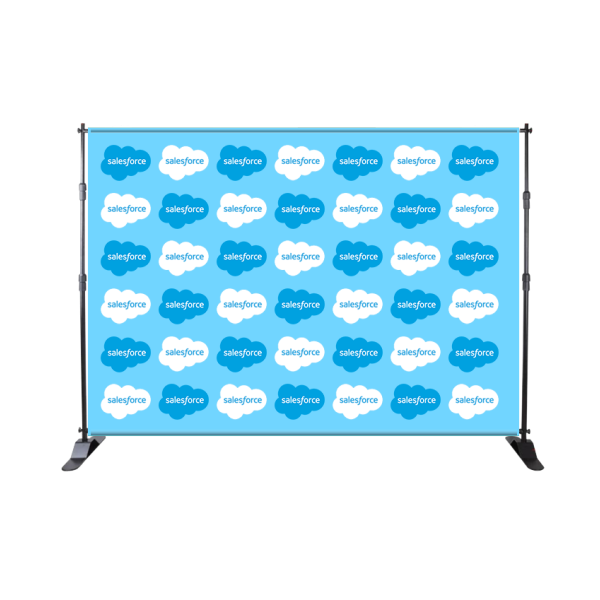
One popular approach is to use a repeating logo pattern across the backdrop. This format is commonly associated with red carpet events, media interviews, press conferences, and corporate announcements.
When designing the graphic, maintain sufficient spacing between logos and avoid making the pattern unnecessarily crowded. The objective is to ensure that company branding remains visible without distracting from the people being photographed.
For sponsored events, consider including partner logos in a balanced arrangement. This provides sponsors with recognition while maintaining a professional overall design.
3. Select the Right Backdrop Size
The dimensions of a backdrop should match the available event space and the number of people expected to appear in photographs.
A narrow background may work for individual portraits, but group photographs require additional width. Similarly, a backdrop that is too large for the venue can make the photography area difficult to organize.
For corporate functions, product launches, and media events, a 9ft wide by 8ft high display can provide a practical background for individual and small-group photography.
A custom step and repeat backdrop in this size offers businesses an opportunity to display repeating logos and branded graphics in a dedicated photography area. Before selecting a display, measure the available floor space and confirm that its height and width are suitable for the venue.
4. Pay Attention to Lighting and Image Quality
Good lighting is essential for professional event photography. Even a well-designed backdrop can look less effective when photographs contain harsh shadows, uneven brightness, or poorly exposed backgrounds.
Position lighting so that it illuminates both the backdrop and the people standing in front of it. Avoid placing strong light sources directly behind guests, as this can create unwanted silhouettes.
It is also important to consider the backdrop material. Printed fabric can provide a clean, professional appearance when properly installed and maintained. High-resolution dye-sublimation printing helps reproduce branded graphics and logos with clear detail.
Before an event, test the photography setup using a camera or smartphone to identify any lighting or positioning issues.
5. Consider Portability and Installation
Businesses that organize multiple events throughout the year should consider how easily their display can be transported, assembled, and stored.
A backdrop with a telescopic aluminum stand can be useful for event teams that need a display they can set up at different venues. A carrying case also makes transportation and storage more convenient.
Check the installation instructions before the event and allow enough time for assembly. Make sure the frame is properly secured and the fabric is evenly positioned to avoid visible wrinkles or uneven edges.
For indoor corporate events, confirm that the selected display is appropriate for the venue and its installation conditions.
6. Make the Photo Area Part of the Event Experience
A professional photography area should complement the wider event rather than feel like an unrelated decoration.
Consider how attendees will interact with the space. Provide enough room for photographers, keep the background free from unnecessary objects, and position any event messaging where it will remain visible in photographs.
For product launches, the display can reinforce the new product's branding. At conferences, it can feature the event identity and participating sponsors. During company celebrations, it can create a consistent background for employee and team photographs.
Encouraging attendees to share their event pictures can also extend the visibility of the company's branding beyond the venue.
Conclusion
A well-designed corporate event photo area combines practical planning with consistent visual branding. The right location, backdrop dimensions, lighting, and installation approach can help businesses create a professional environment for photography and guest interaction.
From company celebrations and press conferences to product launches and sponsored events, a thoughtfully designed photo background gives attendees a recognizable place to capture important moments. By considering both the visual presentation and practical requirements, event organizers can create a photography space that supports the event's identity and leaves a lasting impression.

 English
 Arabic
 French
 Spanish
 Portuguese
 Deutsch
 Turkish
 Dutch
 Italiano
 Russian
 Romaian
 Portuguese (Brazil)