


Khelo24 APK: Legal and Security Checks Every Android User Should Know

Searching for an Android application is easy. Knowing whether its installation file is trustworthy is a different matter. An APK file can look like a normal application, but its source, permissions and behaviour determine whether it deserves your trust.
People searching for terms such as khelo24 apk or khelo 24 apk should understand two things before making any decision: digital security and the legal status of the service.
An attractive website or a professional-looking download page does not automatically establish that an application is genuine. Users should verify the source, understand what information an application can access and check the regulations that apply in their country.
This guide explains those checks without making unsupported claims about any particular APK file.
What Is an APK File?
APK stands for Android Package Kit. It is the file format Android uses to distribute and install applications.
Think of an APK as a package containing the components required to run an Android application.
It can include:
-
Application code and resources.
-
Images, fonts and other interface elements.
-
Configuration information.
-
Permissions requested by the application.
-
Version and compatibility details.
An APK file is not automatically dangerous. However, installing one from an unverified source creates risks that users should understand.
What Should Users Know Before Searching for Khelo24 APK?
A search result is not proof of authenticity.
Several websites may use similar names, logos and descriptions. Some may offer outdated files, modified applications or completely unrelated downloads.
Before trusting an application, consider these questions:
1. Is the source independently verifiable?
Check whether the publisher provides a verifiable company identity, official documentation and legitimate contact information.
A website displaying an application logo does not establish ownership or authenticity.
2. Is the application version identifiable?
An application should have identifiable version information.
Check whether the publisher provides:
-
Version number.
-
Release date.
-
Developer information.
-
Update history.
-
Compatibility information.
Missing information makes independent verification more difficult.
3. Are the requested permissions reasonable?
An application should only request permissions necessary for its stated functions.
For example, access to contacts, SMS, microphone or location should have a clear explanation.
Unexpected permission requests are a reason to stop and investigate.
How Can You Check Whether an APK Is Safe?
Android users should take several precautions when evaluating an application.
Check Google Play Protect
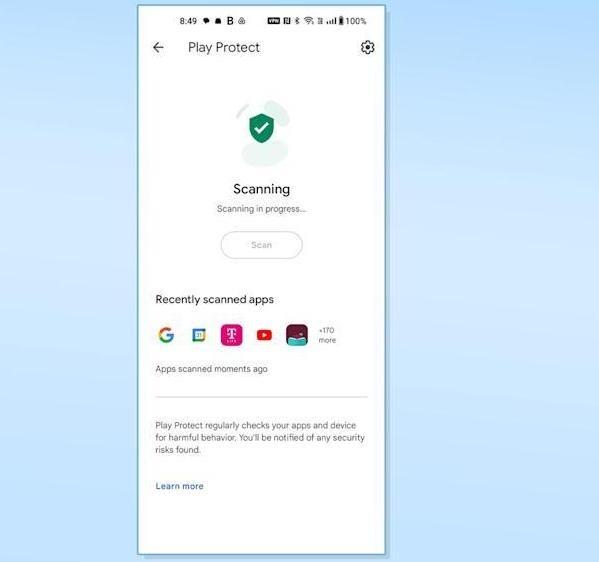
Google Play Protect helps identify potentially harmful applications.
It can scan applications and warn users about certain security threats.
To review its settings:
-
Open Google Play Store.
-
Tap your profile icon.
-
Select Play Protect.
-
Open its settings.
-
Check that app scanning is enabled.
Google recommends keeping Play Protect enabled. However, a clean scan is not a guarantee that an application is completely safe.
Google Account Help
Review application permissions
Permission requests deserve more attention than an application's appearance.
|
Permission |
What to consider |
|
Camera |
Is camera access necessary? |
|
Microphone |
Does the application genuinely need audio access? |
|
Contacts |
Why does it need access to your contacts? |
|
Location |
Is location essential to its functionality? |
|
SMS |
Is there a clear reason for accessing messages? |
|
Storage |
What files does the application need to access? |
Do not grant permissions simply because an application requests them.
Avoid modified APK files
Modified APK files can contain changes that are not part of the original application.
These changes may introduce unwanted advertisements, tracking components or malicious code.
A familiar application name does not establish that two APK files have the same developer or security properties.
Is Khelo24 APK Legal in India?
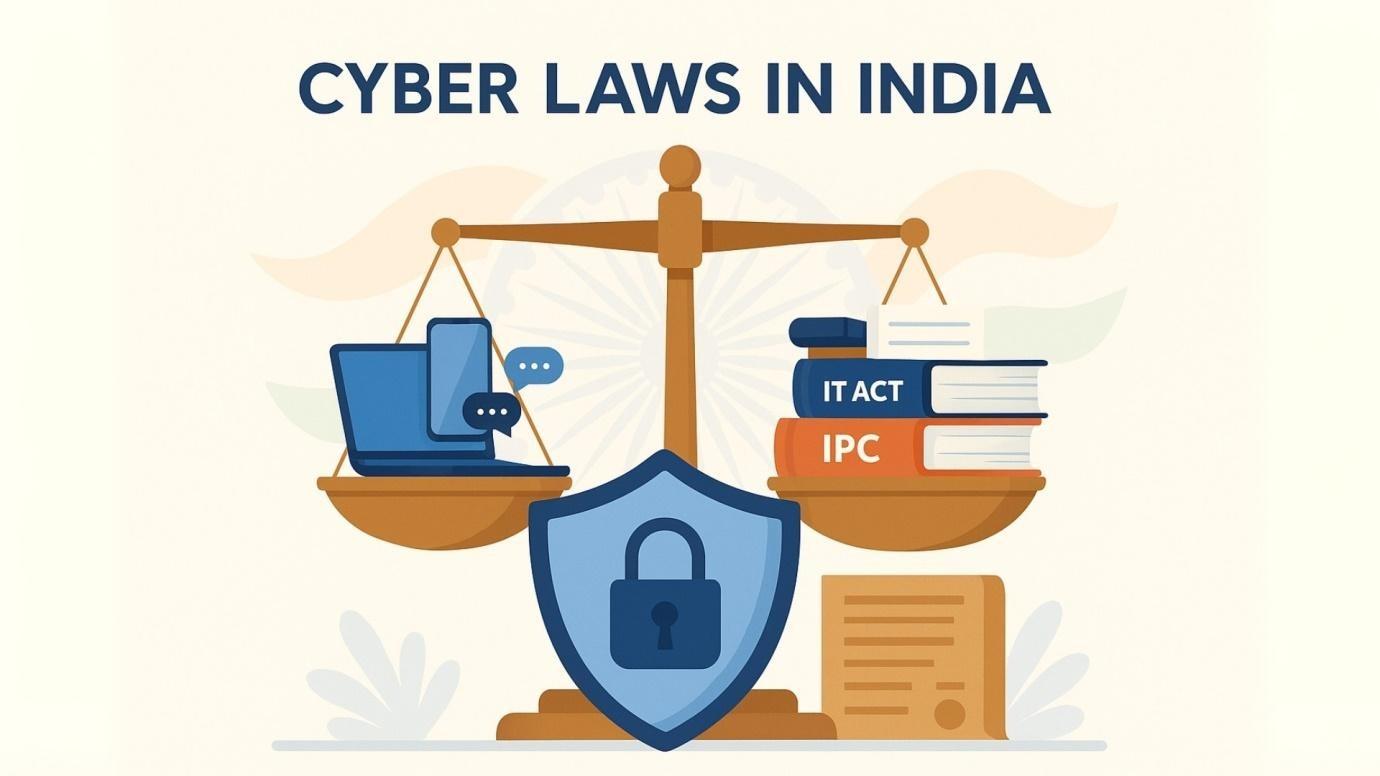
This is one of the most important questions Indian users should investigate.
The Promotion and Regulation of Online Gaming Act, 2025 (Act No. 32 of 2025) establishes restrictions on online money games.
The legislation prohibits offering, operating, facilitating, advertising and promoting online money games. Its provisions cover games involving chance, skill or a combination of both.
The Promotion and Regulation of Online Gaming Rules, 2026 came into force on 1 May 2026.
India Code+2
Consequently, users should not assume that an online betting or real-money gaming application is permitted merely because its website is accessible.
Before using any gaming service, understand its actual functionality and the applicable law. An application's name or marketing description does not determine its legal classification.
For authoritative information, consult the Ministry of Electronics and Information Technology and India Code.
Common Mistakes to Avoid When Evaluating Android Applications
Many users focus on downloading an application quickly instead of checking its authenticity.
Here are some mistakes worth avoiding.
1. Trusting search advertisements
A sponsored search result is not a government safety certification or proof of publisher authenticity.
2. Ignoring permission requests
Giving unnecessary access to personal information can create privacy risks.
3. Installing files from unknown websites
Unverified sources make it difficult to establish the integrity of an installation file.
4. Ignoring security warnings
Disabling security features to install an application is a particularly risky decision.
5. Sharing sensitive information
Never share OTPs, passwords, banking credentials or confidential information with an unverified application or website.
How Can Users Protect Their Android Devices?
A few basic habits can reduce unnecessary security risks.
-
Keep Android and installed applications updated.
-
Keep Google Play Protect enabled.
-
Use a screen lock and strong device authentication.
-
Review application permissions regularly.
-
Avoid suspicious links and unexpected downloads.
-
Never install files simply because someone promises rewards or financial returns.
-
Check official government information before using regulated digital services.
Remember that device security and legal compliance are separate issues. An application passing a malware scan does not automatically make its services legally permissible.
Frequently Asked Questions
1. What is khelo24 apk?
The phrase khelo24 apk is a search term users may use when looking for an Android application associated with the Khelo24 name. The search term itself does not verify the authenticity, ownership or safety of any particular APK file.
2. What is the difference between khelo24 apk and khelo 24 apk?
Both phrases contain the same brand wording, with a spacing difference. Search engines may understand them as closely related queries, but neither phrase establishes that a particular download is genuine.
3. How can I check whether an APK file is genuine?
Verify the publisher, source, version information and application permissions. Use Android security tools and do not ignore warnings.
4. Does Google Play Protect guarantee APK safety?
No. Play Protect provides security scanning and warnings, but it cannot guarantee that every application or file is completely safe.
5. Can an APK file access personal information?
Depending on its permissions and behaviour, an application may access certain device information and personal data. Review permissions carefully and avoid granting unnecessary access.
6. Are online money gaming applications permitted in India?
India's Promotion and Regulation of Online Gaming Act, 2025 prohibits online money games and related advertising and facilitation. The 2026 Rules provide the operational framework. Users should consult official government sources for the current legal position.
7. Should I install an APK from an unknown website?
You should avoid installing files from unverified sources. A familiar name, attractive interface or positive-looking review does not establish that a file is trustworthy.
Conclusion
Searching for an application is only the beginning of responsible digital decision-making. Android users should examine the source, developer information, permissions and security warnings before trusting any installation file.
People searching for khelo24 apk or khelo 24 apk should also understand the legal restrictions affecting online money gaming in India.
The safest approach is to verify information independently, protect personal data and never assume that an application is legitimate simply because a website offers it.

 English
 Arabic
 French
 Spanish
 Deutsch
 Turkish
 Dutch
 Italiano
 Russian
 Romaian
 Portuguese (Brazil)
 Greek