How to Identify Fake Delta Executor Update Notifications
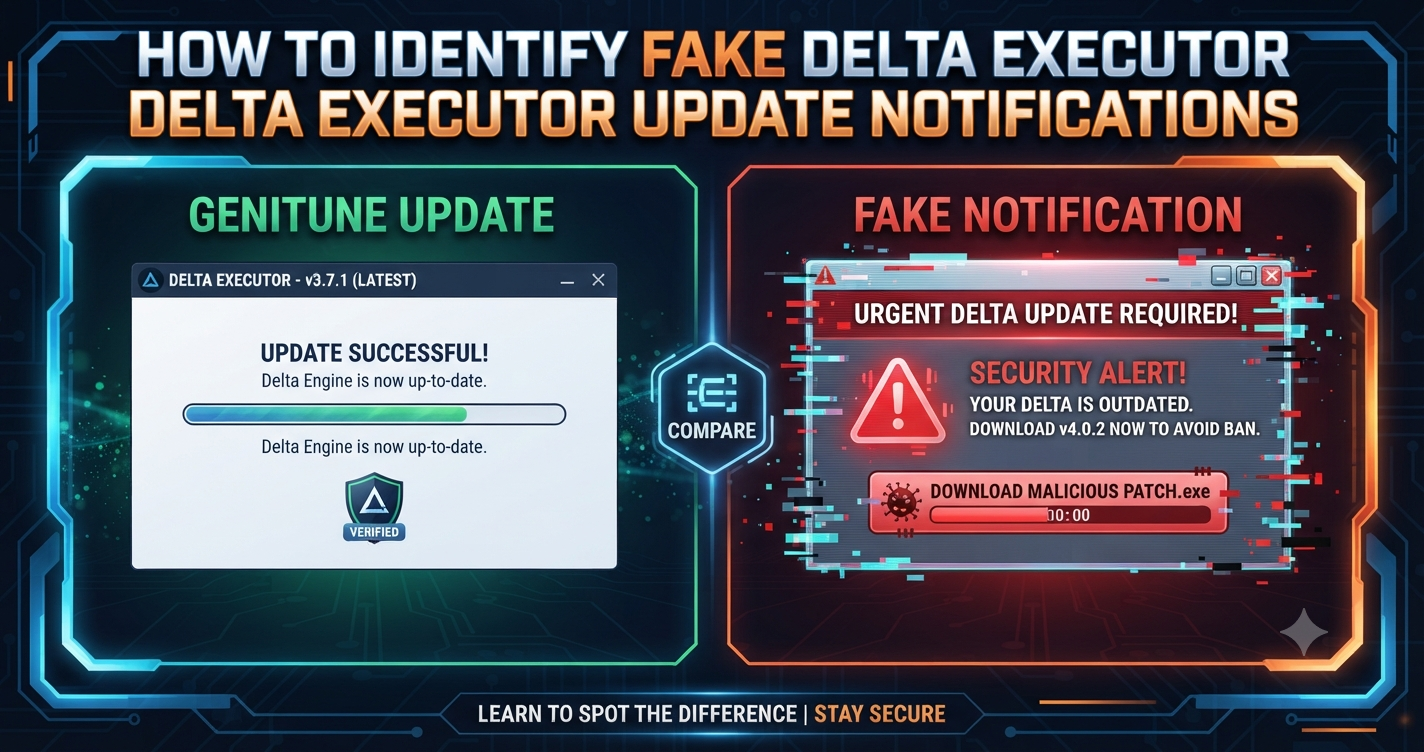
Update notifications can help users learn when an application has a new version. However, not every update message found online is genuine. Some websites and pop-ups use fake alerts to attract clicks, collect personal information, or encourage people to download harmful files. Knowing how to recognize these warnings can help users protect their devices and accounts.
When searching for a Delta Executor APK, users may see messages claiming that an urgent update is available. These alerts can appear on download websites, social media pages, or unfamiliar pop-ups. Since Delta Executor is a third-party tool and is not officially supported by Roblox, users should not assume that every update notice is real. Checking the source before taking action is an important safety step.
1. Check Where the Update Notification Comes From
The first step is to examine the source of the message. A notification from an unknown website deserves more caution than information from a source you can verify.
Fake update pages may copy the names, colors, and logos used by other websites. This can make them look familiar, even when they have no connection to the actual application.
Before trusting a message, consider these questions:
- Does the website clearly identify who operates it?
- Is the web address spelled correctly?
- Does the page provide useful information about the update?
- Does it contain contact details or a clear privacy policy?
If the source is unclear, avoid clicking its download links.
2. Watch for Urgent or Threatening Language
Fake notifications often try to make users act quickly. They may claim that an application will stop working within minutes or that an account will be blocked unless an update is installed.
These messages use fear instead of providing clear information. A genuine software update notice should explain what has changed without pressuring users into immediate action.
Be careful with phrases such as "update immediately," "last chance," or "your device is at risk." Urgent wording alone does not prove that a notification is fake, but it is a reason to investigate further.
3. Look for Suspicious Download Requests
Another warning sign is a message that asks users to download several files, install unknown applications, or complete unrelated surveys before accessing an update.
Some suspicious pages may request passwords, verification codes, or account details. These requests should never be treated as normal update requirements.
Users searching for Delta iOS information should also be careful with unfamiliar configuration profiles and installation instructions. Apple devices use specific security rules, and installing unknown profiles can expose private information or change device settings.
4. Examine the Update Details Carefully
A trustworthy update notice should provide useful details, such as the version information, release date, and a summary of changes. Vague messages that only say "new version available" offer little proof.
Look for common warning signs:
- No version number or release information
- Poorly written descriptions with repeated spelling errors
- Broken links or unrelated website addresses
- Unexpected redirects to other download pages
- Claims that every device is guaranteed to work
Remember that a version number or professional-looking page can also be copied. These details are clues, not proof of authenticity.
5. What to Do After Seeing a Fake Alert
If a notification looks suspicious, do not download its files or enter personal details. Close the page and avoid allowing browser notifications from unfamiliar websites.
If you have already downloaded a file, do not open or install it. Delete it using your device's normal file-management tools and run a security check if appropriate. If you entered your Roblox password on a suspicious page, change it through the official Roblox website and review your account security.
You should also keep your browser, operating system, and security software updated.
6. Build Safer Update Habits
Good habits make fake notifications easier to avoid. Bookmark trusted information pages, check website addresses carefully, and avoid links shared through unknown messages. Never turn off security features simply because a page says they are blocking an update.
For Roblox development, use official Roblox resources and Roblox Studio rather than relying on unofficial tools.
Conclusion
Fake Delta Executor update notifications often use urgent language, unclear sources, suspicious downloads, and requests for personal information. Checking the website, reading update details, and avoiding unknown files can reduce these risks. Since Delta Executor is not an official Roblox product, users should be especially careful about claims made by third-party websites. Taking a moment to verify an alert is safer than rushing into an installation.

 English
 Arabic
 French
 Spanish
 Deutsch
 Turkish
 Dutch
 Italiano
 Russian
 Romaian
 Portuguese (Brazil)
 Greek